Monday, May 19, 2014

National Museum of Health and Medicine - Gross Enough For My Wife, Historically Intriguing Enough For Me

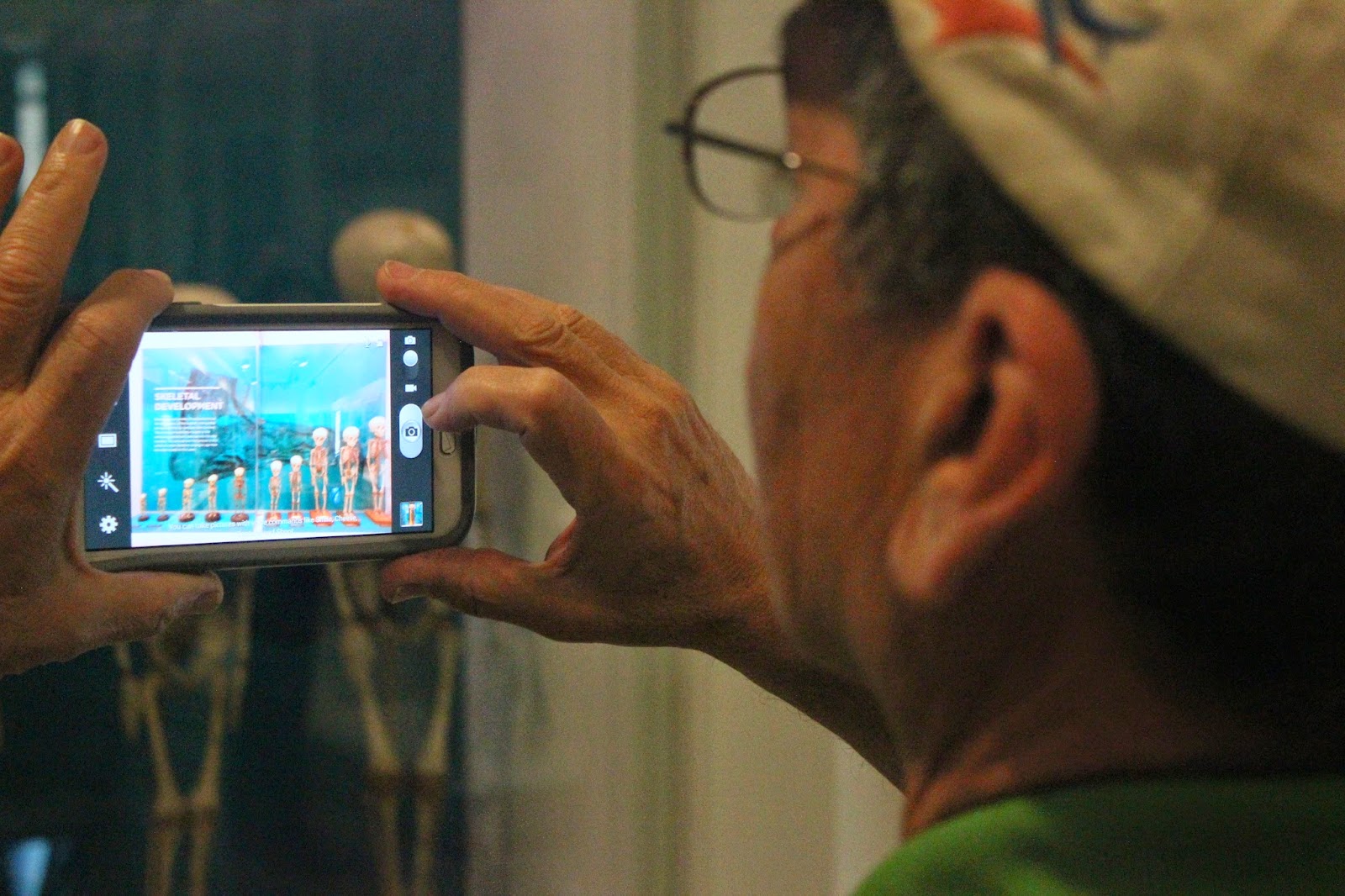
With my parents in town, I wanted to find a museum that both they and Shira would enjoy. A tall order considering my wife's general ambivalence to all things museum like. But, I did indeed find a winner: the National Museum of Health and Medicine. What this out of the way Smithsonian lacks in location and size it makes up for in quality and the contents of its collection.

The museum itself consists of one descent size floor with 3 large rooms. It's not a random display case in a building's lobby, but it's also not the size of the well known Smithsonian on the Mall. Still, the collection of items they have on display are absolutely top shelf. It also bucks the trend of trying striving for interactive and over the top exhibits. This is an old school museum with interesting pieces in display cases; there's almost nothing hands on to do. In this case, the simple display approach really works.

F As for what's on display, they've got the bullet that killed Lincoln; the skeleton of the first Monkey to survive space travel; the love letter used to gather DNA to identify Colonel Charles Scharf's remains; the surgery kit of Mary E. Walker, the only woman to date to receive the Medal of Honor; a microscope from the 1600's used by Robert Hooke and much more. The museum has an extensive collection of Civil War artifacts. Between the items on display and the stories, I really came away with the sense that Civil War medicine was actually pretty sophisticated for its day. I always think the Civil War surgeons had more in common with carpenters of today than doctors, but that's really selling them short. Heck, the forensic analysis done on Captian Heny Wirz's remains, the commandant of Andersonville Prison during the Civil War, would fit in just fine with any episode of CSI or Bones (I can see it now: CSI: Civil War).

Yes, the museum (and heck, my photos below) contains lots of bones, organs and other things that could make you go "ewwwwww." But, as a number of folks stated in Yelp, the museum has been renovated so that it's less oriented to shock and creepiness, than it is to eduction. For sheer gross factor, you're just going to have to make the trek to the Mutter Museum in Philadelphia.

All in all, any museum that holds my wife's interest has to be something special. And this guy did the trick. As for my parents, they also found the museum quite interesting. Between my Mom's Master's Degree in Microbiology, and my Dad being a PhD / Biology professor, this was all right up their alley. Of course, my Mom being a Mom, nothing could gross her out.

Friday, May 16, 2014

Let's Roll - Playing The Cee-lo Dice Game

My parents came into town last night. And because my Mom and I are both genetically programmed to not be able to sit around and do 'nothing' (thanks Mom!), I decided to bust out some dice and play Cee-lo. Cee-lo is a kind-of-sort-of an improvised version of craps. That is, it's an easy way to bet money on the outcome of dice rolls.

Why Cee-lo, when there are more wholesome games to play like Bananagrams or Farkle? Because Cool Tools promised it was fun and easy to play. And I've got admit, they're right.

All you need is three dice (or a cell phone to simulate them), a willing player or two and some stuff to bet. It's fun and you can play anywhere. Even at your dining room table while you're waiting for the rest of your family to catch on that it's time to do something.

Here's a quick breakdown of the rules of Cee-lo so you can try yourself:

In this version of the game, each round involves two or more players of equal status. A bet amount is agreed upon and each player puts that amount in the pile or pot. Each player then has to roll all three dice at once and must continue until a recognized combination is rolled. Whichever player rolls the best combination wins the entire pot, and a new round begins. In cases where two or more players tie for the best combination, they must have a shoot out to determine a single winner.

The combinations and can be ranked from best to worst as:

4-5-6
    The highest possible roll. If you roll 4-5-6, you automatically win.
“Trips”
    Rolling three of the same number is known as rolling “trips”. Higher trips beat lower trips, so 4-4-4 is better than 3-3-3.
“Point”
    Rolling a pair, and another number, establishes the singleton as a “point”. A higher point beats a lower point, so 1-1-3 is better than 6-6-2.
1-2-3
    The lowest possible roll. If you roll 1-2-3, you automatically lose.

Any other roll is a meaningless combination and must be rerolled until one of the above combinations occurs.

Wednesday, May 14, 2014

Gotcha of the Day: Adobe AIR adt fails with "Unable to run aapt"

This morning I installed the Adobe AIR SDK on one my laptops that had never been used for Air development. I kicked off adt.bat from within Cygwin and was greeted with the following:

$ adt.bat -package ...
unexpected failure: Unable to run aapt
java.io.IOException: Unable to run aapt
        at com.adobe.air.apk.APKOutputStream.generateResourcesAndManifest(APKOutputStream.java:842)
        at com.adobe.air.apk.APKOutputStream.addApplicationDescriptor(APKOutputStream.java:298)
        at com.adobe.air.ApplicationPackager.addSpecialFiles(ApplicationPackager.java:301)
        at com.adobe.air.ApplicationPackager.createPackage(ApplicationPackager.java:66)
        at com.adobe.air.ADT.parseArgsAndGo(ADT.java:590)
        at com.adobe.air.ADT.run(ADT.java:435)
        at com.adobe.air.ADT.main(ADT.java:485)

What the heck?!

I tried a number of obvious'ish things: I tried an older version of the SDK as well as an x86 version of the Java JRE. Nothing.

Even Google failed me, offering no useful hits for this exception. It was time to get creative.

Step one, I decided I'd take a peek at the source code for APKOutputStream. I downloaded a very slick Java Decompiler (back in the day, jad was an aboslutely essential tool for Java development) and was trivially able to find the function in question:

private void generateResourcesAndManifest(String packageName, ApplicationDescriptor descriptor, int appVersionCode)
    throws IOException
  {
    String pathToApptTool = getAapt().getPath();
    ...
    try
    {
      ProcessBuilder pb = new ProcessBuilder(aaptCommand);
      Process p = pb.start();
      ByteArrayOutputStream aaptOutput = new ByteArrayOutputStream();
      new Utils.OutputEater(p.getErrorStream(), aaptOutput).start();
      new Utils.OutputEater(p.getInputStream()).start();
      p.waitFor();
      if (p.exitValue() != 0) {
        aaptOutputString = new String(aaptOutput.toByteArray(), "UTF-8");
      }
    }
    catch (Exception e)
    {
      throw new IOException("Unable to run aapt");
    }

The source gave me a couple of leads, including mention of the following command line option:

  aaptCommand.add("--target-sdk-version");
  aaptCommand.add("17");

I checked and realized I didn't have version 17 of the Android SDK installed. However, installing that package still didn't help.

Next up, I decided I dig even deeper and run adb through JDB. This turned out to be pretty straightforward. I kicked off jdb and entered the following commands:

$ jdb
stop in com.adobe.air.apk.APKOutputStream.getAapt
stop at com.adobe.air.apk.APKOutputStream:845
run  -jar c:\tools\flex4\lib\adt.jar -package ...

While on line 845, I inspected the variable pathToApptTool and learned that adb was trying to execute:

 c:\tools\flex4\lib\android\bin\aapt.exe

From within Cygwin I tried to manually execute that command. Thankfully, I got a permission denied error. Finally, a problem I knew how to fix! I ran:

 $ cd /cygdrive/c/tools/flex4
 $ find -name '*.exe' -exec grep chmod a+rx {} \;

And sure enough, the adt command finally ran without fault.

In the end, this issue had nothing to do with Adobe AIR and everything to do with Cygwin and Windows permissions. Still, check out the exception handling in the above code; it's atrocious. The only code that would have been worse would have been to swallow the exception. Still, to catch a detailed exception and not report it is a rookie mistake. It would have cost them no additional effort to output the root cause of the exception as well as the full command line that failed.

Seriously, Adobe, you can do better. At least, I certainly hope you can..

R and R's Weeknight Pasta Sauce Recipe

Our Cousins Ralph and Rachel and their little one have been visiting from out of town for the last couple days, and we've been having a blast. Everything their 2 year old says and does is beyond adorable. At last night's dinner, the discussion turned to Italian food. Specifically, the abomination that is jarred sauce. Cousin Ralph is one of my authorities on Italian food, so when he says I can make a quick and easy sauce that will trounce the stuff we usually buy, I'm going to have to believe him.

So here it is, Ralph and Rachel's Weeknight Sauce:

  • Sauté a few cloves of garlic (4? 6? Be creative!), Olive oil (Ralph says be generous with the Olive Oil, Rachel says, not so much), a quarter of an onion and some salt and pepper
  • Add in a big can of Tuttorosso Crushed Tomatoes with basil. That's the Green Can, not the Blue Can (Ralph and Rachel agreed on this topic, which makes me think it's imortant)
  • Add in a small can of hunts tomato sauce
  • Let it simmer away while you make your pasta
  • Enjoy!

Remember, this is the quick and dirty Weekday Version. I suppose once I've mastered this, I can graduate to the multi-hour prep "gravy style" sauces. Yeah, I'm not there yet.

If all goes well, I can be a sauce snob in no time!

Thanks R&R for a most fun (and educational) visit!

Tuesday, May 13, 2014

Adventures in Venture Capital - The More Things Change, The More They Stay The Same

I'm pretty sure Gideon Lewis-Kraus's piece in Wired tracking one startup's quest to make it in Silicon Valley was intended to describe life in the latest tech bubble. For me, however, it was eerily similar to the dotcom boom of 2000. In fact, the whole thing felt like I was embedded with a group of naive guys heading to Vegas to strike it rich. Slowly but surely, everyone figures out that the games are rigged: the casinos may have been flashy and inviting, but the guys are the mark.

Can you tell I'm a little jaded? What can I say, from my experience, the Venture Capital based start-up world is like a house of cards. I'll be generous and say that everyone's putting forth their most optimistic picture (versus, say, lying): the tech team is talking about code like its written, the business dev team is talking about prospects like they are customers and the VC's are promising rock solid support when it's shaky at best. Everyone's walking around with a Happily Ever After scenario that just might happen. Or, the whole thing may just fall apart tomorrow. Promises, even signed agreements, don't mean much in this world.

Still, the article is right when it talks about how different techies seek different paths. For some, having a sexy title at Google or Microsoft may be the dream, while others get excited about stepping into the ring with Silicon Valley VC's. Sure, the VC's have experience on their side, and they've got self preservation down to a science. But, no VC can resist the next epic idea, and plenty of entrepreneurs think they can beat the odds. As for me, I play on the smaller scale of things, helping folks change the word without first raising millions of dollars (and selling their soul in the process). I recognize that works for me, but not for everyone.

Go read the piece: One Startup’s Struggle to Survive the Silicon Valley Gold Rush, and more importantly, remember this is the rule, not the exception in the Venture Capital world. I know those casinos are tempting, but play long enough and the house always wins.

Sunday, May 11, 2014

A Little Green and A Little Mystery

I know that to most, seeing seeds germinate is probably the stuff of 3rd Grade Science Class. But apparently, I missed that class, because I'm in absolute awe at the progress our seeds are making both indoors and out. It's official, some of the seeds I dropped into the ground have sprouted!


And the seeds I planted indoors are growing surprisingly well:


I get that seeds are self contained pods of life. They've got the protective outer shell to keep them safe and some nutrition inside to allow them to grow without sunlight (while they are still underground, taking root). I can also imagine that getting them wet is the trigger that starts the whole process. But, what about this quandary: how do they know which direction is up?

I mean, I just dropped the seeds into soil haphazardly. I can imagine they'd start developing roots and shoots, but what causes the roots to grow down and the shoots to grow up? In the darkness of the soil, what possible cue could they use?

As you can imagine, I'm not the first person to ask this question. The simple answer appears to be: the seed can detect gravity, though the exact details for how it does this is still not 100% known.

Like I said, I'm in awe. Life really is mysterious and inventive.

Friday, May 09, 2014

Let there be Life!

A few weeks ago I dropped some seeds in the ground to see if I couldn't get something interesting to grow. So far, the weeds near where I dropped the seeds in place are doing great! Other than that, there hasn't really any fresh signs of life.

I still had quite a collection of seeds left over, so I figured what the heck, let me try growing some seedlings indoors.

Following various recommendations, I filled an egg carton with potting mix (versus seeding mix which is recommended, but not something I had), added the seeds, got them wet, and covered the whole shebang with Saran Wrap. This was on Monday.

On Tuesday, I gave the setup a little more water, and rather than run off and buy a plant warming mat, I moved the whole setup to the top of water heater.

On Wednesday, I inspected my pile of dirt and noticed some fuzzy mold growing. Well, at least something was growing. I Googled around and determined the fuzz wasn't a deal breaker and could keep the experiment going.

On Thursday I noticed to, my absolute shock and amazement, something green in the dirt. Holy smokes, one of the Sunflower seeds had split and was actually growing! Technically, I think the seed had germinated.

And here's the whole slimy mess today:

It's alive!

Next up, I replaced the Saran Wrap with an equally hacky cover, hoping that this would still trap moisture but allow for a little vertical growth:

Early this morning I put the setup outside figuring it would get maximal sunshine that way. However, as I was typing this post a massive crow came along and started poking at the cover. I quickly went down and rescued the seeds from the very hungry crow, moving them indoors. Man, I feel for those little seedlings; it's not easy being so low on the food chain.

I'm quite certain that I'm going to mess this up. But, what a fun experiment!

Perixx 805L - The Next Attempt At Turning My Phone Into A Laptop Replacement

Using the MiniSuit Bluetooth Keyboard has extended my phone in a number of useful ways. All of a sudden, entering in shell commands isn't a futile exercise. However, as I noted in my review of the MiniSuite, between its size and keyboard feel it's never going to be an effective for touch typing.

When I got a Galaxy S5, I wondered if it might be worth it to take a fresh look at Bluetooth keyboards. Perhaps I could find one that was touch typing friendly, and therefore even more useful than the MiniSuite.

I looked around Amazon, read reviews and finally settled on the Perixx 805L Keyboard as my next attempt at keyboard greatness.

Here's what it looks like in use and folded up:

There's no denying it, the Perixx is larger than the MiniSuite. But, when I opened up the Perixx I was immediately impressed by the build quality. This thing is a real keyboard! The key feel is as good as any laptop I've used, if not better. And the keys are indeed full size. I quickly got an answer to my most pressing question: could I touch type on this thing? Heck yeah! In a world full of cheap knockoff phone accessories, it was nice to find Perixx. These guys are delivering real quality at a very reasonable price.

That's not to say that the Perixx is perfect. There are a number of issues that both the community and I've noticed. Before I chimed in on them, however, I thought I should put the keyboard to real use. Over the last week or so, I've switched my morning e-mail correspondence time from my computer to sitting at the kitchen island with the a cup of tea and my S5 connected to the Perixx 805L. To add an additional data point, I brought the same setup (minus the tea) to a Religious Committee meeting last night and served as scribe. When I take minutes for a meeting they are usually done in transcript form, so I'm doing quite a bit of typing. Bottom line: my comments below are after thousands of keystrokes of experience, and not just my gut feeling.

1. It doesn't lock open. This means that you need to set the keyboard down on a solid surface like a table. I've founds this to be a non-issue. I need a flat surface to balance my phone + kickstand anyway, so requiring one for the keyboard isn't a stretch. Once the keyboard is on a table, it remains quite solid.

2. It doesn't contain a touch pad. I liked the MiniSuite because I thought the built in touch pad would negate issues where I was switching between the keyboard and phone. This turned out, again, to be a non-issue. Thanks to my heavy keyboard mapping (see below), I was able to setup hotkeys to switch between apps. That meant that in many cases I wouldn't need to have my fingers leave the keyboard. In the cases when I did have to touch the screen, it was no more annoying than reaching for a mouse.

3. The keyboard layout is whacky, with some keys too large (e.g., the escape key), some keys too tiny (e.g., the backspace key) and some keys just laid out in the wrong locations (e.g., the shift key). At first I thought I could overcome this with shear willpower. But, that wasn't the case. I'd be typing away in Gmail and go to hit the 1 or ! key only to strike the ESC key. This results in the equivalent of hitting the back button, leaving the message in draft form and taking me away from the writing process altogether. And then there's the misplaced shift key. This one was also a major issue, as my attempts to hit 'Shift a' would end up with 'up arrow a', resulting in a brain halting mess.

Enter External Keyboard Helper (EKH). This awesome little app allows you to trivially remap keys and setup hotkeys. I've now got my keyboard layout setup so that the 'up arrow' is shift, and the escape key is the equivalent of pressing the 1 key. To get invoke the escape key, I now press Fn F1. Alt e takes me to my e-mail, while Alt g takes me to Chrome. Control Shift l inserts a long winded URL to a Getting Started document I frequently share with my prospects.

In short, EKH has saved the day. Sure, I occasionally get tripped up, but at last night's meeting I typed just as fast and furiously as if I had brought my Netbook. And during this morning's e-mail session I noticed no extra friction in responding to e-mails.

So it's official, the Perixx has replaced the MiniSuite as my Every Day Carry keyboard. Sure, it's larger, but a whole lot more powerful.

Between the keyboard, the power of the S5, and the customizations I've made to it, I'm thinking I've now got a mobile setup that's just as useful as my Netbook is. For multi-day trips I'm almost certainly going to continue to schlep a laptop. But for short trips, or as a hacker's backup, this setup truly rocks.

Thursday, May 08, 2014

Yum! Magic Marketing Pixie Dust

What do you see in this picture?

Lunch, right? It's a post from Packlite, a tumblr feed I follow. This particular post has 20 'notes', most of which are simply likes. The reason this post is so beloved is because the lunch box in question is a GoRuck GR1 Field Pocket. You only need to know three things about GoRuck gear: (1) it's expensive. That 'lunchbox' is $75. (2) its got a reputation for quality. "Built tough enough for war" the website promises. (3) its got one heck of a loyal fan base. How else can you explain a photo of a $75 pouch being used to hold lunch earning such praise. The author of Packlite need only plop a GoRuck backpack down on the ground, photograph it, and the likes start rolling in.

One of the forums I follow said it best:

... There isn't any specific design aspect that makes GoRuck better for rucking. In fact, I could (and have) made a strong argument that compared to TAD, Kifaru, or even the Maxpedition packs I mentioned, they're worse. What GoRuck has done is sprinkled magic marketing pixie dust on their packs, which creates the illusion that they're better.

They're good packs but if you don't snort the dust then you see them for what they really are. A relatively well made Slick 1000D Cordura pack that has inherited a near mystical reputation built on a really savvy social media based marketing plan implemented by a fitness business that also happens to sell nylon gear. No more, no less.

It may be magic pixie dust, but it's definitely working. If you've got a product you're selling, it's worth taking some time to check out GoRuck. You quickly realize that you're not dealing with a company who's just interested in selling products. And that's a good thing. So while I'm not buying a $75 lunch box anytime soon, and I'm quite happy with my $8.00 bag, I do think there's plenty to learn from the people at GoRuck.

The Joy Of Control and Why I'm Loving Smart Launcher 2

One of my early Joys of Unix (well, technically X-Windows) was discovering that the Window Manager, essentially the primary user interface, was something that could be altered at will. While the rest of the world was stuck with Windows 95, us computer geeks could dramatically alter what our desktop experience was like. TWM, FVWM, FLWM, Enlightment and my favorite Ratpoison (a mouseless graphical UI!) were all the rage.

Turns out, Android has a similar philosophy (and why shouldn't it, we're the same geeks after all). Only, instead of calling the applications 'Window Managers' they are now known as 'Launchers'.

That's right, by installing a different Launcher from the Google Play Store you can, in some cases, dramatically alter how your phone appears to work. It turns out, the home screen and its behavior isn't something controlled by Samsung or T-mobile, it's in your control.

So which Launcher should you run? As you can imagine, there are plenty of articles out there to help you decide. More than anything else, you'll probably want to plan for some serious experimentation time.

For the past few weeks I've been using Smart Launcher 2 and I do believe I'm hooked (I've upgraded to 'Pro' to toss them a few bucks for their hard work).

Three reasons I like Smart Launcher:

  1. It has automatic support for Landscape and Portrait mode. This is ideal for use with an external keyboard (more coming on this, soon).
  2. I like the simplicity and mind alternating behavior of the Gesture capability. Effectively, there's a single home screen and swiping left, right, up or down launches a specific app. In my head, I can imagine one screen of icons and to the left is Google Maps, while Google Chrome is standing by to the right.
  3. I'm digging the enhanced App Drawer. It offers nice organizational functionality by default, and I love the ability to uninstall or hide an app by long pressing its icon.

For me, Smart Launcher is different enough from the built in Launcher to expand my mind and gain access to slick new features, yet it's still reliable and fast to use.

So, what are you waiting for? Go discover your Launcher and start thinking like a geek.

Wednesday, May 07, 2014

Improving Terminal IDE: Adding emacs and command line copy & paste support

Terminal IDE rocks. For those who have yet to install it, it provides a bash command prompt from within Android. This isn't just an academic exercise, bash often provides the most efficient way to manage files (oh, the joy of mv, cp and tar), work with networks (curl and netcat baby!) and generally hack away with your device.

As good as Terminal IDE is, here's two ways to enhance it:

Add emacs

Sure, emacs runs on Android, but it has a nasty habit of segfaulting. I found that if I cranked down my font size it would run. Great, I could either run emacs and not see it, or see it and not have it run. David Meggison provides an brilliant fix: run emacs under Terminal IDE. He provides instructions for doing so. Though, I think they can be abbreviated to:

  • Install the emacs 'app' from Google Play
  • Open up Terminal IDE
  • Copy the emacs executable from the sdcard/emacs directory into your home directory in Terminal IDE (bonus points if you copy it into a local bin directory)
  • Invoke emacs
  • Sit back and be amazed

I've noticed a number of redraw issues, but nothing like the crashes I was seeing using the emacs app itself. It's definitely usable.

Command line copy and paste

Terminal IDE is great and all, but it often feels a bit disconnected from the rest of the system. If I've got some output from curl I want to e-mail, it takes jumping through hoops to get this done. What I really wanted was a quick and easy way to get content into and out of Terminal IDE. The Android clipboard seemed the ideal path. But how to do this?

My solution was to use Tasker (well, duh, right?). I developed two new Tasker profiles:

These are both pretty dang simple. Clipboard: Get watches the magic variable %CLIP (which contains the clipboard contents). When it changes, it automatically pushes the changes to a file living at: Tasker/clipboard/get.txt. Similarly, Clipboard: Set watches for changes to Tasker/clipboard/set.txt, as soon as this file updates, the contents of are stored on the clipboard.

With these Tasker profiles running, I can now set and get the clipboard contents via plain old text files. Which of course, bash loves. From the Terminal IDE side of things, I wrote the following shell script:

#!/data/data/com.spartacusrex.spartacuside/files/system/bin/bash

##
## Work with the system clipboard. Or, at least pretend to.
## Really, this is all powered by Tasker.
##

CLIP_DIR=$HOME/sdcard/Tasker/clipboard

if [ "$1" = "-s" ] ; then
    shift
    if [ -z "$1" ] ; then
 cat > $CLIP_DIR/set.txt
    else
 echo "$@" > $CLIP_DIR/set.txt
    fi
    exit
elif [ "$1" = "-g" ] ; then
    cat $CLIP_DIR/get.txt
    exit
else
    echo "Usage: `basename $0` {-s|-g} [text to copy]"
    exit
fi

With this in place, I can now do:

 # setting the clipboard
 curl -i 'http://www.google.com/' | clip -s   

 # get the clipboard
 clip -g | wc -l

Now, sending off the output of curl is as simple as capturing the output, switching over to the Gmail app, and pasting the results.

Next up: mixing these two solutions. I'm sure it's possible to convince emacs to use these files (get.txt and set.txt) in its kill ring operations.

Tuesday, May 06, 2014

Be A Scientist, Study Exotic Species, Don't Go Anywhere

I find something enchanting about this local nature project: 2014 Dora Kelley Nature Park Frog Watchers Brave Roller Coaster Season. The story goes on to explain that a group of nearby residents monitored the movement of a number of frogs during their breeding period:

A dedicated team of neighbors who live near the Dora Kelley Nature Park in Alexandria withstood the erratic weather for more than three weeks, from February 27 to March 23, to track the movement of frogs to the park’s marsh area where they breed in the late winter. This was the second year for the patrol in which individuals note the movements of frogs (primarily Northern Spring Peepers (Pseudacris crucifer) and Wood Frogs (Lithobates sylvaticus). These frogs winter in the adjacent woods and make the annual trek to the marsh where they likely were born. We then share the information with Mark Kelly and Jane Yeingst at Buddie Ford Nature Center for their frog database.

It just fits with my whole Live Your Best Life philosophy (which is Rule #16, for those keeping track). You could say, "Dang, I can't be a field biologist in the Galapagos, so I give up!" Or, you can do science right here in your back yard. And you can contribute your knowledge to others, which snowballs into something larger.

Find what you love, and do some version of it. No excuses.

Best Buddies: Canon t3i DSLR and Samsung Galaxy S5 Smart Phone

For a few dollars worth of hardware, you can do some pretty remarkable things with the Galaxy S5 and Canon t3i. In fact, any smartphone and DSLR can probably talk in interesting ways, though the combination I happen to have seems to work especially well. Before I jump into the recipes, here's what you may want to buy: USB Host On-the-Go (or just, USB OTG) cable, USB Card Reader and a Mini USB cable (versus the Micro one that came with your cell phone. If you've owned a couple generations of smartphones, you almost certainly have the 'mini' size lying around, as that was the standard a few years ago).

OK, enough talk, let's get to the magic:

Recipe #1: USB OTG Cable + Card Reader

This one is pretty dang simple: plugin the OTG cable to your phone, the card reader into the OTG cable, and drop in your camera's SD card. And Bam!, now you've got access to all your photos that you just took with your DSLR. I've been using this as a simple method for previewing the photos before I have access to my laptop. Of course, you can also blog, e-mail and edit the photos once you've gotten them over to your phone.

Recipe #2: Camera Remote App

The Samsung Galaxy S5 comes with a built in Ir Blaster which allows your phone to replace the remote for your TV. The Canon t3i has the ability to work with a small infrared remote, and using the Camera Remote app, you can simulate this piece of hardware. It's pretty dang amazing, actually. I just selected 'Canon' in the app and set my camera to self timer / remote drive mode. And remarkably, it just works. I point my phone at my camera, click the button and the camera goes off.

Recipe #3: USB OTG Cable + USB Cable + Helicon Remote App

It's this setup that really blows me away. You go ahead and plug the camera into the mini USB cable, the mini USB cable into the OTG cable, and the OTG cable into your Phone. You start up Helicon Remote and all of a sudden your phone is turned into a control center for your camera. Not only do you see what the lens sees, but you can control the exposure, focus and much more. By default, when you snap a photo is automatically downloaded to your phone and cleared from the card. I can't overstate how cool this all is. If I had gone out of my way to buy two more compatible devices, I'd probably have failed.

Now, what is this setup useful for? I'm not sure. But definitely something. Certainly if I had my camera on a tripod, I could imagine there'd be benefit to controlling it via an app over the back of the camera.

Monday, May 05, 2014

The Hasty BOB, Or The Very Lazy Man's Guide to Preparedness

America's Preparathon has come and gone, and I didn't so much as even mention that such a day exists. (Of course, I didn't know such a day existed until Shira sent me the link. That's not being very prepared, is it?). In the spirit of that day, I offer the following post.

One of the forums I follow mentioned this video: the $25 Bugout Bag.

Quick review: What's a Bug-Out-Bag (BOB for short)? Click here or here to learn about the topic. Do you need one? Everyone from your crazy uncle Rick, to the suits in the Government say, Yes.

In this video, the ridiculously tough looking James Yeager takes viewers on a tour of an emergency bag that he put together from dollar store supplies. The idea is that: (a) being prepared for emergencies doesn't have to be particularly costly, (b) it doesn't take particularly exotic gear (a trip to your local Dollar Tree has you mostly covered) and (c) for the truly lazy, you could actually prepare on the fly (or, maybe you're out of town and need to hunker down in a hotel or some other remote location).

Using Yeager's original list, I've gone ahead and constructed one similar to it. The idea is that depending on the store you happen to visit (a supermarket, CVS, dollar store, 7-Elevent, etc.) you're going to have to different items available to you. So I setup the list as a sort of 'pick one' from each category. Of course, depending on the situation, you'd probably just pick up everything you can. But, it's handy to have a checklist so you don't leave the store and thing, "dang, how did I forget to pick up toilet paper or a flash light?!"

This is pretty similar to the Low Budget Camping Adventure I posted some years back. Though, that video has the bonus of actually having the participants test out their dollar store purchases.

Here's the checklist. Surely I forgot some things? Let me know via comments, and I'll add them to the list.

View the Checklist

Watch the original video

P&G Continues To Tug At My Heartstrings and Win

I'm such a sucker for these these P&G commercials. This one is no different:

The commercial was so effective, it easily got me to donate a few bucks to the Special Olympics. (Unfortunately for P&G, I'm not on the Shopping Team, so I don't really have any say in what house hold products we buy. Sorry.)

(Watch the Video)

Sunday, May 04, 2014

Murder, Mystery and My Mother-in-Law

This afternoon, My Mother-in-Law and I toured Ford's Theater (Shira conveniently had a baby shower to attend). It's been years since I've been for a visit and they've since revamped the site. The museum, which you wander around before entering the theater itself, was large enough that I didn't get to see it in its entirety.

The story of Lincoln's assassination, which a good chunk of the museum is dedicated to, is just remarkable. It boggles the mind that a handful of individuals were able to take out a President. In the end all it took was a bit of social engineering (read: chutzpah) and a single shot Derringer to end the life of one of the most powerful people in the world. It didn't hurt that security was all but non-existent for Lincoln.

Along with the Derringer that was used, the museum also has Booth's pocket contents: a switchblade, whistle, compass, journal, bowie knife, handgun and 5 different "snapshots" of women. Not a bad EDC. As an aside, Lincoln's pocket contents are just as interesting. And he was heading for a night at the theater, not planning to go on the run.

Along with Ford's theater, we also made our way next door to the Petersen House, which also now has attached an equally interesting museum. Both of these sites would be fun places to take kids, as they try to make the exhibits quite interactive.

After the museums we met up with David and Maryn for a little bite to eat at Cosi. All that history made me hungry.

Here's a few photos. None of which I'm in love with.

Finally, I neglected to get a snapshot of my self and my Mother-in-Law at Ford's Theater. But here's one from Friday,so it will have to do.

What a fun and educational day!

Friday, May 02, 2014

Pretty in Pink (and Green, and lots of other colors) - A Visit to the US Botanic Gardens

This afternoon, Shira, My Mother-in-Law and I explored the US Botanic Gardens and the relatively nearby World War II Memorial.

How, with my love of all things outdoors and all things photographic, have I never been to the gardens? It's been 15 years, what the heck was I waiting for?

The Botanic Gardens are truly outstanding! They are pretty large, especially considering their location in DC, and they are absolutely teeming with pretty and fascinating species. From cacti to orchids, to a cocoa tree, to ancient species that look like they belong in a Dr. Seuss book, there was absolutely no shortage of stuff to gape at and photograph. Although, I can't take credit for most of these photos. When we entered the conservatory building I handed the camera to Shira who went to work.

After taking in the gardens we zipped over to the World War II Memorial. I'd been there before, but my Mother-in-Law hadn't. She was quite impressed, to say the least. It was a treat taking in the memorial with someone who was experiencing it for the first time.

Such a fun day!

View Photos

Space Exploration, 1960's Style

Somehow I tripped over these mission summaries for NASA's Project Mercury. They are truly amazing. Mercury was the US's entry into manned space flight. The most obvious of questions needed to be answered: could you put a man in space and get him back in one piece? Sounds like a no-brainer now, but at the time, this and many related questions were simply unknowns. And this was back in the early 60's, when the technology of the day was essentially pre-historic compared to what we are used to.

Here are some specific logs: Mercury Redstone 3 (the first Mercury flight), Murcury Redstone 4 (the second flight, which includes a few close calls) and Mercury Atlas 6 (the first time the US orbited a person).

The above is all well and good, but thanks to archive.org, you can listen to the actual voice communications between ground control and the astronauts. Check out: Mercury 3, Mercury 4 and Mercury 6. It's remarkable to consider that by listening to these tapes you're listening to history being made.

In some cases quite a bit of audio is included. To skip to lift off, use the following files and positions:

MissionAudio File NamePositionLink
Mercury 3329513:16Link
Mercury 4371-AAI3:00Link
Mercury 6691-AAE25:13Link

I found the Mercury 6 audio files to be especially interesting. For one thing, you're hearing in real time what the first American felt when he went weightless in space. Ignoring for a second that these astronauts had to deal with known dangers (like being in a tiny tin can strapped to a massive rocket), they also had to deal with complete mysteries. Would weightlessness in space mean that the astronaut wouldn't be able to breath or see? Nobody really knew.

I also like the Mercury 6 audio feed because it appears to be a combination of all chatter that was going on at the time. You get a sense of the urgency and large number of people involved, all trying to figure out moment by moment if this mission is going to be a success.

If you're more of a reader, you'll enjoy the follow up report provided after the mission. The diagrams alone make this worth checking out. You get at least some appreciation for the sardine-can like surroundings John Glenn was flying in. The stress these astronauts were under must have been unbelievable, and yet they pulled off these missions with amazing success.

These are a treasure. Navigate away from Buzzfeed.com for a moment and listen up. These are some gritty, old school, technology masterpieces.

Thursday, May 01, 2014

Playing with Fire: Create and launch itty bitty rockets

Oooh, this looks like an experiment I'm going to have to try: match rockets. Using actual Rocket Science, the creator of this video explains how you can turn a match, tinfoil, a pin and a paper clip into a launch pad and rocket. Warhead not included.

Here, check it out:

Project: Match Rockets from Grathio Labs on Vimeo.

You know, this might be a fun way to practice painting with light.

Watch the video here.

Embracing the Rain

Man, has it been soggy these last few days! But all those water droplets make me want to pull out my cell phone, attach my macro lens, and start shooting away.

Here's what I captured this morning:


Wednesday, April 30, 2014

Gotcha of the Day: ffmpeg converted flv file won't play in Windows Media Player

I'm using ffmpeg to convert flv files to avi files. The goal is to generate videos that any old version of Windows Media Player can play back.

I was using the command:

  ffmpeg -i foo.flv -codec:v mpeg4 -flags:v +qscale \
    -global_quality:v 0 -codec:a libmp3lame \
    foo.avi

And while the video played fine on my machine and using VLC, there were some Windows computers where Windows Media Player would kick back a useless error message, and refused to play the file video.

My first thought was that the codec was to blame. Using ffprobe I was able to find out the codec:

 $ ffprobe foo.avi
 ffprobe version N-62756-g2cf5143 Copyright (c) 2007-2014 the FFmpeg developers
 ...many lines trimmed...
 Stream #0:0: Video: mpeg4 (Simple Profile) (FMP4 / 0x34504D46), yuv420p, 320x230 [SAR 1:1 DAR 32:23], 1k tbr, 1k tbn, 1k tbc
 Stream #0:1: Audio: mp3 (U[0][0][0] / 0x0055), 44100 Hz, mono, s16p, 64 kb/s

But alas, I had videos encoded with FMP4 that played back fine on the same computers that were choking on this newly generated video.

For the heck of it, I ran a file against the generated avi file:

foo.avi: RIFF (little-endian) data, AVI320 230 >30 fps, video: FFMpeg MPEG-4, audio: MPEG-1 Layer 3 (mono, 44100 Hz)

Whoa, that >30 fps is suspicious.

A quick check of the ffmpeg docs told me about -r:

‘-r[:stream_specifier] fps (input/output,per-stream)`
Set frame rate (Hz value, fraction or abbreviation).

As an input option, ignore any timestamps stored in the file and instead generate timestamps assuming constant frame rate fps.

As an output option, duplicate or drop input frames to achieve constant output frame rate fps.

This looked promising!

Indeed, I ran the exact same command as above but added -r 30 and now file reports:

foo.avi:  RIFF (little-endian) data, AVI320 230 30.00 fps, video: FFMpeg MPEG-4, audio: MPEG-1 Layer 3 (mono, 44100 Hz)

And best of all, Windows Media Player plays the file just fine.

Turns out, you can figure out the frame rate using the following ffmpeg command:

ffprobe foo.avi -show_entries stream=time_base -select_streams v -of compact=nk=1:p=0 

And I had the frame rate set to 1/1000, instead of 1/30. Ooops.

Tuesday, April 29, 2014

Graden Variety Trash, or Priceless Civil War Find?

So I'm digging around by the side of my house and I find this metallic disc covered in dirt:

It's almost certainly trash, right? I found it relatively close to the gas meter, so I'm thinking it's a corroded metal tag that at one point was used on the seal of the meter (like this, but in metal).

Thing is, it so reminds me of old coins I've seen behind glass cases in museums (except, there you can usually tell it's a coin you're dealing with. Though not always). Could this be pocket change from a Civil War soldier?

As you can tell, it's the same size as a dime. However, a dime isn't attracted to a magnet, and this guy is. So perhaps it's just an old, crusty, Candian dime?

It looks like there's a handful of things I can do to try to clean him up. I suppose it doesn't hurt to drop this sucker in vinegar and wait.

Perhaps though, the mystery is just left alone. As Grandpa would say, why ruin a good story with the truth?

Gardening 3.0: Think like a Guerrilla

What do with the backyard? This it the question I mull over from year to year. Do I just surrender and call in a professional landscaper? Or maybe I go full Urban-Homesteader, and Square Foot this sucker from top to bottom? Or perhaps I take my Brother David's advice an do a sort of Airbnb arrangement where I partner with some master gardener that's stuck in an apartment complex (I'll bring the dirt, they bring the skills)? I'm always looking for ideas.

A few weeks ago while browsing our local library, I came across Guerrilla Gardening: A Manualfesto and couldn't resist picking it up. For one thing, Guerrilla Gardening has Seed Bombs and Seed Money. And for another, I was thinking it might give me some ideas. After all, Guerrilla Gardening is about bringing beauty and utility to neglected spaces and that pretty much describes our backyard.

The book, as the title suggests, is part advocacy and part how-to guide. It makes extensive use of sidebar items, which I found distracting at first (exactly where am I supposed to be reading?). But with a little time, I've grown to enjoy the book. I love the entrepreneurial spirit that it promotes. You can have the beauty you want in your community today (or, at least you can plant it today) and you don't have to seek anyone's permission.

And then on page 70 I came across a sidebar item that rocked my world:

CAREFREE GUERRILLA GARDEN SEED PACK
"Simply break the soil a bit and then toss the seeds":

It then went on to list 32 low effort seeds (which I'll list below).

Think of all the reasons to embrace this list! For one thing, what could be more remarkable than starting with a seed and ending up with a plant? (Versus starting with a healthy seedling from Home Depot and ending up with a dead seedling some time later.) Scalability is overrated, so the notion of planting a couple of seeds and having success and going from there really appeals to me (there's also another term for this approach: debugging). Most of the plants in the 'seed pack' are edible, which means that depending on my audience I can drop phrases like Edible Landscaping or Secret Survival Garden. And if nothing else, I could say I'm working on my Guerrilla Gardening skills. Even my fascination with cramming stuff in my pockets is helped by this list: I could carry a few seeds in a in spy capsule and be ready to spread life and beauty anytime. It's also worth noting that many seeds on this list are recommended for kids because they are so easy to grow.

I suppose you could ask the question: are any of these seeds worth growing? I mean, planting a seed to see it sprout is nice, but is there more to it? And here's the thing, nearly ever seed on the list has at least one web page on the web extolling its value. Take Borage. I'd never heard of it, but here's just one article listing its benefits:

Borage is more than an easy-growing ornamental that brings in pollinators and pest predators. The younger leaves and flowers can be used in salads. The flowers are particularly tasty added to iced water or tea, used fresh or frozen into ice cubes. The flower and leaves have a slight cucumber taste but with a splash of honey (though it's worth noting that pregnant and nursing women are advised not to consume borage because of health risks to them and their children).

Borage flowers were made into candies in the Middle Ages in Europe, where the plant grows wild around the Mediterranean. They are still used as decorations on pastries or desserts. A tea of borage was considered as a mood enhancer, leading to its reputation as a sedative.

These days mixologists add the flowers as colorful highlights to gin-based martinis, inspired perhaps by the liquor Pimm’s No. 1, which lists borage as one of its flavors.

And that's just Borage. I'm telling you, every plant on this list has a similarly glowing review. And that's actually not surprising because *all* plants are interesting to someone. They either have looks, utility or a history that's worth knowing and appreciating. This list is no different.

So I was sold on the list. I was a little surprised, however, that I couldn't find any of these seeds at the seed display in Home Depot. No matter, I did a little searching online and found JohnnySeeds.com had quite a number of them. I placed my order, which included: Nasturtium, Fava Beans, Borage, Cosmos, Sunflower, Amaranthus, Marigold and Lupine and late last week the packets arrived:

Over this weekend, I picked a few spots (with Shira supervising) and dropped in various seeds. I wet the ground, and now we play the waiting game.

What's going to happen? Nothing? Probably. Will I just manage to embolden the weeds? More likely. But what if something does grow. What if I will have managed to embrace that principle in Guerrilla Gardening that suggests there's value in even bringing a little beauty to a space. Who knows. Like any good experiment, I'll learn something.

Oh, and does anyone have the name of a landscaper they love?


Carefree Guerrilla Garden Seed Pack

  1. Fava Beans
  2. Vetch
  3. Clover
  4. Alfalfa
  5. Lupines
  6. Borage
  7. Black nightshade
  8. Ground cherry
  9. Cayenne pepper
  10. Dandelion
  11. Sunflower
  12. Cosmos
  13. Wild Lettuce
  14. Margiold
  15. Shasta daisy
  16. Sow thistle
  17. Curly dock
  18. Sheep sorrel
  19. Shepherd's-purse
  20. Smartweed
  21. Milkweed
  22. Cockleburg
  23. Lamb's quarters
  24. Mustard
  25. Stinging nettle
  26. Goldenrod
  27. Burdock
  28. Nasturtium
  29. Amaranth
  30. Flax
  31. Rye
  32. Plantain

Via: Jamie Jobb. The Complete Book of Community Gardening. Morrow, 1979, p156.

Monday, April 28, 2014

Kenilworth Aquatic Gardens

For years I've been nagging Shira about visiting Kenilworth Aquatic Gardens, and this last weekend, we finally made it there. We rode our bikes, which was a little over 24 miles round trip and contained some wonderful stretches of trail.

The gardens consist of a series of ponds, a hiking trail (which we didn't do) and a boardwalk. Apparently, the plants that live in the ponds bloom around June or July, so on the surface, it didn't look like much was going on. However, we ended up seeing quite a bit of wildlife and views really are amazing. As for specifics, we saw a Great Egreg, a few Blue Herons, a big 'ol hawk, two different types of lizards, a chilaxing frog and a Black Rat Snake. And turtles (or tortoises?). Lots and lots of turtles. From too-cute baby turtles, to two large snapping turtles that were either fighting or mating (just like in humans, to the untrained eye it's hard to tell the difference).

I left really impressed. Sure, the boardwalk isn't quite as exotic as say strolling through the Florida Everglades, but when you consider the proximity to DC, it's definitely a winner. In many respects, it's like Theodore Roosevelt Island: potentially easy to dismiss, but truly a wonderful place to explore with kids and a nature lover's oasis so close to home.

Shira was in charge of capturing photos. I'm looking forward to going back with my DSLR where I can document each and every turtle from each and every angle.

Saturday, April 26, 2014

Who am I? Snake Edition

Shira and I saw this guy sunning himself while we were walking through Kenilworth Aquatic Gardens.

Any idea what type of snake he (or she) is?

Update: the consensus on Facebook is that this guy is a Black Rat Snake.

Friday, April 25, 2014

Grow!

Ever since I watched this YouTube video I decided that I needed to grow an avocado tree. I mean heck, I've already dissected one, why not grow one?

After a week of growth this is how he's doing:

Not much sign of life; but no mold either. Still, I've got hope that there's an angel working overtime to make this project a success.

Let It Shine

Ramblings About My New Phone - Samsung Galaxy S5

The first 24 hours of owning the Galaxy S5 I spent in curmudgeon mode: Feh!  What does this device do that my Galaxy S3 didn't do?

But, after a week or so with device, I've really warmed up to it. In fact, I'd say I'm actually quite impressed.

Here's a random'ish list of things I've noticed about the device. Most of them, as you'll see, are pretty dang positive.

1.  Improved Bluetooth Keyboard Support. When I plugged in my Bluetooth Keyboard, it Just Worked.  The onscreen keyboard was hidden, and gone is the annoying behavior of setting the Samsung Keyboard as the default when BT disconnects.  I'll have more to say on this capability soon, I hope.

2.  I'm liking the new main button layout, where the Menu Key is replaced with the Show All Apps key.  I did have an app or two that depending on the menu key, and it took only a Google Search or two to learn that if you hold down (long press) the Show All Apps key, you get the menu key functionality back.

3. The pedometer is a nifty feature. The heart rate monitor, not so much.  Maybe my Brother David is right: the heart rate monitor may be useful for demonstrating remote medical care capabilities (think: heart patient who needs to report in on his heart rate activity daily).  The pedometer is just plain fun.

4. The camera has some interesting possibilities. Gone is the explicit macro mode, which is probably a good thing as accidentally leaving that set could make normal photos blurry.  The near/far focus feature is relatively cool as well.  All in all, plenty to play with here.

5. The Ultra Power Saving Mode, if it really delivers, is to me one of the coolest features on the phone. There are times when I've longed for my Mom's old school flip phone because, gosh darn it, the battery lasts forever. And now I can have essentially this capability.  I'm telling you,  in the right context, this is a game changer.

6. It really does work in the shower!  Yep, this baby's water proofness held up in my test.  The only catch is that I found the damp screen wasn't really usable.  Though, voice activicated functionality did work, even with the sound of the water in the background.  I'm thinking this water-proofness won't necessarily replace the plastic sleeve I've used in the past to capture underwater photos, but it certainly provides a nice level of protection.

7.  I was thinking the little plastic USB cover was going to be a real annoyance. But, within a day or so, I've gotten used to peeling it off and plugging it back in.

8.  Mutli-window support seems enhanced compared to my Galaxy S3.  Between the memo app, Chrome and Juice SSH all being multi-window friendly, I'm finding that I'm now able to setup truly useful window arrangements, and save them for quick access later.  As a nice bonus, when I open up a link from Hangouts or the message app, I get a split window between it and the browser.  It's still not perfect functionality, but I can see that it's definitely headed in the right direction.  It's certainly far more practical than it was on my S3.

9.  The fingerprint reader is actually useful.  I'm using it to unlock my screen and I find it more convenient than a PIN, and more secure than swipe.  I'm sure the technology can be defeated, but so can my PIN and swipe given enough time.

10.  I've always dedicated one screen of the Home Screen to folders filled with apps.  And I can still do this. However, you can now also create folders within the App Drawer. Mind blown. It took me longer than I'd like to admit to figure out that there were two different kinds of folders and how they can both be maintained. For now, I'm shying away from using folders in my App Drawer.

11. The "Increase Touch Sensitivity Option," while to me not quite as slick as the Ultra Battery Saving Mode, is still remarkably useful.  And it does work: I was able to use regular old gloves to navigate my phone.  They say a pencil works on the screen as a stylus, though I haven't had the courage yet to try this.

12.  I've seen some claims that the battery life on the S5 is supposed to stellar.  I've yet to run a real test, but I'm thinking I'll still have little problem draining this battery in far less than day with heavy use.  I just know that that I'm at 66% of battery usage now, and I feel like my phone has only been unplugged for a few hours, if that.  I'm not ready to give up portable battery yet.

Bottom line: the S5 is a phone that's easy to rag on, yet it delivers. In fact, it's probably one of the few phones that's actually able to exceed its hype, that is, if you count Bloggers kvetching that there's nothing innovative on the phone as hype.

Thursday, April 24, 2014

Catching Some Rays

Kitestring: A Safety-net for Your Cell Phone and Inspiration for the Entrepreneur

My Sister-in-Law sent me this link: This New App Could've Prevented My Friend's Rape. The 'app' in question is Kitestring, a website designed for personal safety.

I've got a few quibbles with the article: (1) It's not obvious to me how this, or any app could have prevented the rape the story describes. And (2), the 'app' isn't an app at all, but a website and SMS based service. So yeah, don't bother searching Google Play or iTunes, you won't find anything there related to site in question.

Still, the article gets points for mentioning the service. I like Kitestring as both utility as well as a case study for entrepreneurs.

The service is quite simple: you report that you're starting a trip of a certain duration. At the end of the trip, the system checks in with you. If you send the system your check-in word, you're all clear. If you don't respond, or send the system your duress code, your emergency contacts are notified. The entire webapp consists of one page where you can set your various 'words', maintain your emergency contact list and customize the message to go out.

The system would work well for those walking home late at night, heading out on a trail for a trail, or even when stopping for gas in a shady neighborhood. I could see using it before heading out on an epic hike or monster bicycling trip. It would provide an automatic backup in case I got lost or delayed. I could even imagine parents using this as a sort of pop-quiz for their kids: they setup a trip on their behalf, and if they don't check in, they get a phone call and tracked down.

The system doesn't do anything fancy with the user's GPS or have extensive options. But I think that's a good thing. The simplicity means that it works, and you'll use it.

As an idea guy / programmer, I'm always going on and on with folks about how they can turn their big-huge-awesome idea into something that they can start building today. I have no idea who's behind Kitestring, and I have no idea what their philosophy actually is, but on the surface it completely matches up to what I tell my customers.

I can see the pitch: let's revolutionize personal security! Let's make it app based, location based and fault tolerant. Let's use a heart rate sensors to detect if the person really is in duress. Let's use the camera to snap a picture of the assailant. Let's integrate this in with 911 so the police can be seamlessly dispatched. Let's develop an advanced algorithm to detect false alarms from true crises. And I say terrific! Let's do it all! But let's start with version 1.0.

Version 1.0 needs to be small (it'll cost you less, be faster to build and more importantly, lower risk) but mighty. It needs to capture the very essence of the idea without having any extraneous features. Ideally, it could be used in a number of contexts, allowing people to re-purpose the system in ways the creators never thought possible. It needs to deliver true value, and pique users interest so that they'll give you feedback on what to develop next. And it needs to be something you can start on today without anyone's permission.

I believe Kitestring has nailed these essentials. Is it perfect? Of course not. But they appeared to have hit all the above points. If you're looking for inspiration for building out your idea, they'd be a good place to start.

Wednesday, April 23, 2014

Life's Little (Not Kosher for Passover) Treasures

That's real Tater-Tots and real ketchup (read: corn syrup based) - yum!

Both of these were off limits until last night at 8:40'ish pm. I'm still at the "oh, look, it's not Passover anymore" stage of eating. In another day or two, this will be gone and I'll stop blogging my lunch. Maybe.

Review: The Dark River and The Golden City

I have a literary habit I'm not especially proud of: sometimes, when I read book one of a series that I especially enjoy, I'll explicitly stop there. Dune. The Hunger Games. The Traveler. These are all books that pulled me and left me thoroughly impressed. At some level I wanted to keep that feeling of surprise and discovery that comes with a truly enjoyable book and that's often lacking in later books in the series.

On a whim, decided I to side step this rule started listening to book two of the Forth Realm trilogy. I had read and was smitten with book one, The Traveler, so I entered into book two, Dark River, with high hopes. Of course, being a trilogy, the second book ends on a fairly low note. Not to worry, I was able to immediately rent and listen to book three, The Golden City.

In many respects, these are both solid books. At their best, they blend cultural and historical references in clever ways. The notion that religious prophets are travelers, or how free runners naturally abhor The Vast Machine are quite inventive. I think it's also important to remember that while a number of the plot elements have become part of our cultural discussion (NSA spying on the web? Person of Interest), back when these books were written that simply wasn't so. I still like nearly all the characters, and find the whole relationship between Harlequins and Travelers to be fascinating. I'd buy Sparro's Way of the Sword in a minute and I'm ready to add a stick of chalk to my EDC so I can leave harlequin lute's on sidewalks and such.

But, there's no way these books can touch the original.

The book is obviously a pro-privacy manifesto, which I'm OK with. It pushes me to appreciate a perspective that's easily ignored. Yet, after two more books of preaching, the message become a bit tiresome. But worse than that, I found that there were just too many convenient plot twists that made the story feel sort of cheap. Perhaps I would have preferred a narrower scope of a story in exchange for a bit more realism (ignore the fact that I just used the word realism in a book that espouses the ability to jump between realms of reality).

Or maybe, my original hypothesis holds: what made the book so enjoyable was a sense of discovery and freshness that just can't be maintained through three books. I don't know. I do know that I'd recommend the first book, and not the latter ones.

I do give the author credit though, he is quite creative. Apparently, he's managed to keep his identity a secret and he's promoted this idea that you can be him. That is, he's encouraging folks to talk about his books, and claim to have his identity. A bit of a publicity stunt, but a fun one at that.