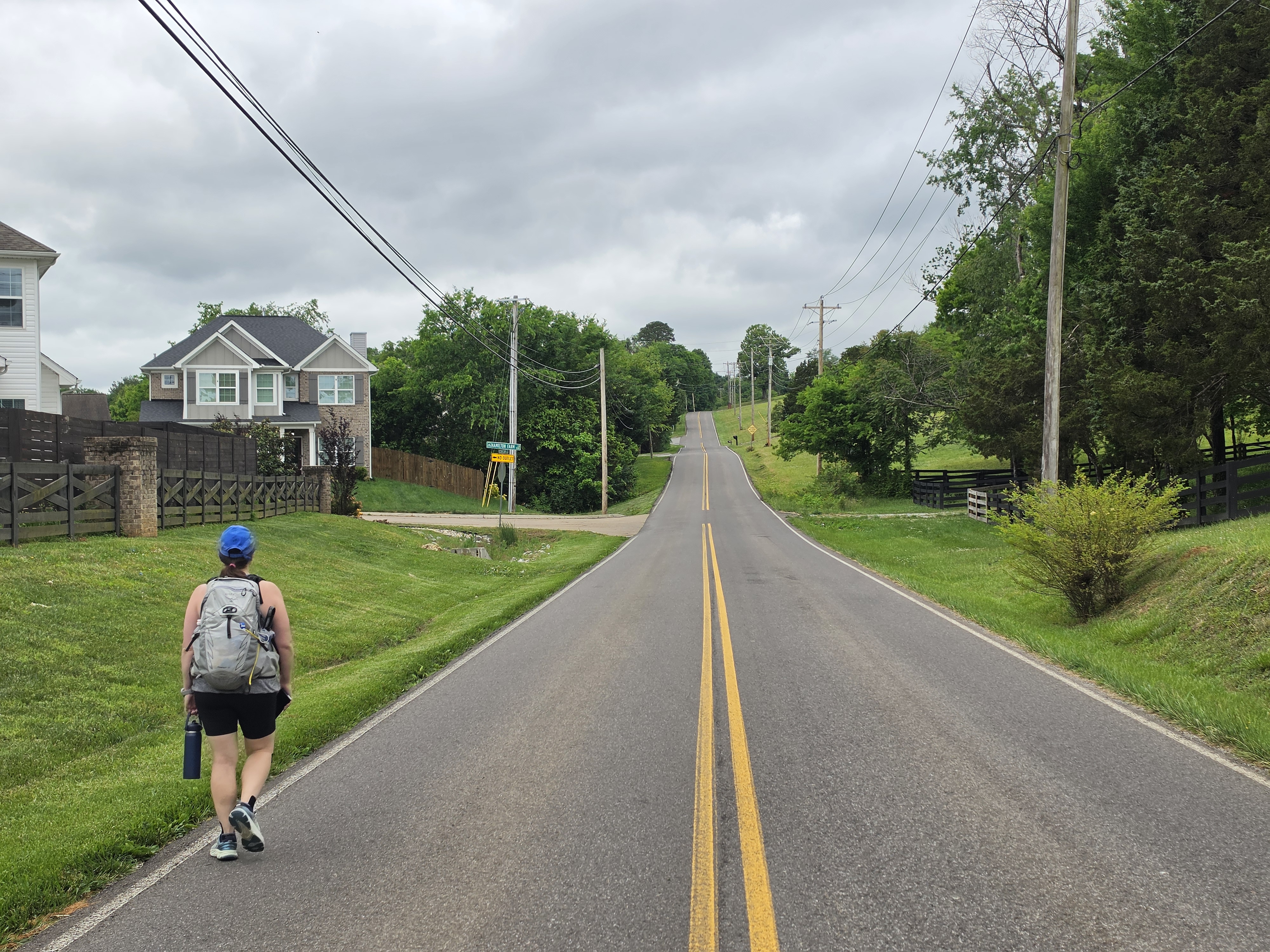
Planning the 50 mile walk to mark my 50th birthday proved to be an interesting challenge. The walk would span three days in an unfamiliar city and had a laundry list of needs: scenic and interesting stretches, resupply stops along the way so we could travel light and stay fueled, and as much sidewalk as possible to keep things safe. And of course, strategic bathroom stops. We also wanted a route that made geographic sense across three days — no backtracking, or covering the same ground twice. And the total distance needed to land just under 50 miles, knowing the total would naturally creep up as we went. That's a lot to ask. Here's the tool that helped us pull it off.
AI: Enthusiastic, But Faking It
Like many travel-related tasks these days, we started our planning in ChatGPT. ChatGPT signaled that Knoxville was not just a reasonable location to complete a 50-mile birthday walk, but an ideal one. It heaped praise on Knoxville's greenways, green spaces and of course us for choosing Knoxville. With the scene set, it asked if we wanted it to generate a route we could follow. Yes, please. It provided official-looking GPS coordinates, and when asked, it created an XML-based GPX file we could import into Google My Maps to visualize the route.
This is where things went off the rails. The GPX file had no actual routing data — just a series of random-looking straight lines between points.
We pressed ChatGPT, which sheepishly admitted the file wasn't much use. But it promised it could do better. Around and around we went, failure after failure — like a GPS that confidently calls out a turn, then immediately announces it's recalculating. We should have taken the hint sooner.
The fundamental issue, I suspect, is that ChatGPT has no routing engine. It knows quite a bit about Knoxville, but it doesn't know the street-level details needed to compute an actual walking route the way Google Maps does. Its general knowledge was enough to promise us the world — but without a routing engine, it was never going to deliver.
Existing Tools: Close, But Not Quite
Next up, we explored Google's My Maps. This tool lets you create your own Google Map and, unlike ChatGPT, it actually computes walking routes. Real promise.
My Maps tripped us up in two ways. First, its drag-to-adjust routing is a great feature for casual use — but for the kind of careful, iterative planning we were doing, it became a liability. One errant mouse click or screen tap and a carefully built route would shift. Control-Z helped, but it made the whole process feel precarious.
Second, My Maps buries the route's total distance under several clicks. For most users that's fine. For us, checking distance was something we did constantly — a couple of miles either way could make or break the whole route. Having to dig for it every time wore thin quickly.
We tried sites like onthegomap.com, which shows distance prominently and makes route creation easy. But once a route was set, it was fixed — no way to go back and tune it. Perfect for mapping out a run; not quite right for planning three days of walking that needed to hit an exact distance target.
These are genuinely good tools. They just aren't built for our use case: a route that would be revised dozens of times, with distance and route shape constantly being reconsidered.
Rolling Our Own: geoassist
Ultimately, I decided to build my own tool. I give you: geoassist.
geoassist is a Unix-style script that takes in a plain-text route file and generates any number of outputs — some useful for quick planning previews (distance, a rough JPG), others for detailed navigation (GPX, KML). Under the hood it uses OpenRouteService — a real routing engine — to compute actual walking paths between your points. A route file consists of three entry types:
- Waypoints — primary established points you plan to route through. These entries start with an X, as in X marks the spot.
- Routing Hints — points fed to the routing engine to enforce a specific path, but invisible in the final map. These entries start with a V, which you can think of as an arrow into the Earth saying go here.
- Points of Interest — off-route points you may or may not end up visiting, like a Dunkin' Donuts. These entries start with a @, as in where is this business 'at'?
A point can be a latitude/longitude pair or a plain address. You can give a point a label by appending # label text.
Here's the route file for day 1 of the trip:
X SpringHill Suites by Marriott Knoxville at Turkey Creek, Turkey Drive, Knoxville, TN # SpringHill Turkey Creek

# Concord Park
X 35.86069620962343, -84.13600339974661 # Concord Park
V 35.86093969069506, -84.13496272359271
V 35.86261479769068, -84.12830087899738

X 35.874780833187806, -84.09541418622682 # Dunkin
X 35.89377609396486, -84.06858403222535 # Donato's Pizza
X 35.92390020189228, -84.03230975977412 # Food City

X Courtyard by Marriott Knoxville West/Bearden, Brookview Centre Way, Knoxville, TN # Marriott Bearden
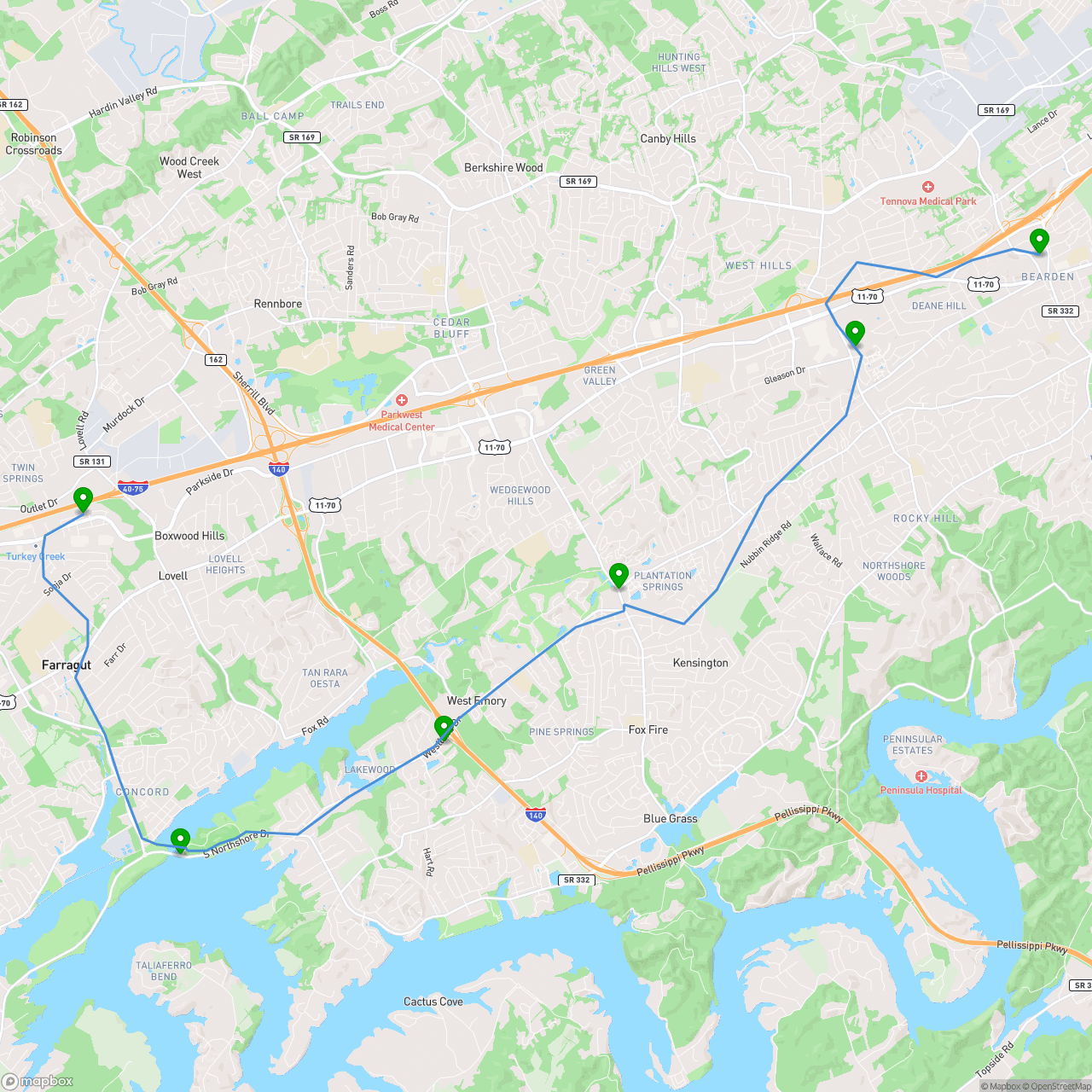
We're starting at the SpringHill Suites, making our way to Concord Park, hitting a few resupply stops, and finishing at the Courtyard by Marriott. The routing hints steer the route through specific trails inside Concord Park that the routing engine would have skipped.
Here's what that looks like in practice:
  # Preview
  $ geoassist -a distance -f day1.pois
  17.049
  $ geoassist -a export -t image -f day1.pois > day1.jpg
  # Detailed Route Generation
  $ geoassist -a export -t kml -f day1.pois > day1.kml
  $ geoassist -a export -t gpx -f day1.pois > day1.gpx
Slow Is a Feature
The workflow for creating the route wasn't glamorous: I sat next to Shira with the file open in emacs while she pored over Google Maps. She'd pass me coordinates through chat; I'd update the file, run geoassist, and either generate a rough JPG preview or pass her a KML file to load into Google My Maps for a closer look.
Compared to dragging lines on a slick web interface, this felt slow. And it was. But that slowness turned out to be a feature. Because the route lived in a plain text file, we could experiment freely: comment out a segment with a #, try an alternate version in a new file, revert instantly. There were no accidental edits, no mystery undo states. The file was always exactly what we intended it to be. Every decision was deliberate.
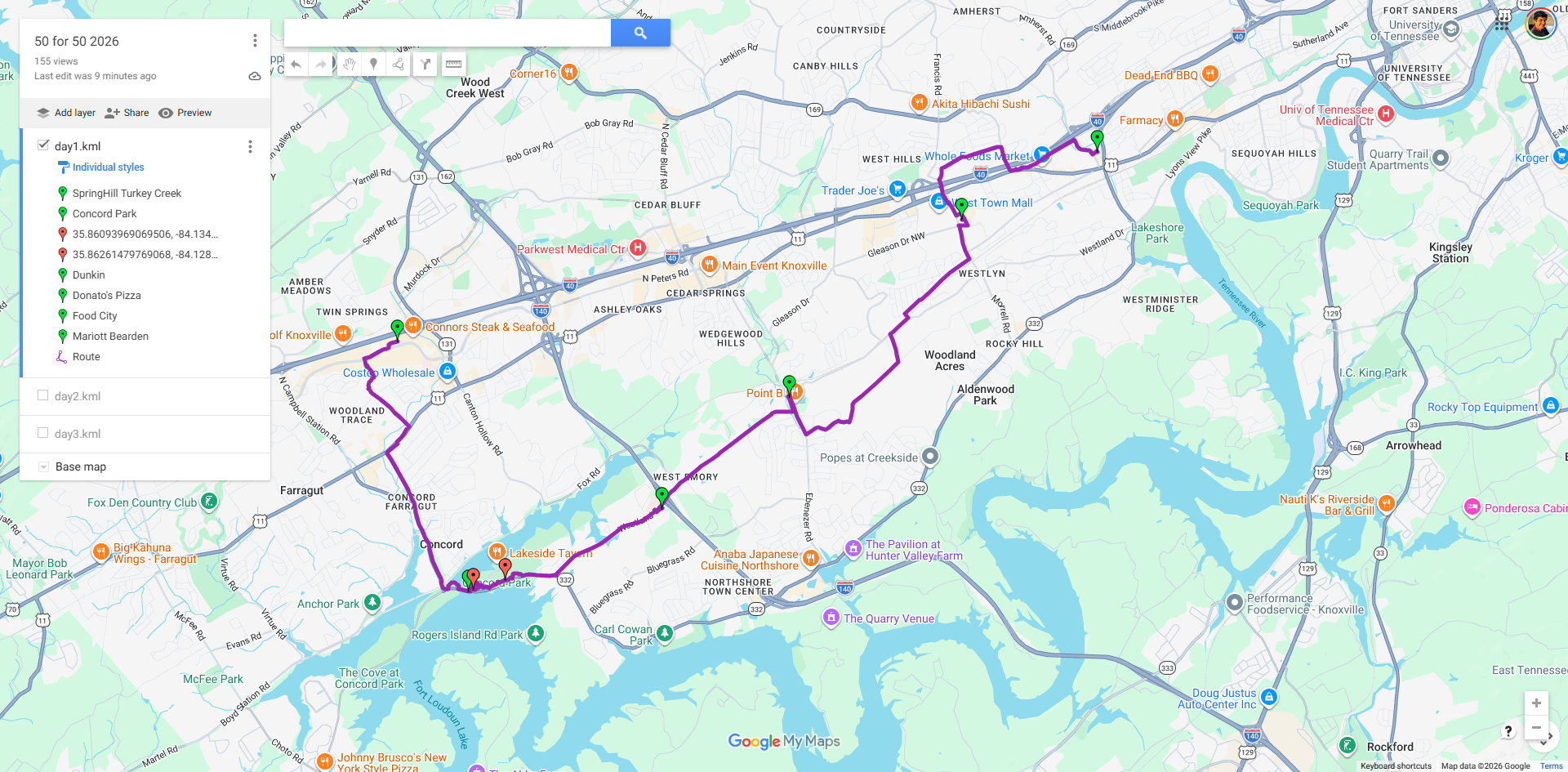
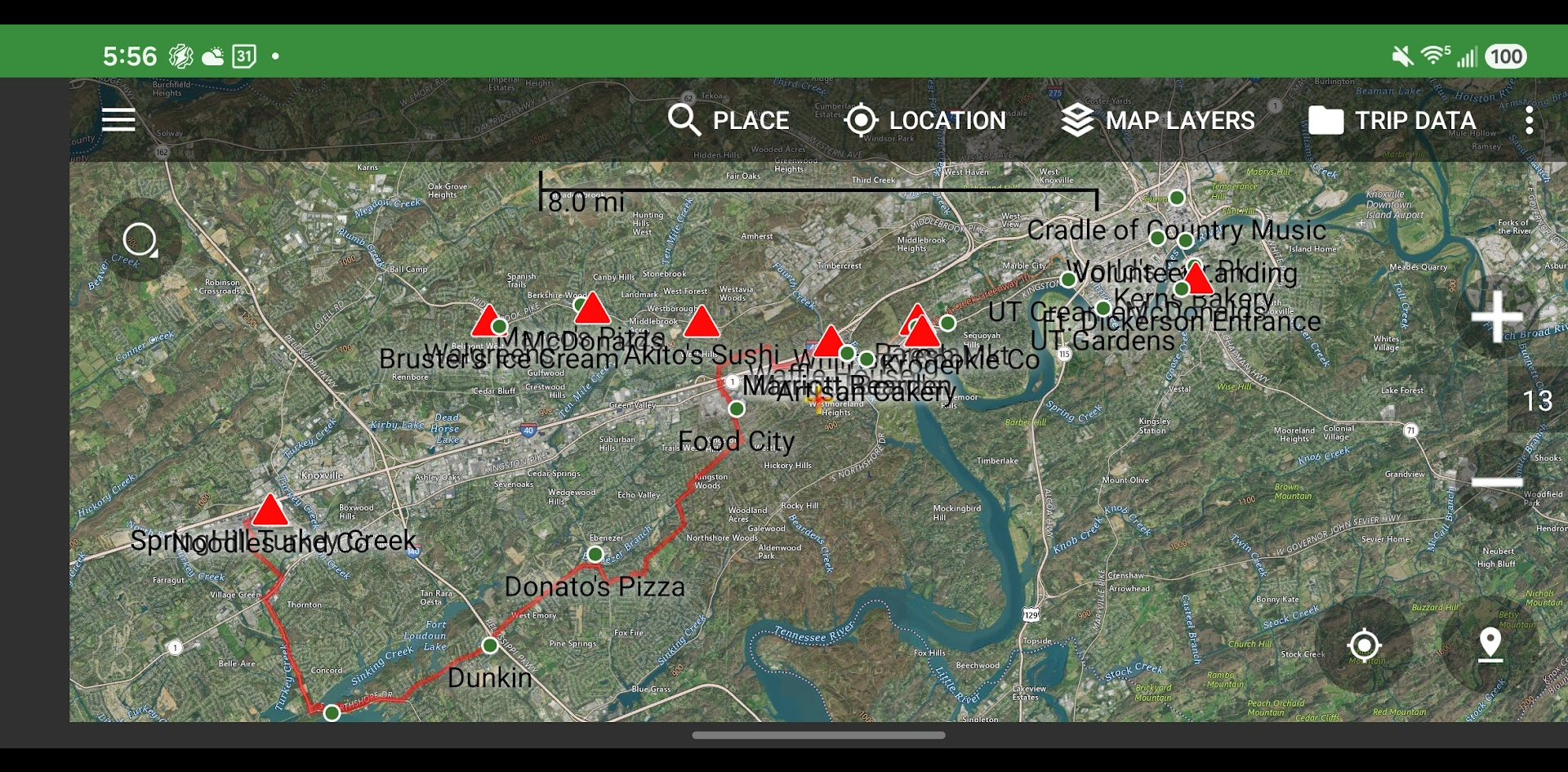
Once our route was finalized, geoassist generated a GPX and KML file that we imported into our navigation tools of choice. I loaded the route into Backcountry Navigator on my phone; Shira used the Google My Maps version. Here's what both looked like loaded up:
Know Your Route Before You Walk It
One question that nagged at us as we planned was just how pedestrian-friendly the route would be. Sure, the routing engine computed a walking path — but could it be trusted? A "walking route" to a routing engine just means no highways. It says nothing about shoulders, sidewalks, or traffic.
I considered leaning on sidewalk datasets, but sidewalk data is notoriously incomplete and unreliable. I feared using this data would only give us a false sense of security.
After dropping into Google Street View manually on a number of occasions to check individual roads, it hit me: why can't geoassist do this for me?
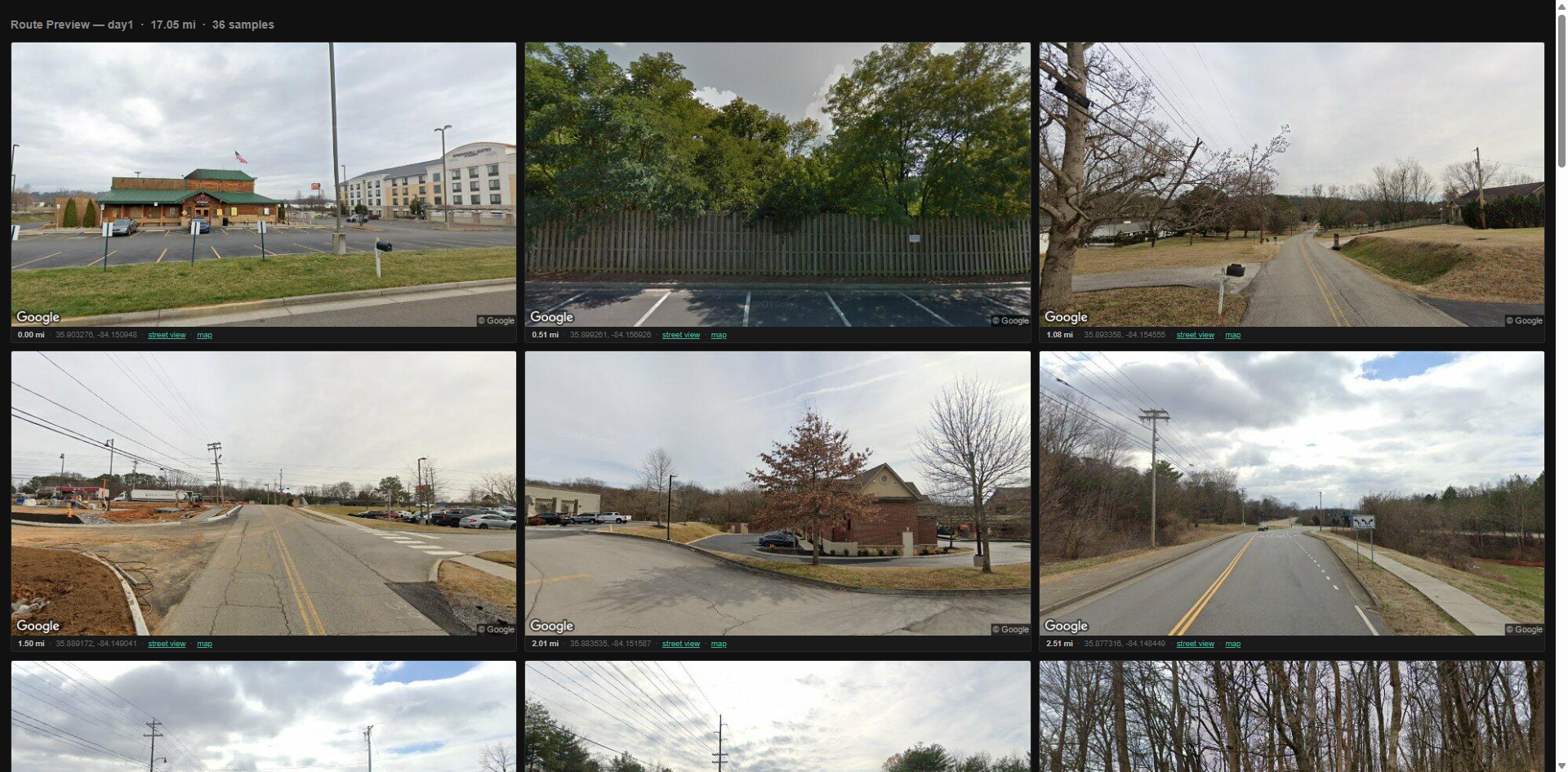
The result is geoassist -a export -t streetview: an HTML preview of the route powered by embedded Google Street View images, one every half mile. Scroll through it and you're essentially walking the route from your laptop before you ever lace up your shoes.
We could see at a glance which stretches had real sidewalks, which were quiet neighborhood streets where that didn't matter, and which were the kind of busy arterial roads that would send us hunting for an alternate path. We rerouted at least one segment specifically because the Street View preview made it obvious the road had no shoulder and heavy traffic. That single catch was worth the whole exercise.
There's No Shortcut to a Quality Route
The through-line of all this: the time we spent deliberately poring over the route was time well spent. It's tempting to want to hand this off — to AI, to a slick web tool, to anything that feels faster. But the route was the walk. A bad route wouldn't have just been inconvenient; it could have derailed the entire project.
Part of why delegation is hard is that our route had to satisfy several competing constraints at once. It had to hit close to 50 miles — not 45, not 55. It had to pass bathrooms and resupply stops at the right intervals. It had to be safe to walk. And ideally, it would take us through interesting and beautiful places. A routing engine can optimize for one or two of those. Threading all of them takes experimentation and human judgment.
geoassist didn't speed up our planning. It gave us a process we could actually trust — stable, inspectable, and with a Street View sanity check built in. The walk went beautifully, and I think the route had a lot to do with that.
One more note for the technically inclined: because geoassist is command-line driven, it's trivial for an AI tool like Claude Code to run it. Unlike ChatGPT — which talks about routes but can't compute them — Claude Code could in principle call geoassist, evaluate the output, tweak the file, and iterate. This opens the door to having AI plan and optimize a route. I have yet to experiment with this, but the hard part of the process is now taken care of.


No comments:
Post a Comment