Wednesday, June 29, 2022

Photo Shootout: Bulky Phone vs Bulky Camera

In my last post I suggested that the Samsung Galaxy S22 Ultra's camera was a step up from previous phones I'd owned. The most obvious improvement was the inclusion of a functional telephoto lens. So can I stop hauling around my heavy Canon T6s with 75-300mm lens?

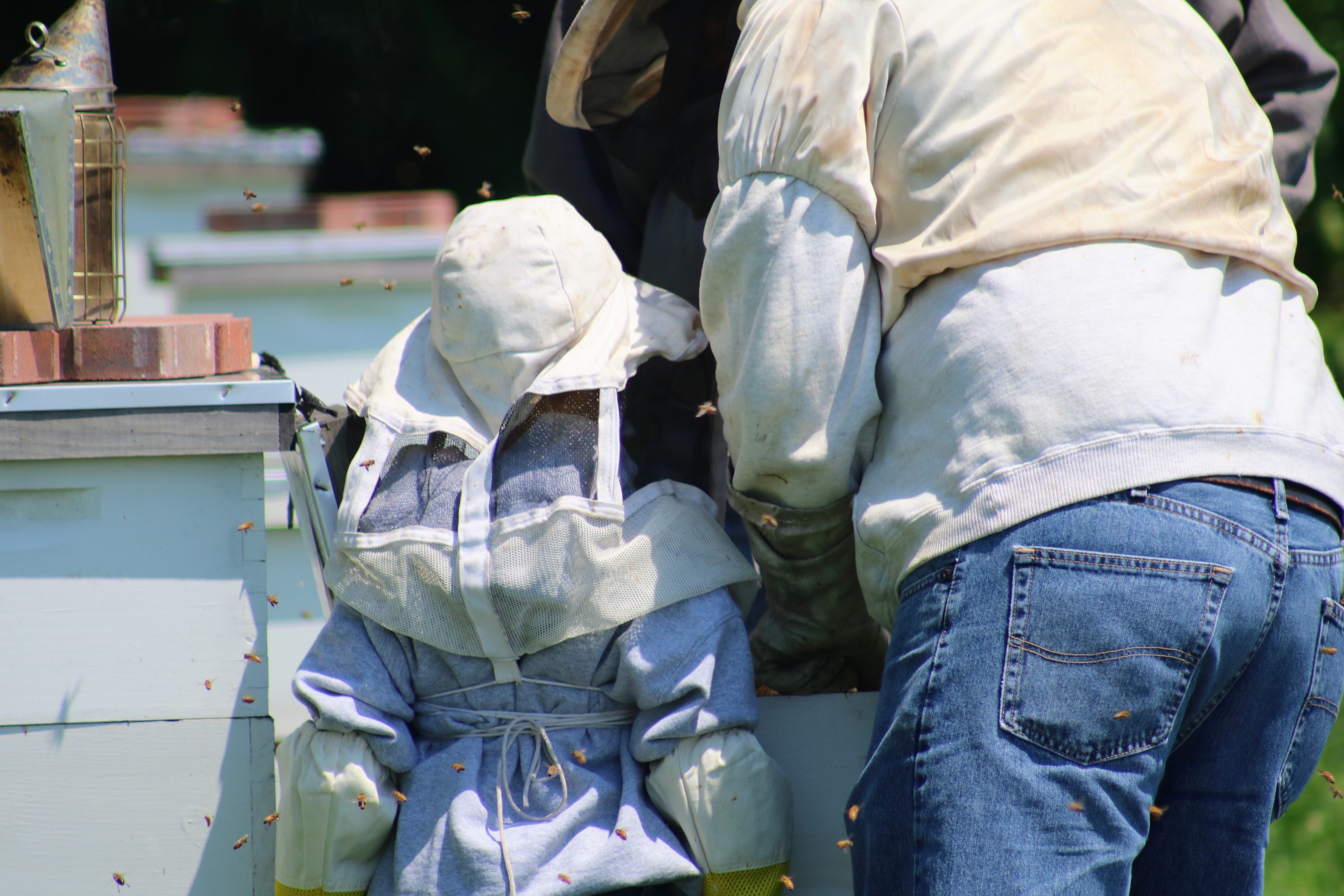
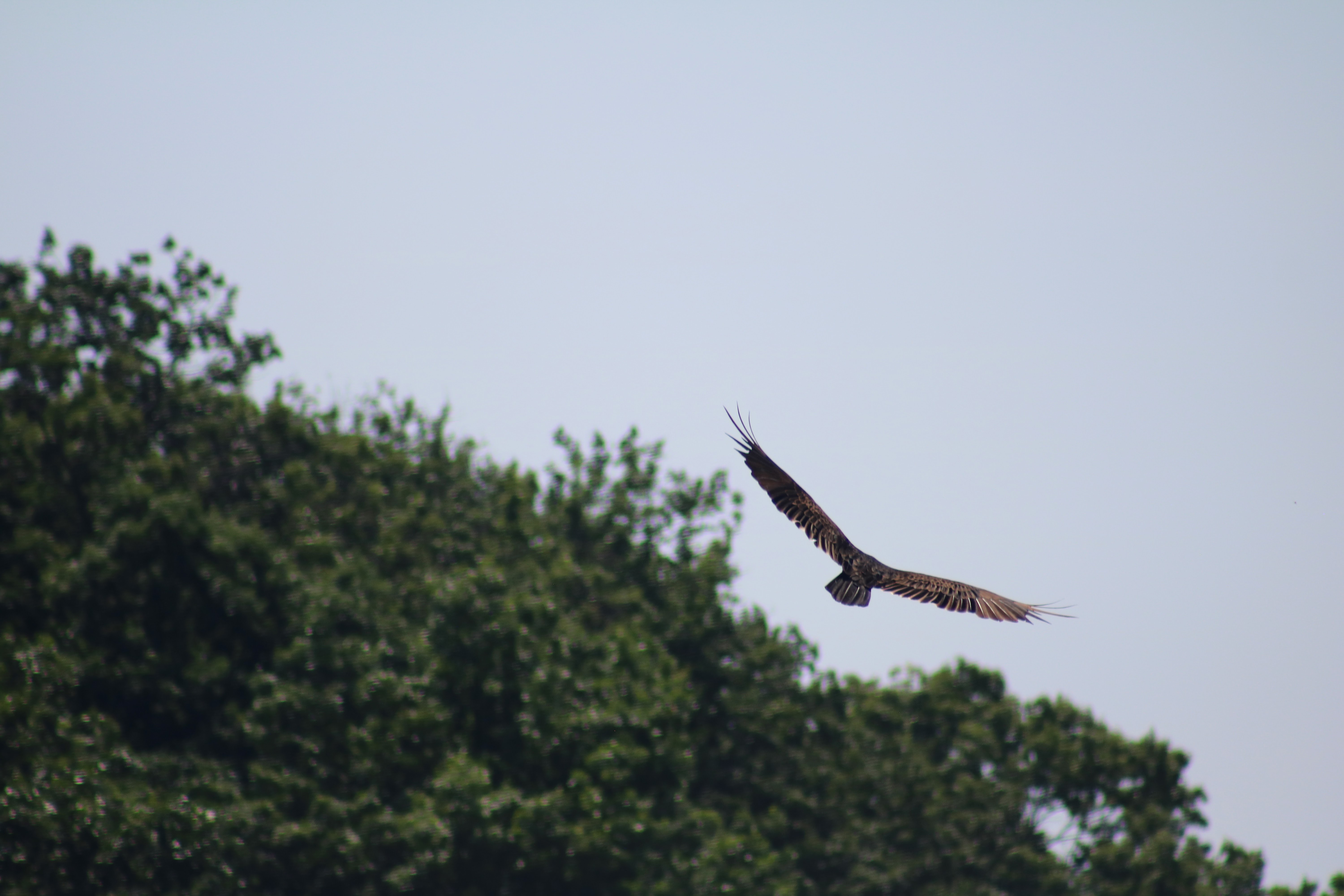
Let's take a look. Here's some pics from a recent blueberry picking expedition we enjoyed at Butler's Orchard. Note that each photo is annotated with the device that shot it.

I see two ways to look at these photos.

On one hand, the Canon with its 300mm lens definitely has more reach than 10x zoom on the S22. The Rebel's photos also seem less digitally processed to me. Finally, I was able to snap pics of the soaring turkey vulture with the DSLR that I didn't even attempt with my Galaxy. So yeah, the Canon T6s continues to outperform my cell phone.

On the other hand, the Samsung let's me tell essential the same story with the photos that the Canon did, all while fitting in my pocket. For example, I wasn't able to zoom in quite as tight in the bee pics using the phone, but I still got close enough and clear enough photos to see the expression on the child's face as he peered into the bee hive.

Also, I can clearly see room for improvement in the Rebel's pic quality; they aren't are sharp as I'd like. I'm not sure whether there are settings I need to tweak, or if it's time to consider a lens or body upgrade. If I factor in convenience and consider how close the phone came to matching the DSLR, I could argue that the Samsung won the day.

Alas, I think the answer to my original question continues to be 'no.' No, I can't opt to leave the DSLR at home and expect to capture the same photos with my phone. For action and wildlife photography, where I'll be at a distance and I want to capture as much detail as possible, as quickly as possible, the 300mm lens and Canon T6s are still my best option.

With that said, the S22 Ultra continues to impress. Should I be without my Canon I'm more confident than ever that I can capture the story of what I've witnessed; which is the ultimate goal.

Here's to hoping that Samsung continues to find ways to bend the laws of physics and that my next phone contains a high quality 100x lens.

Tuesday, June 28, 2022

Samsung S22 Ultra: Camera Hype vs. Reality

I've had a Galaxy S22 Ultra for about a month and a half. About the only downside to the phone is its weight: it's like carrying around a brick.

Fortunately, the phone's performance outweighs this annoyance. The S-Pen has been the biggest surprise, with quality and features surpassing anything I expected.

The phone's marketing material promised a 10x zoom. Between that and other stats on on camera, I had my expectations set fairly high. Does the S22 meet them? More audaciously, can I finally retire my heavy DSLR relying solely on the S22?

To answer the first question, consider these 'wildlife' pics I captured around my neighborhood using my new S22:

These photos all take advantage of the 10x zoom. In short, I'm impressed. I simply couldn't have captured these shots using past phones. Using a cheap add-on lens I may have gotten similar framing to these pictures, but then the quality would be nowhere near as crisp*. Additionally, the external lens takes time to find and mount. By the then, my subject easily could have moved on.

To me, the 10x zoom is far more than just a marketing gimmick. It really does make a class of otherwise impossible shots possible. My verdict: the s22 does find a way to step up the cell phone camera game, and meets my high expectations.

So, can I retire my DSLR? Hold that thought, I'll cover that in my next post.


*Of course, another way to look at this scenario is that my Galaxy S10+ and a $4.99 plastic lens can at least get into the neighborhood of what the Galaxy S22 Ultra can produce, all at a fraction of the cost. Perhaps that's higher praise for the lens than it is for the S22.

Friday, June 24, 2022

Defeating Blogger's Preview Click Trap

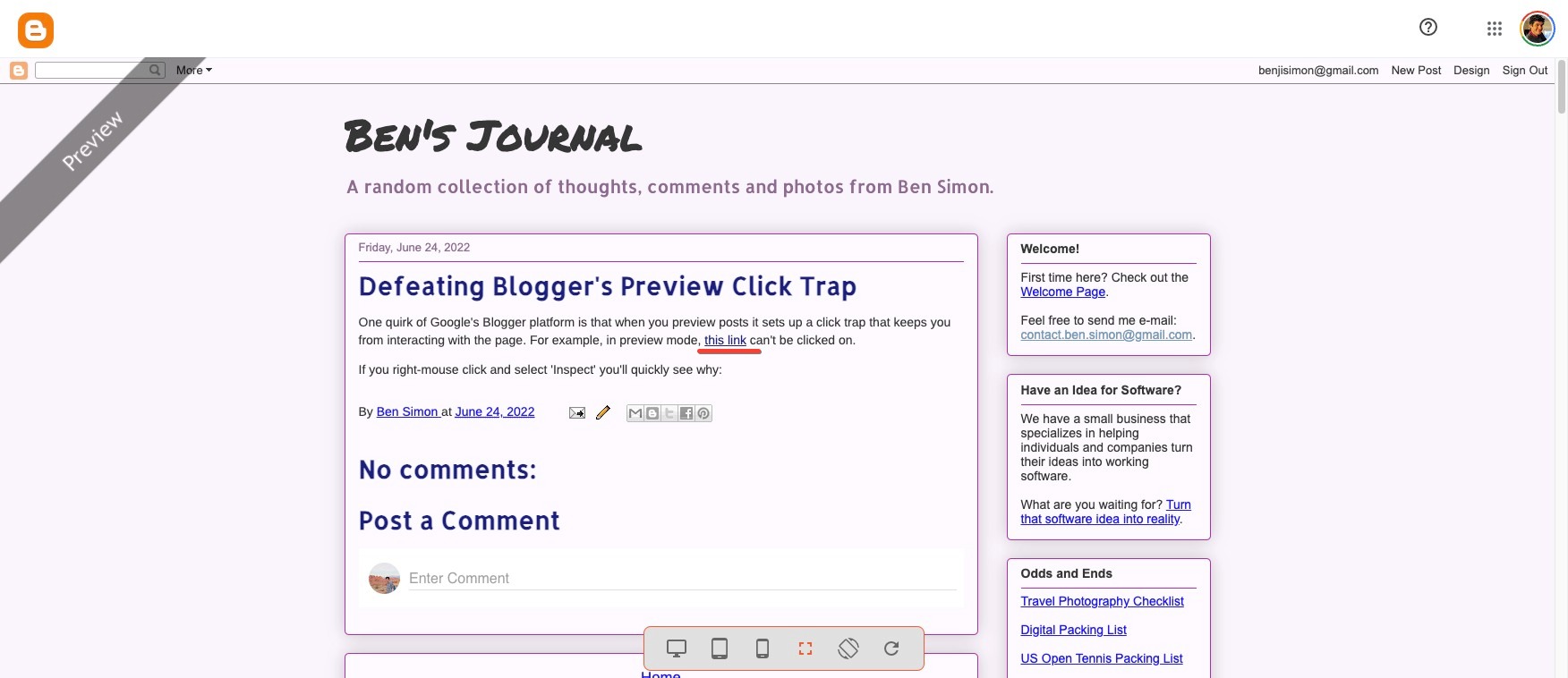
One quirk of Google's Blogger platform is that when you preview posts it sets up an invisible HTML element overlaying the page that keeps click events from being delivered. For example, in preview mode, this link can't be clicked on. In the preview page source code, Google names this element appropriately: blogger-clickTrap. Click trap, indeed.

If you right-mouse click on the preview page and select 'Inspect' you can see the details of this overlay:

Removing the click trap using the inspector panel is straightforward. Add display: none to the blogger-clickTrap element's style and clicks work again.

For years I've either ignored the click trap, or when necessary, manually removed it.

Yesterday, however, I wrote a post that made heavy use of click events. While composing the post I found I needed to frequently refresh the page and then take a few moments to manually remove the overlay. After the 100th time of doing this, I stopped what I was doing and took a moment to consider: could I automatically disable the blogger-clickTrap element?

Tampermonkey to the Rescue

With a few minutes of consideration, I realized that Tampermonkey should be able to save the day. Tampermonkey allows custom code to be injected on the page of your choice. All I needed was to write a few lines of code that would set display: none on the right element when the page loaded, and the click trap would be a distant memory.

I created a new Tampermonkey script to get started:

// ==UserScript==
// @name         Bye-bye clicktrap!
// @namespace    http://blogbyben.com/
// @version      0.1
// @description  Remove blogger preview's clicktrap
// @author       Ben Simon
// @match        https://draft.blogger.com/blog/post/edit/preview/*
// @icon         https://www.google.com/s2/favicons?sz=64&domain=blogger.com
// @grant        none
// ==/UserScript==

(function() {
    'use strict';
    console.log("Is this thing on?");
})();

I loaded up the preview page and success!

I then updated the code to show that it could find the offending element:

// ==UserScript==
// @name         Bye-bye clicktrap!
// @namespace    http://blogbyben.com/
// @version      0.1
// @description  Remove blogger preview's clicktrap
// @author       Ben Simon
// @match        https://draft.blogger.com/blog/post/edit/preview/*
// @icon         https://www.google.com/s2/favicons?sz=64&domain=blogger.com
// @grant        none
// ==/UserScript==

(function() {
    'use strict';
    var found = document.querySelector('.blogger-clickTrap');
    console.log("Found it!", found);
})();

And that's where I hit a problem: no matter how or when I queried the document, my Tampermonkey script couldn't find the click trap element. In the inspector, I could see it was there, and yet, I couldn't programatically access it.

After much debugging I realized that the preview page is a generic shell and imports a specific post by using an iframe pointed to https://<something>.blogspot.com/b/blog-preview?token=.

my attempts to access the iframe's contents via the main page were being denied, apparently because they weren't from the same origin.

My first thought was: I'm already mucking with these requests, perhaps I can turn off this security policy that's blocking me?

However in my search to figure out how to do this, I realized there's a much simpler solution. I needed to be running my Tampermonkey script not on the preview page, but on *.blogspot.com/b/blog-preview*.

When I updated the @match rule on the script above, my code began to work:

Once I was running the Tampermonkey code on the right URL, having it remove the click trap itself was trivial. Here's the final Tampermonkey script:

// ==UserScript==
// @name         Bye-bye clicktrap!
// @namespace    http://blogbyben.com/
// @version      0.1
// @description  Remove blogger preview's clicktrap
// @author       Ben Simonm
// @match        https://*.blogspot.com/b/blog-preview*
// @icon         https://www.google.com/s2/favicons?sz=64&domain=blogger.com
// @grant        none
// ==/UserScript==

(function() {
    'use strict';
    var found = document.querySelector('.blogger-clickTrap');
    found.style.display = 'none';
})();

Happy clicking!

Thursday, June 23, 2022

Story Time: The Pumpkin

It all started back in October of 2020 with a delightful trip to the pumpkin patch.

After checking out many pumpkins and taking many pictures, we decided to bring home this little guy.

Rather than carve him up for Halloween, we gave him a bath and put him on display.

When he started to get soft, we put him our backyard to feed the local flora and fauna. And then winter happened.

In the spring time, among all the weeds growing in our backyard were a few pumpkin plants. Once identified, their massive leaves were hard to miss. It was a pumpkin-patch miracle!

For weeks, our pumpkin plants grew. One day, flowers started to appear.

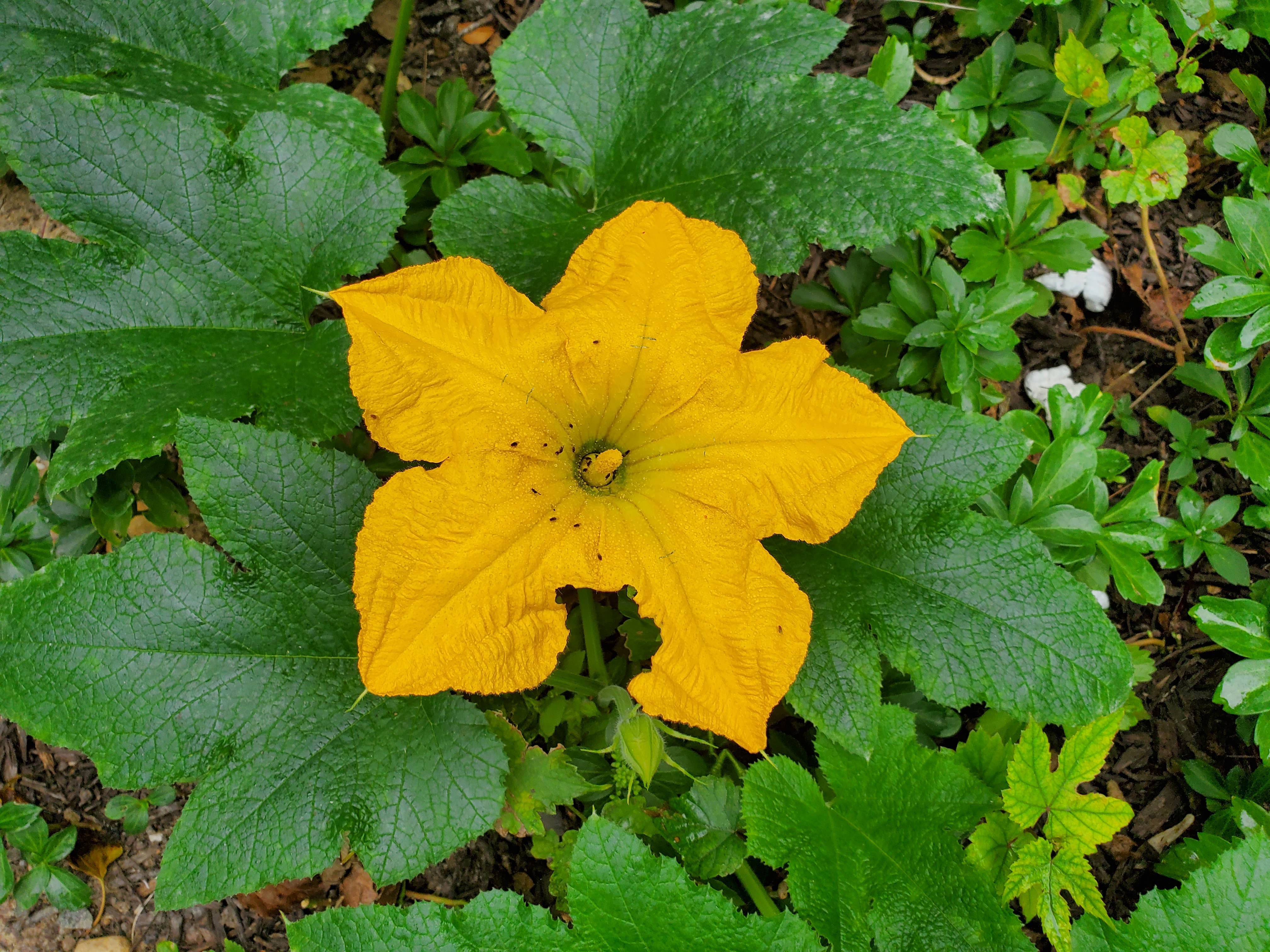
Before we knew it, our back yard was bursting with giant yellow pumpkin flowers. Pumpkin flowers are magnificent.

One day, a tiny pumpkin started growing off one of the plants.

And it grew.

And grew.

Finally, we were heading out of town one weekend and we opted to clip the pumpkin off the vine to keep it from getting noshed on by squirrels.

What can you do with a tiny green pumpkin? First, we carefully extracted and dried the seeds. How amazing is that our one little pumpkin can give us more pumpkins!

With the seeds separated, we turned our attention to cooking the the pumpkin. It was green, so we doubted it would taste good. We followed a 'recipe' a civil war soldier logged in his diary when he found himself with little to eat but a green pumpkin: slice up the pumpkin, add a little salt and sugar, and fry in butter until till tender. It was delicious!

As the last hard frost date approached, we took our dried pumpkin seeds and soaked them in water to get them ready for planting.

When we were confident the ground wasn't going to freeze again, we picked a few places around our property to plant the seeds. To increase our odds of success, we mixed our pumpkin's seeds with a packet of seed we purchased off of Amazon.

A few days later, the seeds sprouted! Of course, this is how plants work and this is all perfectly normal. Still, seeing a sprouting seed feels like witnessing a little miracle.

And now our next generation of pumpkins is growing. Will they grow massive leaves like their daddy did? Will they produce beautiful flowers and maybe even another tasty and beautiful pumpkin? We'll have to wait and see.

The End.

Wednesday, June 22, 2022

The Cure for Card (and Dice) Game Amnesia

It seems that whenever I have a deck of cards, a group and some time I immediately forget every card game I've ever played. This fact, combined with some upcoming travel had me looking for a fresh solution to remembering the names of, and rules to, interesting card games.

Before I started working on a solution to this problem, I decided to expand the challenge a bit. I picked up a 10 pack of dice for $1.99 with then intention of adding dice games to my repertoire.

Code It

I eventually settled on a simple plan. Rather than build a comprehensive list of games, I focused on just a few, about 5 card games and 5 dice games. From there, I created a cheat sheet for each game to simplify remembering the rules and game play. You can find version 1.0 of this effort over at: github.com/benjisimon/offline-games.

Each game has its own Markdown file that captures the rules, scoring and links to How To Play resources on the web. I created two PHP scripts to work with these files. One script converts the Markdown file to a portable HTML file, while the other creates a top level index for browsing the games.

The Markdown files try to be consistent in how they describe game play. The hope is that the terse and consistent nature of each file will make it easy to bring myself and others up to speed on how a game is played. Looking at what I've created, you'll see that some of the files are fairly detailed, while others are little more than learn more links.

Keep in mind that the point of the cheat sheets is to give me a quick reminder as to how the game is played; not to be a comprehensive guide to the rules.

Once you grab the github repository, you can run make to generate the relevant HTML files.

$ make
(cd scripts/lib ; composer install)
Installing dependencies from lock file (including require-dev)
Verifying lock file contents can be installed on current platform.
Package operations: 1 install, 0 updates, 0 removals
  - Installing michelf/php-markdown (1.9.1): Extracting archive
Generating autoload files
mkdir -p games/card/
php -f scripts/mkhtml.php srcs/card/Ninety_Eight.md > games/card/Ninety_Eight.html
mkdir -p games/card/
php -f scripts/mkhtml.php srcs/card/Golf.md > games/card/Golf.html
mkdir -p games/dice/
php -f scripts/mkhtml.php srcs/dice/Bunco.md > games/dice/Bunco.html
mkdir -p games/dice/
php -f scripts/mkhtml.php srcs/dice/Ship_Captain_Crew.md > games/dice/Ship_Captain_Crew.html
mkdir -p games/dice/
php -f scripts/mkhtml.php srcs/dice/Ducks_in_a_Bucket.md > games/dice/Ducks_in_a_Bucket.html
mkdir -p games/card/
php -f scripts/mkhtml.php srcs/card/Horse_Race.md > games/card/Horse_Race.html
mkdir -p games/card/
php -f scripts/mkhtml.php srcs/card/Rummy.md > games/card/Rummy.html
mkdir -p games/card/
php -f scripts/mkhtml.php srcs/card/Casino.md > games/card/Casino.html
mkdir -p games/dice/
php -f scripts/mkhtml.php srcs/dice/Farkle.md > games/dice/Farkle.html
mkdir -p games/card/
php -f scripts/mkhtml.php srcs/card/Coup.md > games/card/Coup.html
mkdir -p games/card/
php -f scripts/mkhtml.php srcs/card/Cribbage.md > games/card/Cribbage.html
mkdir -p games/card/
php -f scripts/mkhtml.php srcs/card/Slapjack.md > games/card/Slapjack.html
mkdir -p games/card/
php -f scripts/mkhtml.php srcs/card/The_Mind.md > games/card/The_Mind.html
php -f scripts/mkindex.php > index.html

Serve It

Because the HTML files are all self contained, you can open them up in any web browser, including your phone's. You can also serve up the files via a simple web server. On my desktop I can browse the games using PHP's built in web server:

$ php -S localhost:9001
[Tue Jun 21 15:35:46 2022] PHP 7.4.27 Development Server (http://localhost:9001) started

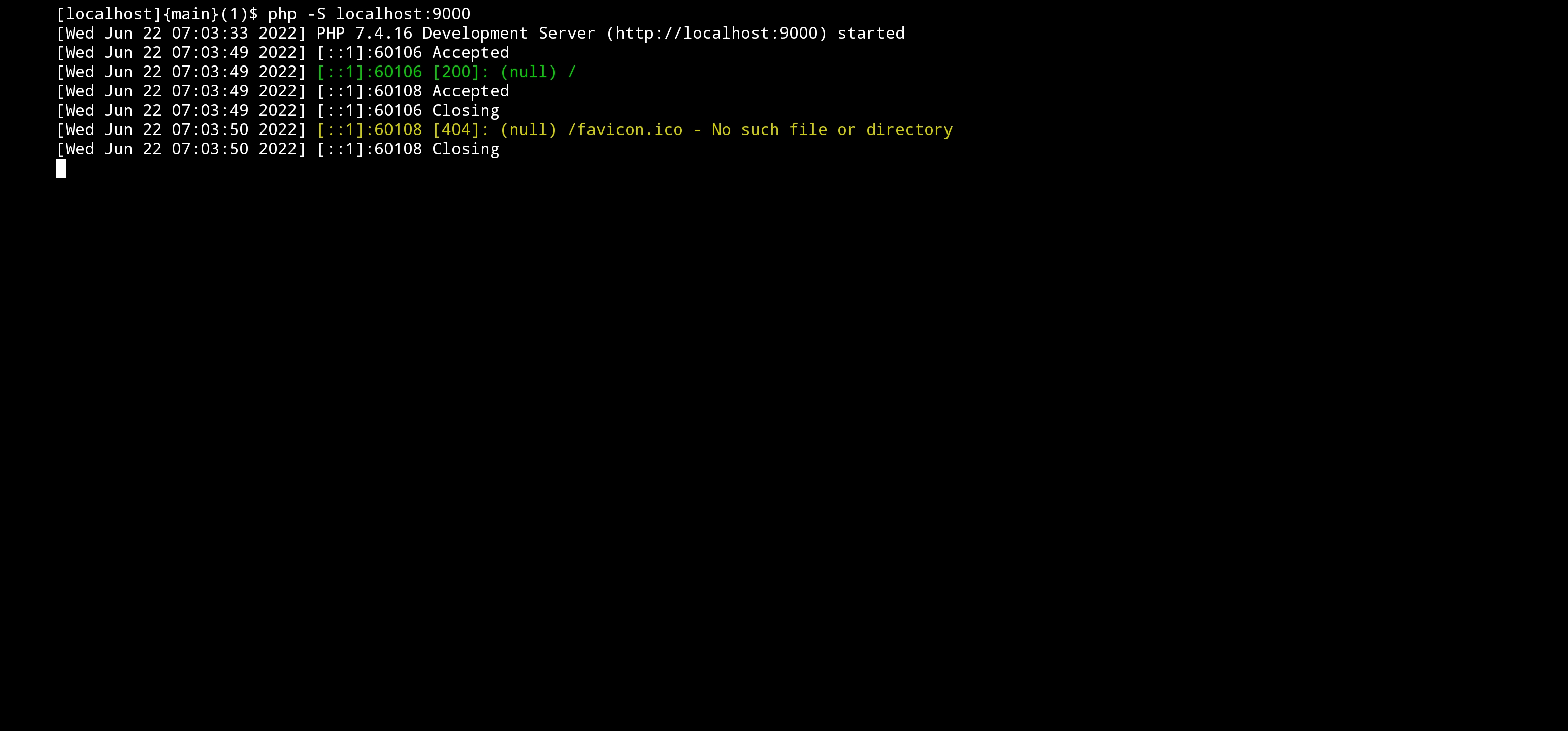
More than a little surprisingly, I can do the same thing under Termux and proot on my Galaxy S22 Ultra. Again, I'm using PHP's built in web server:

A less geeky Android solution is to install the Simple HTTP Server app on your phone, and serve up the content that way:

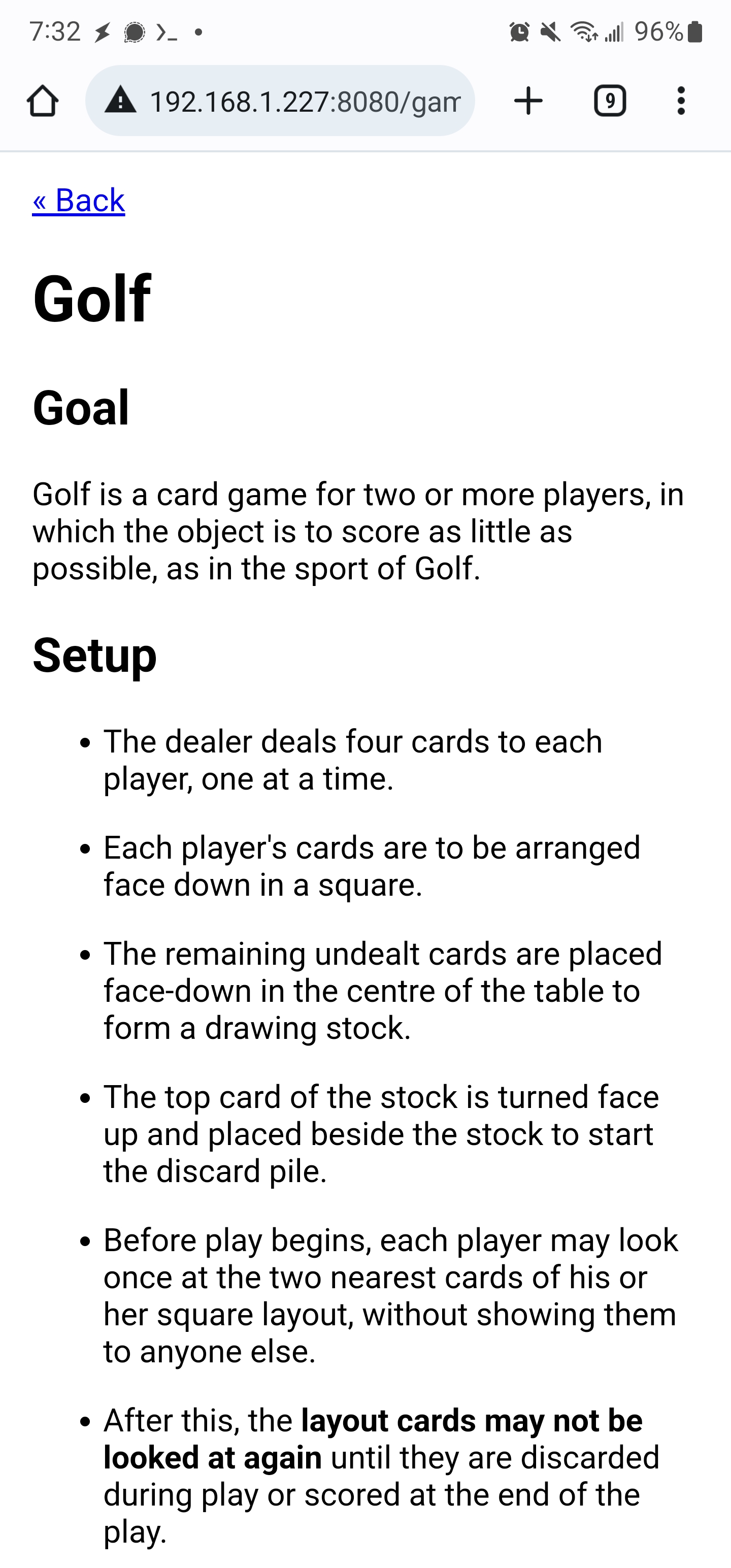
The most practical way I've found to access the game files on my phone is to open up the games directory in My Files and select the Add To Home screen option. Once this is done, a short cut is added to my home screen that gives me one click access.

Problem Solved. Maybe.

I'm far from convinced that I've actually solved the problem I set out to.

On one hand, curating a limited set of games was clearly a good idea. And writing up the cheat sheets is very much in line with the adage that if you want to truly understand something, teach it to others.

The Markdown, PHP and Make solution was fun to work out. Learning that I can run php -S localhost:9000 under Termux / proot and access that content via my phone's browser is downright mind blowing.

On the other hand, I'm not convinced that my game write-ups are of any more useful than existing web content. In fact, I fear that my cheat sheets will end up being both incomplete and hard to understand. And I'm pretty sure I could replace nearly this entire project with a simple Google Sheet that included a list of games and links to existing How To Play videos and web pages.

Still, I'm glad I've got this iteration of Offline Games built out and I'm psyched to field test it over the next couple of months.

Casino anyone? How about a round of Ship, Captain and Crew?

Friday, June 10, 2022

Review: A Long Walk to Water

A Long Walk to Water by Linda Sue Park, opens with two stories: one about a young girl named Nya who, as the title suggests, spends her day doing little more than walking to and from a water source. The second story is about a young boy named Salva who's village is overrun by his country's civil war and is forced to flee.

Both stories take place in Sudan, and both are relatively recent: Salva's story takes place in 1984 and Nya's in 2008 (practically yesterday!).

I have to admit, my first reaction after hearing the story of Nya's endless walking was one of anger towards her parents. How could they subject their child to this life? This thought was quickly followed by two additional insights.

First, while the story talks about literally spending the day retrieving water, how many of my fellow countrymen and women are stuck in essentially the same pattern? That is, going from one minimum wage job to another all trying to meet basic needs? There's lot of effort and movement, but no progress.

And more importantly, how naive and cruel to suggest that her parents are choosing to live in this barren land out of ignorance or stubbornness. Where would I like them to go, and with what resources should they go there? It's easy to forget that my ability to choose my circumstances is a privilege, not the norm shared by all.

As for Silva's story, that one was even harder for me to wrap my head around.

If you spend any time on the web researching how to prepare for emergencies, a common topic will come up: the need for a bug out bag. The idea of 'bugging out' is that some catastrophic event has happened and you need to flee your home or community.

Whether it's a house fire or a local severe weather event, it's smart to have an evacuation plan ready to execute. The problem with much of the advice on the web is the assumption that you're bugging out because of total social collapse and your bag needs to be packed for your new life as a live-off-the-land nomad.

That's just not how emergencies work.

And yet, this is exactly the scenario Silva has found himself in. With no supplies and the most vague plan, run from the sound of gun-fire, he begins a journey of survival--just like the amateur survivalists imagine it. The image of him taking nothing and walking into the wilderness is downright biblical in nature. I'm in complete awe of his courage and fortitude.

I found both stories riveting and my suggestion is that you stop reading my comments here and go read the book for yourself.

Spoilers Ahead

There are many moving moments in Silva's journey, but one that caught me off guard was how his troop of refugees manages to cross the Nile. How does one expect a group of individuals to get across a river so wide it doesn't even look like a river? Considering this is 1984, and not say, 1784, I'd expect them to find the local ferry and hitch a ride across. But that's not what they do. Instead, the group harvests local materials and builds their own boats, using them to safely make it across the river--a two day journey.

Like much of Silva's story, I again find myself in awe when I heard this anecdote. How knowledgeable and tuned for self sufficiency does one need to be that building boats is your natural solution to crossing a body of water. I'm quick to condemn Nya's parents for subjecting her to difficult living conditions, when in reality, I have little sense of what their lives and mindset are like.

One recurring thought I had while listening to the book was how modern the story is. The dates just seemed so recent. Then along come's the book's 3rd act which fully cements this notion that Silva's story isn't ancient history. By chance, Silva is ultimately settled in none other than Rochester, NY, the city I grew up in. And the date of his arrival corresponds to my graduation from college.

The reason Silva's story seems so modern to me is that we're basically the same age, and our lives essentially intersected when we were approaching our 20's. While he was escaping war and surviving in refugee camps, I was attending elementary school and thriving at Boy Scout camp.

This collision of time and space only made me appreciate Silva and Nya's stories even more.

Perhaps the most important take away from the book came as Silva's and Nya's stories are finally revealed to be connected. We are given a glimpse into the profound impact that Silva's newly installed well will have on Nya's village. The new well means that the children no longer need to spend the day retrieving water. This frees them up to attend school, and from there, get an education.

It's as if Silva's story was written to provide a counter argument to my suggestion that Nya's parents leave their home. The text seems to suggest leaving may be tempting, but there's an alternative. Look what happens when you do something as basic as building a reliable and clean water source. With that well you improve the lives of not just one child but a village of children. And those children can in turn can improve surrounding villages, and a virtuous cycle that seemed out of reach can take shape.

Lesson learned Silva, lesson learned.

Friday, June 03, 2022

49 Days in One - In Praise of Programmatic PDF Generation

My shul's Omer Learning project is wrapping up. This year we used the 49 day counting of the Omer to learn about the topic of Shmeita, the surprisingly progressive seven year cycle called for by the Torah.

The Omer Learning project works by collecting up short submissions on a topic and then sharing them out as blog, e-mail and social media posts on a nightly basis. The idea is to both mark the daily count of the omer, as well as learn a little something along the way. (Note: if all you want to do is count the omer, no project beats homercalendar.net.)

As the project closes out, I want to send out a summary of all the days so readers could see any they missed or review any that were especially inspiring. Posting them all to a single blog entry would be excessive. I considered crafting a simple single-page-website that would host the content, but that seemed overly complex and would still call on people to click around to read all the entries.

Let's Build a PDF

Ultimately, I decided on creating a PDF that would serve as a stand alone record of all submissions. I suppose the conventional way to generate this kind of document would be to copy and past each submission into a Word or Google Doc, and format each of them by hand. But as a programmer, there was no way I was going that route. Instead, I decided I'd rely on one of my favorite PHP packages: fpdf.

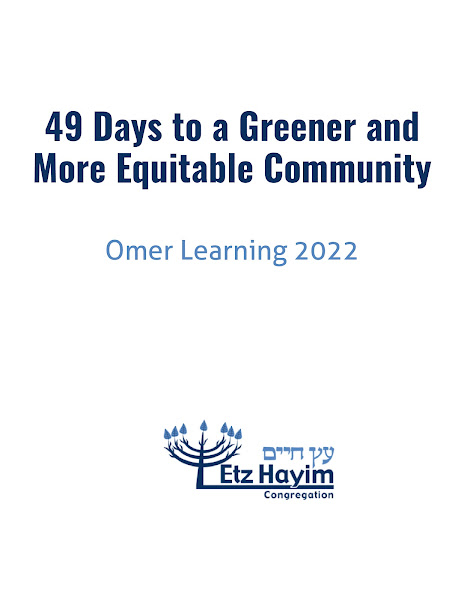
Fpdf allows for the creation of PDF files pragmatically via PHP. I started with two .csv files, one containing the daily submissions and the other containing a list of the names of those who contributed. I then ran them through my make_book.php script to generate this output:

# make book.pdf
$ php -f make_book.php

# Bonus: make the cover image shown below. Thanks SO.
$ convert -density 300 -depth 8 -quality 90 -background white -alpha \
     remove -alpha off book.pdf[0] cover.jpg

PDF Generation Challenges and Solutions

You can find the PHP code that generates this document here. While the code didn't take long to write, I did solve a number of interesting and common challenges along the way.

  • How can I include custom fonts in the document? Download them from the web and generate the appropriate font files by using fpdf's makefont.
  • How can I switch fonts in a document without getting confused? Implement the withStyle(...) function that sets a preferred style, executes arbitrary code and then sets the font and color back to what they were.
  • How can I pull data in from CSV files? fgetcsv.
  • How can I add a gray border to emphasize submitted content? Make use of withIndent(...) and Line(...).
  • How can I deal with gibberish characters being inserted into the document? I cheated for this one, opting for an on the fly str_replace from fancy quotes and apostrophe to simple versions. A better solution would have been to figure out how to get those nice looking artifacts to be properly rendered.
  • How can I ensure that a day's entry isn't split across a page? Make use of withSmartBreak(...) that takes in a function that lays out content on a PDF page. First, I execute this on an in-memory scratchpad document and measure how much space was consumed. Then I compare that to the current page location and see if the content will fit. If not, I add a new page.
  • What do I do with hyperlinks in the content? Use the bit.ly API to convert all URLs to shortened versions. I then include those compact links in the output. Fpdf also makes it trivial to link text to a URL. The result is that if you're looking at the PDF on a device, or in printed form, you can follow URLs with relative ease.

If you want to see these solutions in detail, check out the source code. I couldn't be more pleased with how this all turned out. The document looks sharp and the process of creating it was painless. And no copying and pasting of content was ever needed.

Download It

Here's the generated PDF: Omer Learning 2022: 49 Days to a Greener and More Equitable Community. Come for the lessons on fpdf, stay for the wisdom of Shemitah.