Monday, November 28, 2022

Abingdon Adventure - Day 1

Standing at at the The Great Channels trailhead I had an overwhelming sense of gratitude and relief. So many out-of-our-control variables had to go just right to make even starting this hike possible, and it looked like the stars were indeed going to align for us. For one thing, after days of bad weather reports that suggested we should scrub our trip, we were given perfect weather of mid-50' and sunshine. For another, 8 week old baby L was contentedly snoring on my chest. L came to us a few weeks ago as our most recent foster placement, and she was certainly a curve ball for the hiking trip we'd had planned for our Thanksgiving getaway.

It turns out that L is an angel, and endured the 5 hour road trip to the trail head without incident. After a minor diaper blowout that occurred when we pulled into the parking area, was she was cleaned up and happily placed in the Moby wrap carrier. Our hike to the channels, which I was sure was going to get derailed, was a go!

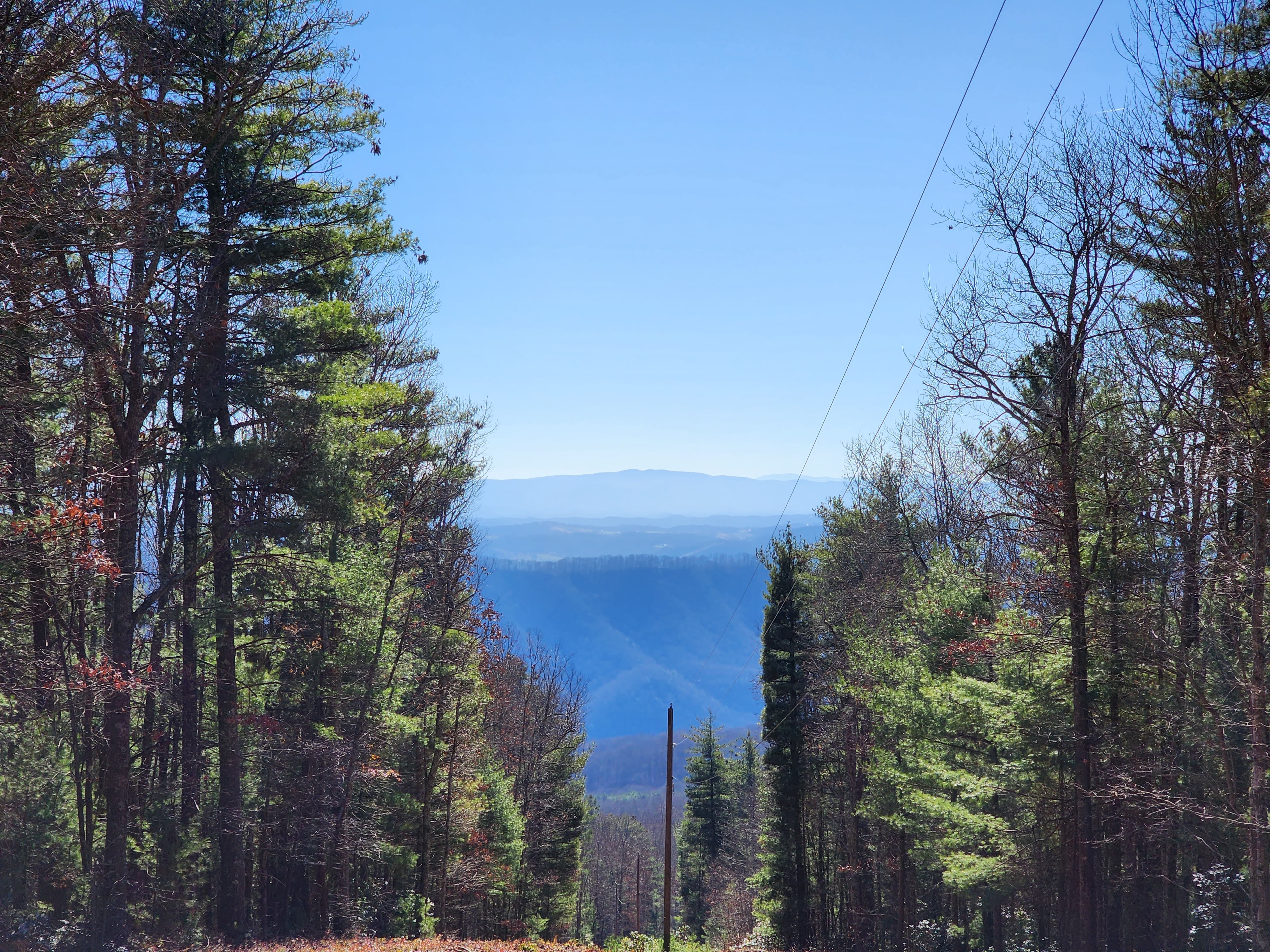
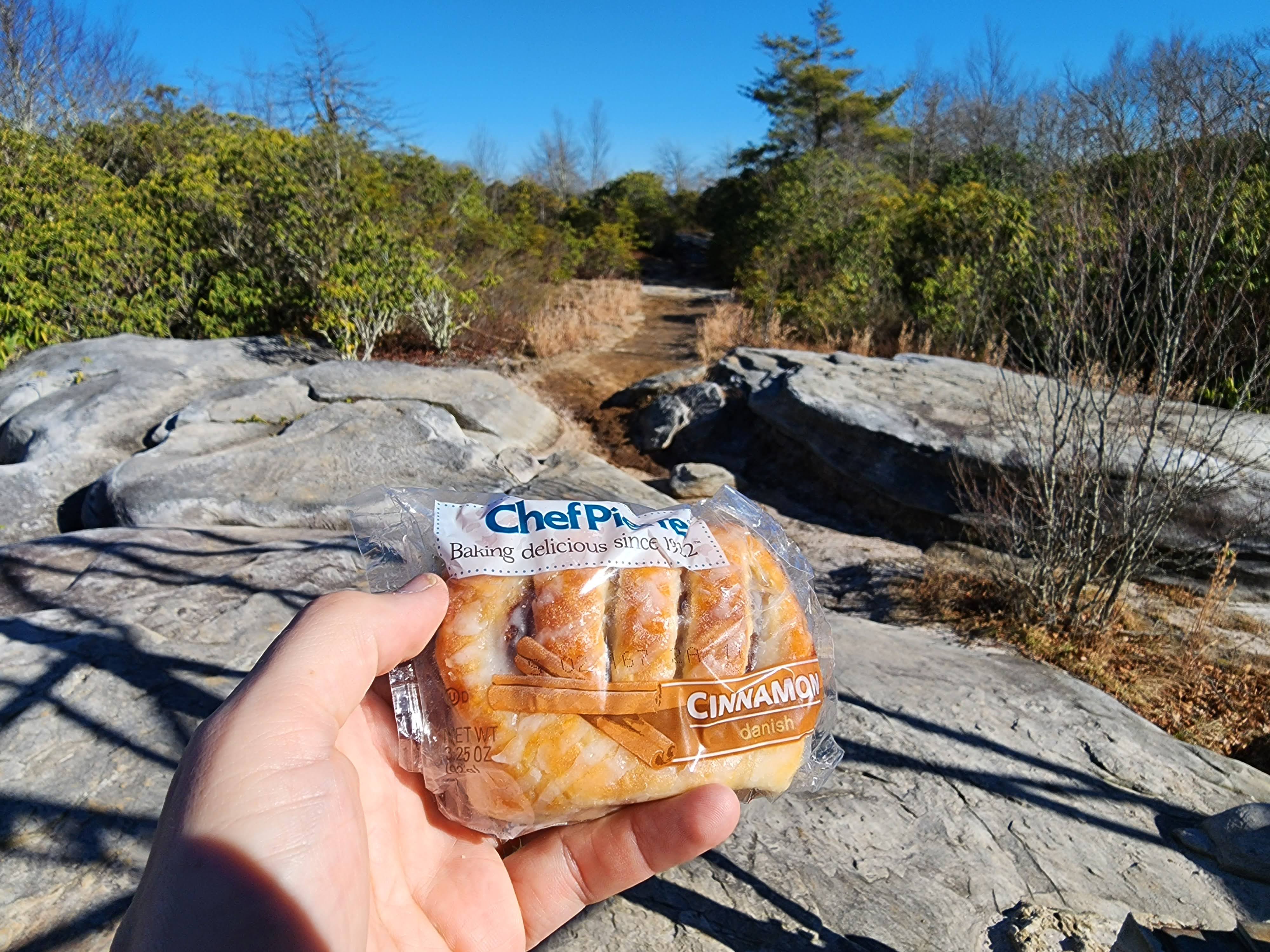
The channels hike consists of a 3 mile slog to the top of Middle Knob. Because the leaves had dropped from the trees we got glimpses of amazing views, though none were totally unobstructed. The pay off for the hike begins at the 3 mile mark, when a sweet looking 1930's fire tower comes into view. Thankfully, you can't climb the tower, though it does make a fascinating photographic subject. And finally we had access to the truly interesting part of the hike: the channels.

Following a sign into a wooded area we came across a breathtaking overlook. From there, we chatted with another hiker who explained that we were close to the channels; we needed only leave the overlook and descend down a steep but somewhat hidden trail. We followed her advice and found ourselves immersed in other-world looking rock formations. We had been promised slot canyons, and the channels delivered. Around every corner was another amazing rock formation and space to squeeze into and explore.

The hike to the trail head to the channels is well signed. Once you're in the maze-like channels, however, you're mostly on your own. We noticed some red arrows painted on the walls and initially thought they described a route you could take to see the formations. However, we only ever found the red arrows pointing towards the exit. And then it clicked: you're supposed to wander the channels as you wish, and when you want to return home, follow the red arrows. Very clever. I don't understand why the trail maintainers don't make the system official and put clearly marked (and reflective) arrows and instructions in the channels, versus depending on such a primitive and fragile system.

The All Trails reviews of the trail suggested that the channels would be colder than the rest of the hike; and the advice was on point. I donned a puffy jacket over baby L and myself we both remained quite comfortable the whole time.

While there was a bit of graffiti in the area, I was impressed at overall how pristine the channels were. I suppose that's one benefit of having this hike be in the middle of nowhere with 3 miles and 1,300 feet of elevation gain, to discourage would be vandals.

After 45 minutes of exploring the channels, we decided to call it and headed back to the car. The 3 mile hike was straightforward and before we knew it we were back in a warm car with a happy baby.

The Great Channels had absolutely been a worthy hike for the first day of our adventure and I can't recommend it highly enough. Because the rock formations are so unique, I'd easily put this hike on a list of Virginia greats, along with Old Rag, Billy Goat Trail, section A and the Devil's Marbleyard.

For dinner, we hit Greeko's Greek Cafe. Shira's falafel was ok. The salmon in my salmon souvlaki was very good. But the fries and pita were perfection and made the meal an absolute delight. The staff, like the staff at the Fairfield Inn where we were staying, were exceedingly warm and friendly. This all made for a wonderfully pleasant evening and gave us great vibes for the small town that is Abingdon, VA.

Tired from a long day of driving and hiking, we called it a night after dinner. Tomorrow would be more hiking and I drifted off to sleep hoping it would measure up to today's high quality adventure.

(I then was awoken a few hours later by baby L who was hungry. Ahh yes, the joy of little ones and their tiny tummies!)

Friday, November 18, 2022

Tasker: Auto Downloading a Random Pic From A Google Photos Album

I wanted to dress up my Tasker based Focus Mode by adding a picture on the Focus Overlay scene. To make things more interesting, I wanted to it to be a random pic of my wife that would update on a regular basis. After all, she's the one I'm usually trying to focus for.

Here's what the finished product ended up looking like:

Here's how I got this to work:

1. I Created a Google Photos live album. This is a slick feature offered by Google Photos that causes photos to be auto-added to an album every time the selected face is detected in an image.

2. I figured out this album's Album ID using the Google Photos API's try this method feature.

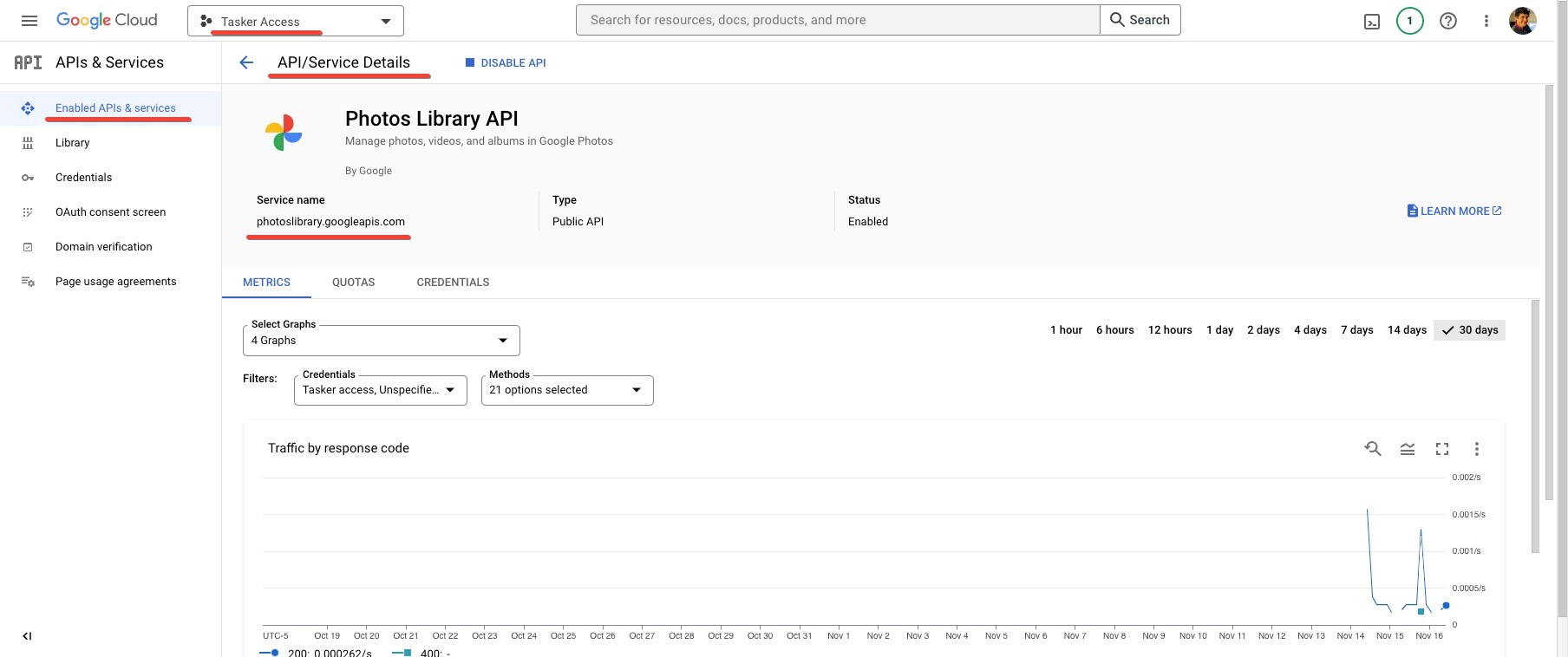
3. I headed over to console.developers.google.com and created a new project and enabled the Google Photos API on it. This project is needed so I can authenticate with the Google Photos API and access my private photos in a secure way.

4. While on console.developers.google.com I added a new set of credentials. I chose OAuth client id for the type of credentials and selected Web Application under application type. Finally, I added https://tasker.joaoapps.com/auth.html to the Authorized Redirect URIs as noted in the Tasker Documentation.

I saved the Client ID and Client secret shown on the credentials page as I would be using them later on in the process.

5. Switching into Tasker, I created a general purpose task that grabs a random photo from a Google Photos Album. You can grab this task from TaskerNet. I fell back on my usual strategy of using Javacriplets to set up calls to, and process the response from, an API. In this case I'm making two web calls: the first to the API to get the details of the first 100 photos in the album identified by %par1. I'm then randomly picking one the mediaItems, and downloading it to the filename provided in %par2.

6. I created a Grab Random Wife Picture task which calls the task in step (5) with the album ID and file name of my choice.

7. I created a time based profile that runs on the hour, throughout the day, and calls the task in step (6).

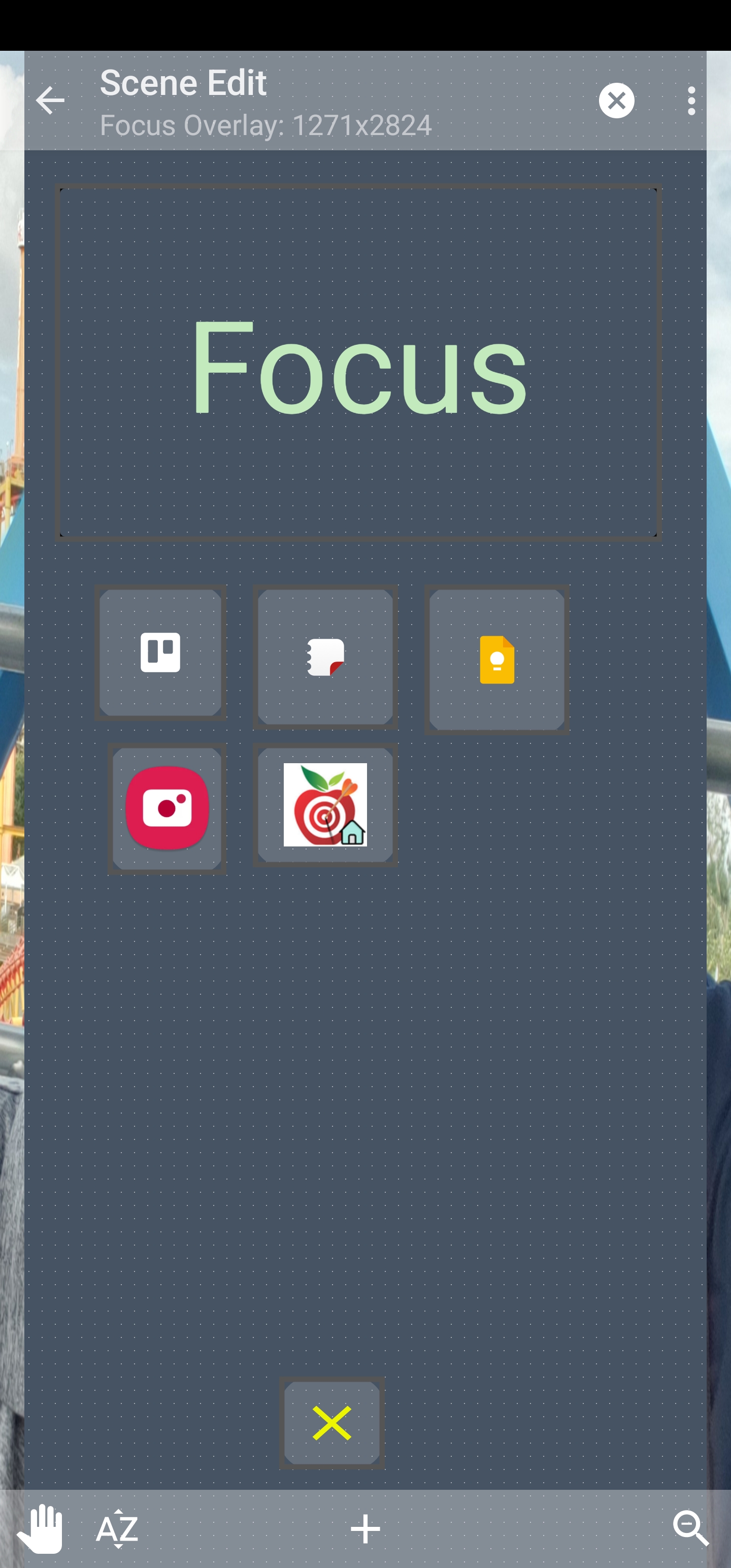
8. Finally, I updated the Focus Overlay, swapping out the text box that read 'Focus' with an image element. The image element uses the path to the downloaded file, which is updated hourly.

Whenever I launch focus mode it shows me the latest image that has been downloaded. And most importantly, it makes me smile.

Friday, November 11, 2022

Wordsmithing with Emacs

The first external dependency I install when setting up Emacs in a new environment is aspell. I do this because I use M-$ so routinely. M-$ kicks off ispell-word, which launches a mini-spell checker. I use this frequently when coding to verify the spelling of variables and comments. And naturally, I use it while blogging. Heck, I've used it at least five times in the process of editing this very paragraph.

Given my appreciation for spell checking in Emacs, it's a bit of a surprise that it's taken me nearly two decades to I even considered installing a related package: dictionary definition lookup.

I finally noticed that I was popping over to Google and Thesaurus.com to either verify word meaning or to hunt for synonyms with an alarming degree of regularity. It was past due to move this functionality into Emacs.

After searching, I settled on two packages: define-word and powerthesaurus. Both were trivial to install using M-x package-install.

define-word is simple, yet effective and I've found it has become my go to for all things dictionary related. I've bound it to M-$'s neighboring key, M-#. Whenever I want to verify the meaning of a word or look for related terms, I'm only a key press away from this information.

(global-set-key (kbd "M-#") 'define-word-at-point)

powerthesaurus is a bit more sophisticated, providing me with an exhaustive list of synonyms using M-x powerthesaurus-lookup-synonyms-dwim.

These packages have quickly become must haves. Without them I'd be lost, bewildered, confused, disoriented, adrift, baffled, mazed*, befuddled and perplexed.


Is mazed really a word, and if so, does it make sense in this context? define-word assures me it is and it does:

Tuesday, November 08, 2022

Me. 30% Smarter. Looking.

After a lifetime of better than 20/20 vision I started to notice some text just wouldn't come into focus like it used to. Sure, I could still read the tiny print on my watch or Shira's Kindle, but only if I positioned the device at just the right distance. And even then, I found I was working way harder than before.

I mentioned my concerns to Shira and in no time she had me scheduled to see our eye doctor.

The nurse took me through the process of finding my prescription, a process that a small part of me held out hope would result in her explaining that my vision was just too good for glasses. Yeah, that didn't happen. The ophthalmologist then came in to chat and bust some myths. No, wearing glasses wouldn't accelerate my vision loss. No, avoiding glasses wouldn't do me any harm. No, a cheap pair reading glasses from the pharmacy wouldn't do the trick. Yes, my vision will get worse in the future.

I left the doctor's office with a prescription for progressive lenses and a choice: wear glasses or not, whichever I wanted. Because I have yet hear anyone remark 'I should have waited' when talking about anything eye related, I decided I was in. It was time for glasses!

A very patient and knowledgeable gentleman at the Lens Crafter's in the Pentagon City Mall helped me choose my first set of frames. He educated me on both technical and stylistic matters, advising me for example, which styles best agreed with the shape of my face (who knew this was even a thing?). He also played referee between Shira and Myself, as I kept gravitating to outlandish styles and Shira wanted something decidedly more subtle. Between this kind employee and Shira, picking frames turned out to be painless.

Returning to Lens Crafters it was time for the moment of truth. I donned my new glasses the clerk and held up an iPad with various sizes of text printed on it. Was the screen legible? It was. But, if I took off the glasses, it was also legible. So yeah, the magic moment some experience of going from blindness to sight wasn't in the cards for me. All I felt was a not-so subtle sense of awkwardness from wearing glasses inside.

Over the next couple of days I pressed Shira, who had glasses for years until she got Lasik. You really don't feel the frames on your face? Nope, she explained. They will become invisible. I wasn't there yet. The glasses weren't uncomfortable, but they felt, well present.

In many respects, this pair of glasses is a modern marvel. The progressive nature means that I can use them for both distance and up-close work. They look good and weigh almost nothing. They block blue light and transition to a darker shade to protect my eyes form the sun.

In reality, nothing beats the human eye. Frustratingly, wearing glasses has actually reduced my vision in many contexts. If an object is far away and in the lower section of my sight, or close by and in the upper section of my sight, then its blurry. I've traded having to position my watch or Kindle at just the distance to having to tilt my head to just the right angle. More than once, when I wanted to see something clearly I've taken off my glasses.

Still, when I find that sweet spot in the lens--which I'm told will be come automatic soon enough--my vision is crystal clear. It's amazing.

While I still feel the glasses on my face, I think their presence is starting to fade. Though now I've had a new phenomena to deal with: a sense that I'm wearing glasses, even when I'm not. I'll be lying in bed knowing full well I've taken my glasses off, yet I'll instinctively reach up to check as my brain is quite sure they're still there. It's a surreal feeling and brings to mind phantom phone vibration.

It took exactly 21 days, but on the morning of November 4th I had the moment I was waiting for: I needed to read some text and my first thought was, where are my glasses?

Tasker Powered: Like Samsung's Focus Mode, But Much Uglier

Fandabi Dozi's suggestion, in this video, of not using your phone during the first and last hour of the day caught my attention. It inspired me to consider: what if I turned off my phone not at edges of the day, but when Shira returns home from work? My hypothesis is that when she walks through the door we should be paying attention to each other, not getting distracted by tempting phone content.

Mind you, I didn't really think I had a phone-distraction problem. I thought of this experiment as a sort of a tech based romantic gesture. She'd appreciate that I was putting her first, and I'd show myself just how non-phone addicted I was.

One challenge is that I didn't really want to turn my phone off. What I wanted was a way to keep the utilitarian functions available, while locking myself out of the apps looking to suck up my attention.

Focus Up

Fortunately, my Galaxy S22 comes with just the feature I needed: Focus Mode. In Focus Mode you select which apps you want to remain functional and all others are blocked by a warning.

First off, I deleted the default Focus Modes that came with the phone. I then created a new mode named 'Us Time.' A number of apps always work in Focus Mode. I added to this the camera, my note taking apps and Cronometer which I use for tracking meals. The idea is that when I'm in 'Us Time' I can use phone for capture purposes, but everything else is off limits.

With much fanfare I turned on Focus Mode. In no time, I found myself reaching for my phone to peek at Reddit or look something up on the web. Focus Mode scolded me and I'd put the phone down. Apparently I turn to my phone more often than I expected.

Having the ability to record notes and photos meant that any thoughts that came to me while my phone was in Focus Mode could easily be captured. That proved to be a functional compromise.

I really noticed the Focus Mode effect later in the evening when I had the mode turned off. Shira nudged me: shouldn't you be brushing your teeth? I was standing over my desk reading a fairly useless Reddit discussion on whether long distance hiking is considered a vacation (spoiler alert: it is). I'd been busted. I hadn't intended to sink time into that silly thread, but a free moment had sucked me in.

This little experiment gave me a fresh perspective: while I'm a fan of the very apps I'm blocking in Focus Mode, I realized I want to use them on my terms, not theirs.

The Tasker Version: Way Uglier, Way Functional-er

While I like Samsung's Focus Mode, I find it lacks flexibility. The fastest option I can find for launching Focus Mode involves in three presses. That's a waste: why can't I start it with one? And I'd like to experiment with putting Focus Mode on a schedule or having it start based on an external event, like when Shira walks in the house. In other words, I wanted a Tasker powered version of Focus Mode.

Unfortunately, there's no direct way to manipulate Focus Mode in Tasker. Instead, I needed to implement my own version of Focus Mode from scratch in Tasker. While this sound daunting, it's actually straightforward.

Looking around, it seemed I had three options:

  1. Use ADB WiFi to disable and enable apps. Using this approach, I could disable all apps on my phone except for the ones allowed during Focus Mode. This approach is a bit too heavy handed. I'm looking for a nudge here, not an actual phone lock down.
  2. Create a simple profile that detects when disallowed apps are launched and run the 'Go Home' Task. This approach is simple and effective. You can start any app you want, but within a moment you're back at the home screen.
  3. When the launcher app runs, in my case Smart Launcher, spawn a pop-up that sits on top of the UI. This pop-up will cover the launcher app so you effectively can't use it. The pop-up can contain its own buttons to launch approved apps.

I ended up going with Option #3, and it was surprisingly simple to implement. I created a new Scene, Focus Overlay, that takes up most of the screen. The trick is to 'create' this scene whenever Smart Launcher is running in the foreground. Tasker allows this functionality with a simple profile:

When I launch an app using a button on the Focus Overlay, I destroy the Focus Overlay scene and launch the relevant app. When I eventually return to my home screen, Smart Launcher is launched again and the profile that detects this creates a new copy of the Focus Overlay.

While this approach is far less sexy than the built in versions of Focus Mode, it's just as effective. Best of all, it's trivial to automate. I was able to add widget to my home screen to start Focus Mode in one press. I also created a SMS handler so that if Shira texts me the word 'FOCUS' the mode will start as well. I plan to experiment with ways to have Shira's phone trigger Focus Mode when she walks in the door. My current thinking: I'll have her phone send an AutoRemote message to my phone when her phone join's our home WiFi.

When I initially heard of Samsung's Focus Mode I wrote it off as a marketing gimmick. I was wrong. Focus Mode helps your phone work for you, instead of against you. And what I thought was a simple romantic gesture has turned out to be so much more.