Tuesday, February 20, 2007

A bris - a day you're glad you don't remember!

Today marked the first bris of a son of a friend of ours. We have non-Jewish friends who have had sons, but this was the first bris of our generation!

This baby was a real trooper! He cried a little during the main event (wouldn't you?), but as soon as it was over, he was a champ. Of course, the wine must not have hurt, either.

It was an exciting day, and we wish him all the best as he starts life's journey.

Web 2.0 Explained

Seth Godin linked to this cool video describing what Web 2.0 is all about.

The content of the video is nice - the presentation is really incredible.

It's kind of a screencast meets music video.

Monday, February 19, 2007

Comic Book Style Blogging

Guy Kawasaki has a nice little tutorial how to make a comic book style blog entry. This is handy, because the format can work really well when used right.

I've already mentioned to Shira that I plan to do my next resume in comic book form. And she's already told me that she absolutely, positively, won't let me.

So, as I said, I won't be doing my next resume in comic book form. But still, it's a handy format to know about.

Related: Comeeko, turn your images into a comic strip.

Just Playing Around

Some games I've played this weekend...

  • Apples To Apples: A word association game that's ridiculously easy to play. What a fun way to get a group of people talking and playing with almost no effort. Best of all, with no writing needed, it's an ideal game for Shabbat (at least, it is for me - YMMV).
  • Wedgits: Yes, I know this is a toy designed for 3 year olds. But this collection of geometric shapes is really impressive. At first glance this looks like nothing more than a pyramid stacking game. But it's so much more - it's actually a way to build sculptures from various basic shapes. Great for your kids, and a fun distraction for adults.
  • Jenga: Always a classic. Like Apples To Apples this is a super easy game to start and keep people involved in. Just stack 'em up, and start pulling out blocks. Sounds simple, but it gets tricky in no time.

Of course, I'm always a big fan of Trivial Pursuit, but it was fun to branch out too.

Have a recommended board game? Share it in the comments, please.

Friday, February 16, 2007

The Countdown To 1/20/09

As long as I'm posting on the topic of politics, I can't resist mentioning this:

Need I say more?

Thursday, February 15, 2007

Passover Preview

Tonight, while at the Kosher Mart, Shira and I got a reminder that Passover isn't *that* far off.

The Kosher Mart has stacked, from floor to ceiling and in every nook and cranny, supplies for that holiday.

Gosh that's a scary sight. I'll be cleaning for the holiday in no time...

--Ben

Barack Videos

So, It's official, Barack Obama has announced he's running for President. Of all the candidates out there, he's the one I'm currently most impressed with.

First, I have to admit I like the image he projects: smart, humble and a regular guy. He's also a terrific speaker, which doesn't hurt. But what I like the most is his background in grass roots politics. I like my democracy like I like my software - built from the bottom up.

So, in an attempt to learn more about Barack, I browsed through a few pages worth of videos on YouTube to see if I could find anything of interest.

Here's what I came up with. I tried to skip over the canned stuff that you'd expect to see. Watching them only made me want to vote for the guy more.

Barack on an issue that divides our country

Barack on Habeas Corpus

Barack talking to Conan O'Brien

Barack on the Audacity of Hope

Barack's first media controversy

Fox runs a report claiming Barack went to a fundamentalist Muslim school as a kid. Then CNN comes along and shows that those reports are completely wrong. Shame on you FOX for running this garbage. Everybody loses when you guys don't do your job.

Barack as the subject of a Mac vs. Windows parody

Barack on Katrina

Wednesday, February 14, 2007

Take the hint

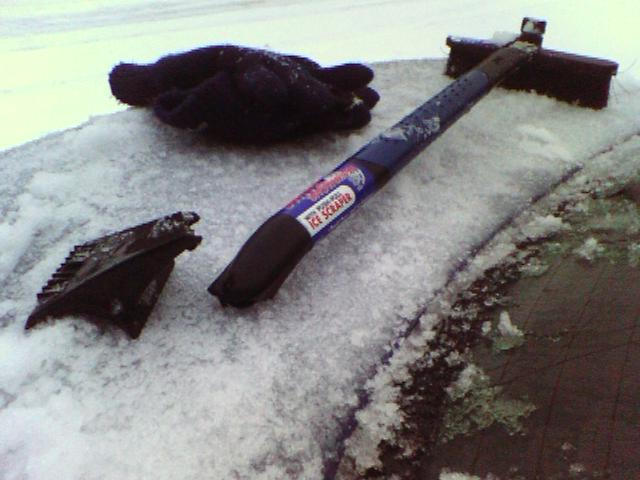
When you attempt to scrape the cars of ice and snow, and your ice scraper breaks - take the hint, go back to bed.

I didn't heed this advice, but, probably should have.

Right honey?

So far, this storm has been remarkably unimpressive. A bit of ice, a few inches of snow. Yet, the city is shutdown (at least a 2 hour delay on everything, if not canceled), the roads are treacherous from not being cleaned, and we managed to lose power for a few hours.

Apparently, the placebo effect also applies to weather and how well the city deals with it.

--Ben

Anti Valentine's Day

Shira has always despised Valentine's Day - this whole notion that you should show your love for a single day is just ridiculous. And it turns out, she's not alone.

This, of course presents a challenge for me - as I can't do the usual Valentine's Day stuff. So, I've done things like have flowers delivered to her the day before, or after Valentine's Day.

This year, I learned I can take these sentiments and send them digitally. I can just send her an Anti Valentine's Day E-Card (careful, there's some R-rated language on this page).

For a full rant against Valentine's Day, check out this blog post. Careful though, there's more R-rated language here too.

Tuesday, February 13, 2007

Bad Commute in the Making

This dusting of snow may not look like anything serious. But with the current warning that it might all turn to ice, there's no doubt in my mind the commute home's going to be bad.

I could leave early? Work from home?

Boring.

--Ben

Ben vs. Shira's Acura

Recently, Shira noticed that her windshield wiper spritzer cleaner thingy stopped working. As a last resort, before taking it into the dealer, she asked me to look into the problem. Incidentally, once I started to investigate she realized this was a terrible idea and tried to get me to stop. Too bad, once I start on a task, I'm pretty hard to stop.

The first thing I did was to refill the windshield wiper fluid reservoir, figuring that would be the most obvious solution.

No luck. No matter how many times I pulled on the control in the driver's console area, no fluid shooteth forth. The windshield wipers worked fine, though, thankfully.

Plan B. was to pop the hood and check for some obvious problem. That went about as well as expected. I popped the hood, looked underneath, and there was nothing obvious wrong. Yeah, I have no idea what I planned to accomplish with Plan B.

Then it hit me - maybe it's a fuse?! In the last 9 years of owning a vehicles, to my knowledge the problem has never been as simple as a fuse. But, hey, there's a first time for everything.

Sure enough, after checking the manual to figure out where the fuses were, and figuring out which one is which, I found the one I needed to check. And sure enough, it was bad! What do you know, the $1.00 fuse blew instead of the motor? Huh, I'm impressed.

So, while I may not win the war against Shira's Acura, I think I can safely say I won this battle.

PMA Links

  • Turns out, just thinking you had a good workout is enough to causes you to lose weight (gosh, you gotta love the placebo effect). link

  • Some PMA, country music style. link

Monday, February 12, 2007

Review: How to Help Your Husband Make More Money So You Can Be a Stay-At-Home Mom

First, let me state the obvious. I don't want to be a stay-at-home mom. Neither does Shira. I just saw the self help book, How to Help Your Husband Make More Money So You Can Be a Stay-At-Home Mom by Joanne Watson, at the library and couldn't resist the title.

The book's premise isn't a bad one: husbands and wives should work as a team to be a success. This means that it's smart to have one partner at work, another at home. This is just good sense.

Unfortunately, the premise is about all I can say I enjoyed about the book.

The book is a sort of an advice guide for making more money. It includes tips like: get more training, ask for a raise and find a new job. It has, as its slant, suggestions for a wife on how she can get her husband to do this all. The reality is, while the advice in the book is mostly good - it's not the most complete source of information on any one topic.

The book was obviously written during the hay day of the Internet bubble. Programming, HTML and Oracle databases are all mentioned as easy skills to learn, master and make boatloads of money from. And, I kid you not, if you want to make the really big bucks, get involved in Internet Marketing. Why? I have no idea. Just take Joanne's word for it.

This message from the book has the same feel as a prospector bragging about his job during a gold rush. She just can't imagine why everyone isn't cashing on the same easy money she is. And, of course they assume the gold rush will last forever.

The reality is, there was a time when knowing a bit of HTML could be an in to a much better job. However, that time has since long gone.

And then there's this whole unsettling tone of the book. Not once in the whole book is it ever suggested that the man stay home and the wife work. It's simply not an option. And the book consistently talks about "your goal of being a stay at home Mom" as if the husband has no say in the matter. It's like a training manual to manipulate your husband into getting what you want. I'm pretty sure my wife doesn't need any more advice on this topic.

Look, If you want to be a stay at home mom, give it a listen. You might enjoy it, and find it inspirational. On the other hand, if you want to make more money, interview better, or do a host of other things, you can do way better than this book.

I give it a 1.4/10.

--Ben

Bloodwork Results

I just got back from the doctor - my bloodwork was given a passing grade. The doctor did warn me my good cholesterol was a bit low and my bad cholesterol was a bit high, but my overall score was fine.

She explained I should lay off the cheeseburgers every day and mix in some fish. I explained that won't be a problem. Consider them banished from my diet.

Overall, she has no idea why I am getting headaches. But the good news is, the fact that two Advil makes them go away is enough evidence for her that I've got nothing too serious wrong with me. That makes me a bit happy.

--Ben

Sunday, February 11, 2007

Web Design Thought

Repeat after me: users don't read. No matter what you do, no matter how clearly you think you are sending your message - users simply won't read it. If you're lucky, they might scan it for keywords. And that's a big might.

So, design accordingly.

Now He is a Man

It's hard to believe, but true - Caleb is officially a man (at least by Jewish Law)! He did an incredible job at his Bar Mitzvah this last Saturday, reading Torah, chanting the Haftorah and even giving a speech to the congregation.

This event also marks something special for Shira and myself - Caleb's Bar Mitzvah is the first time we've ever attended one our friend's kid's Bar Mitzvahs. Wow, does that make us feel old. It's hard to believe we've known Caleb since he was 5 (or 6?) and we were all living in Charlotte, NC. Wow, that's another world away.

Click on the photo below to see more shots from the kids party he had (sorry, no photos allowed during the ceremony). I think the kids had a great time, and seemed to be way more comfortable with being an awkward 13 year old than I was at their age.

Friday, February 09, 2007

Blogger Editing Tip

I just noticed this one, so I apologize if it's well known / obvious. When you submit a Blogger post and have an HTML error in the text you get a nice warning box describing the problem. This is a good thing.

And here's the cool part - the error that Blogger found will be highlighted, just as if you were selecting it to copy it. That means no more digging around trying to find out which tag they mean, you can simply scroll down till you see the block highlighted.

Cool. It's amazing what you notice when you take a second to pay attention.

Setting up Postgres -The Last Mile

Every time I have to setup PostgreSQL, I always get stumped with how to setup my first database. There's this sort of chicken and egg problem you run into. You can't create the first database till you have a database. Which you can't create, till you have a database.

This problem is trivial to solve, but I always forget how it's done. So, I'm writing it down here once and for all. I expect to visit this page again sometime in the distant future. I plan to thank myself then.

Here's how I installed Postgres a few days ago...

  1. Install the RPMS:
        postgresql-8.1.4-1PGDG.i686.rpm
        postgresql-contrib-8.1.4-1PGDG.i686.rpm
        postgresql-docs-8.1.4-1PGDG.i686.rpm
        postgresql-libs-8.1.4-1PGDG.i686.rpm
        postgresql-server-8.1.4-1PGDG.i686.rpm
    
  2. Become the postgres user
  3. Run /usr/bin/initdb
  4. Connect to the Postgres server and create a user and create a database
        /usr/bin/psql postgres
        CREATE USER whoever SUPERUSER ENCRYPTED PASSWORD 'whatever';
        CREATE DATABASE foo;
    
  5. Become my regular user again

This point, you can now connect to Postgres using the user you created and get to the database you made as well.

If you are going to be connecting to Postgres remotely you'll want to edit /var/lib/pgsql/data/pg_hba.conf to control which hosts can access the server.

You'll notice in a fresh pg_hba.conf file that there's the keyword trust on the open connection lines. It's that setting that allows you to get in to create your first database without knowing a password.

Russian Rock Radio

I asked Kostyantyn what music he was rocking out to, and he pointed me to nashe.ru. Browsing the site makes me feel like some sort of international spy. Though when I translated the title of the home page, НАШЕ Радио, it came out as Your Radio Our Radio. Hardly exotic.

So far, the music has been fun to listen to. And it's all about as understandable to me as an R.E.M. song.

Give it a listen here - you may be surprised with how much you like it.

Thursday, February 08, 2007

Making it to the outside

Check it out - the outside of my building, in the middle of the day no less!

I ducked out to lunch with Shira and friends. I only felt minor pangs of guilt, knowing there's plenty on my todo list at the office.

But hey, if the wife is happy, work and me will be happy.

--Ben

Wednesday, February 07, 2007

Web Apps In Scheme - An Introduction

Jens Axel Søgaard has put together a really cool and useful tutorial on how to write a web application in Scheme. It covers such useful topics as how to split up your code into meaningful modules, how to connect to an SQL database and how to write HTML as s-expressions.

So far the tutorial is split into part 1 and part 2.

It's interesting that he decided to develop a list oriented application, as I've recently launched tenspotting.com - a top 10 list website, completely written in Scheme. Trust me, Scheme isn't limited to developing list oriented web applications. That part is just a coincidence.

If you've been writing web applications in other languages, you might want to check this tutorial out just to get a flavor of how things can be done in a different universe.

If you want a more in depth example check out the Scheme Pet Store I wrote up. It's a complete implementation of the classic J2EE Pet Store app.

Update: Peter Bex pointed me to a tutorial he's working on here. Thanks Peter!

Another Image Search

Yotophoto.com is yet another image search site. Though it has one small difference: the images are all free to use (or at least that's what the site claims.).

This is good news - instead of searching Google Images and grabbing a photo for a site mockup or presentation, why not use Yotophoto and grab a legal one?

That way, when the mockup is approved, or the internal presentation made public, you won't be stuck using non-kosher photos.

Via: Red Ferret

Another Whiteboard Idea: Use a Mirror

Christian came up with another whiteboard idea: use a mirror as a whiteboard. Brilliant.

Finally, I can put that bathroom mirror to good use.

Don't be surprised if next time you're over to my house you find a whiteboard marker next to the sink. Feel free to put the mirror to good use.

Next, I'm going to work up the courage to use a whiteboard marker on my team members' CRT monitors. In theory, the glass surface should work just fine - right? Only one way to find out...

Tuesday, February 06, 2007

New Digs

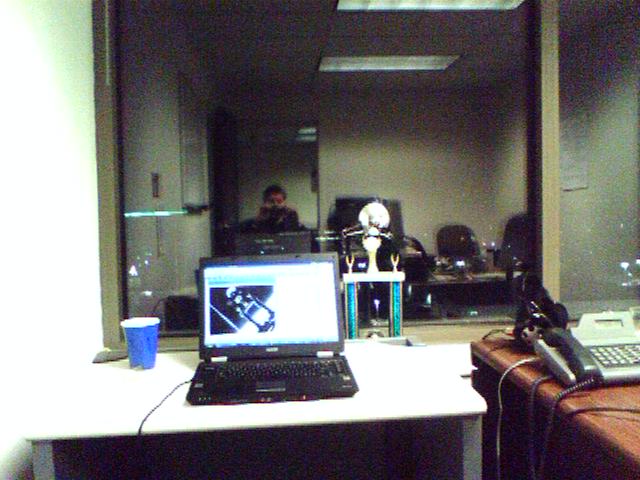
I relocated to a new office today. The process was about as easy as it could be.

Shira's picture went right up to be in full OSHA compliance.

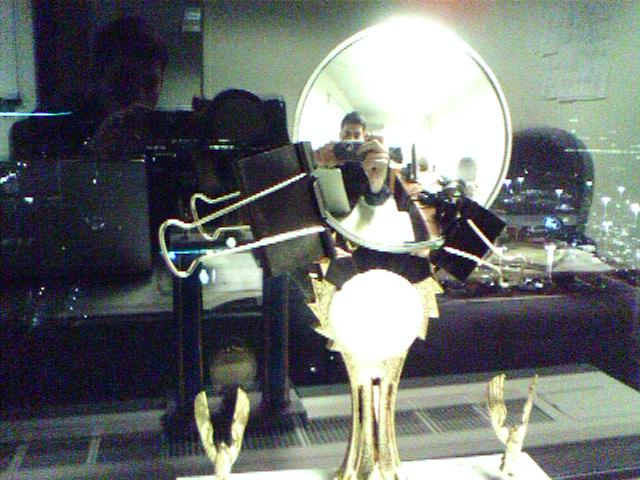
The only tricky part was mounting my rear view mirror (a must have when sitting with your back to the door). That required a few binder clips and the volleyball trophy the team won last year.

--Ben
Asked and Answered

Ben: Where can I find online family tree software?
Christian: Check out geni.com
Elizabeth: Where can I find free anti-virus software?
Ben: Check out Clam Win, it's free and well known*
*But I've never used it, so your mileage may vary

What questions have you had asked and answered today?

Monday, February 05, 2007

Mr. Fix It

From my attempt fix our upstairs toilet and it's tiny leak...

Before

After

The Extra Part

Yeah, pretty much went exactly as I expected. Thankfully the toilet works, and I only have one extra part.

Sunday, February 04, 2007

What a way to kick things off!

This one's for you Dave! Here's a photo of Devin Hester's 92 yard run for a touchdown on the kickoff of the Superbowl.

What a game it's been, between the fumbles and a missed extra point, this is really football at its most exciting.

As I post this, the Bears just scored their second touchdown.

I'm definitely not suggesting the Bears have it won easily as David would disown me for giving the Bears bad luck. But at least you know I'm watching the game.

Update: D'oh. Colts 29, Bears 17. Oh well, better luck next year - right? Check out some impressive photos of the game here.

101 Things To Do With A Mobile Phone In Healthcare

This one's for my brother Josh - here's a report that identifies 101 things to do with a mobile phone in healthcare. The report actually costs money to download and view, though you can get a hold of the table of contents.

The table of contents actually outlines all the topics. Some that seemed interesting to me were...

  • Allergy Alert Services For Asthmatics
  • Support For The Deaf
  • ePrescribing
  • Peer Support For Patients
  • Patient Location
  • Personalized Diagnosis

And lots more. The fact that most patients in a hospital are wandering around with a network connected computer in their pocket or purses, seems like a huge opportunity. While I'm sure some of the ideas need fancy schmancy phones to be implemented, others probably require nothing more than simple SMS.

So, Josh, what are you waiting for? We need more phones in the E.R.

Via: Textually

Never Forget

As seen on a run this morning through Crystal City.

A bunch of kids being kids? Or a bunch of serious adults being serious?

--Ben

Thursday, February 01, 2007

Another Bundle of Cuteness

Check out this adorable cutie-pie we got to have dinner with tonight. It's hard to believe she's already 7 months old. Her parents sure do make this child rearing stuff look easy (except for the 2 extra bags they carried into the restaurant!).

Turns out, they didn't even need the extra bag of toys, as this straw, the paper kid's menu and a sugar packet were more than enough to keep her occupied through dinner.

Wednesday, January 31, 2007

XML Kvetching

Dominique Boucher has a nice little article on why he hates XML for DSLs. I, as most people who know me can imagine, am right there with him on all his points.

I'll even add my two cents as to why I don't like using XML for DSLs. I don't XML because it forces you to develop your own language from scratch.

Sure, you're file format starts off simple. But before you know it, you want conditional blocks, and the ability to include and merge files.

My preference is is to embed an already existing language rather than invent one with XML. Why? Because the language will have already solved a bunch of problems that you'll have to tackle eventually with XML. This includes basic things, like a parser for your language, to more sophisticated things, like data hiding.

One of my favorite languages for embedding is Beanshell (I love using Scheme too, but that's another blog post for another day.

With Beanshell's ability to have predefined functions, I can write code that looks like a pretty high level language. As a bongus, I get all the power of Java, has support for conditionals, functions, etc. that I would need to add to XML.

The usual argument against this approach is that Beanshell (or Java) is hard for end users to tweak, while XML is easy. Hogwash. Tell me if either of these seem hard or easy to tweak?

if(isProduction()) {
  logger = new RemoteLogger();
} else {
  logger = new LocalLogger();
}
 <host-configuration>
   <host type='production'>
    <set property='logger' value='RemoteLogger'>
   </host>
   <host type='default'>
    <set property='logger' value='LocalLogger'>
   </host>
 </host-configuration>

I like the first approach because it's a real language - with variables, functions and the ability to express abstractions. If you grow your own language from XML you're only left with two choices: live with a half baked language, or prove out Greenspuns's 10th Rule.

Seth on PowerPoint

Seth Godin has a terrific piece on making an excellent PowerPoint presentation.

For example, I've seen plenty of articles talk about how you shouldn't use bullets on slides, or how you should reduce the amount of text you show on a slide. But, when push comes to shove, it's not always clear how to apply that advice. Seth's recommendations, on the other hand, seem to provide a recipe that one can actually follow.

For example, instead of stressing that you should have fewer chunks of text on a slide, Seth suggests that you provide a detailed document to go along with your presentation. And most importantly, you tell your audience you'll be giving it to them after you're done talking. Like all good advice, this seems obvious once you've heard it. Yet I've never seen this executed before.

If you do PowerPoint, or want to give better presentations, his advice is a must read.

Spouse Tracking on the Cheap

[Ben: 8:30am gets his boodwork done.]

[Shira: calls at 9:10am]

Shira: How was your bloodwork?

Ben: How did you know I got my bloodwork?

Shira: The co-pay went through on the credit card.

Since when did Visa switch to near real time updates of your credit card statement? Forget tracking your significant other with some fancy schmancy GPS device, just watch changes to their Visa card and you'll know exactly where they are.

A few ounces lighter

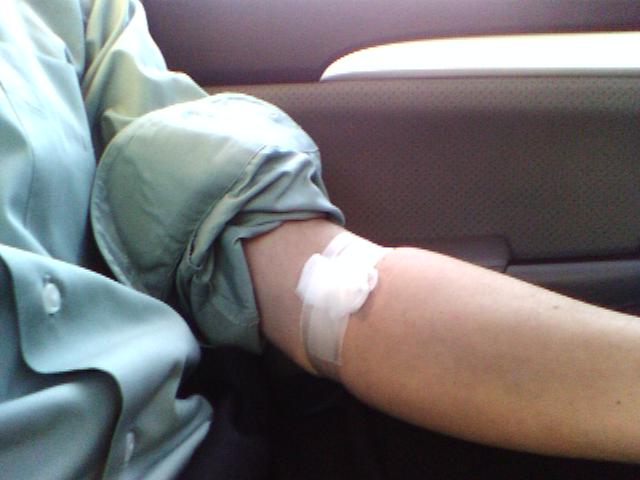
I just got done giving blood for blood work my doc recommended I get done to diagnose my headaches.

A by product of this is that I'll finally learn my cholesterol.

The nurse also suggested I opt in for the AIDS test, as that's what they recommend to all patients. Besides, she explained, "you can tell your next girlfriend the good news."

I told her if I had a next girlfriend, I've got bigger problems than an AIDS test.

--Ben
Simpsons Wisdom

Here's a great collection of wisdom by Homer Simpson.

Some of my favorites...

  • You can have many different jobs and still be lazy.
  • I may not be the richest man on earth. Or the smartest. Or the handsomest.
  • Never throw a butcher knife in anger.
  • When that guy turned water into wine, he obviously wasn't thinking of us Duff drinkers.

Thanks to The Daily Nooz for mentioning the story and for pointing out their favorites.

JibJab: 2006 In Review

OK, I'm a little late on this one (wait - it's still January, right?!). Here's the JibJab Year in Review for 2006. While not quite as funny as their This Land video, it's still good stuff.

Monday, January 29, 2007

Bubbl.us - Lightweight Mind Mapping

I'm really impressed with bubbl.us. It's a simple, web 2.0'ified, mind mapping utility. You can sketch down your ideas in little bubbles, and then drag them around.

The UI is really slick. With minimal controls you can quickly and easily draw out your ideas. If you want to see a modern UI done well, check out Bubblr.us. Bubbl.us

With no registration required, you can start playing with the application more or less immediately. Give it a try now.

The only catch is that I don't see a way to share the diagrams that you create. But maybe I'm missing something? Or maybe this is just early Beta stuff.

Still, it's cool - give it a try.

Update: Thanks Dave for the typo catch!

ZonTubeβ: YouTube meets Amazon

What do you get when you mix YouTube and Amazon?

Why ZonTubeβ of course! It's a mash up site, where you can browse the music of Amazon, and see the videos from Youtube.

This may be one of the more useful YouTube related sites I've seen, as it gives you a way to get at cool content you might otherwise have missed. Amazon provides the structure and inspiration while YouTube provides the content.

How else would I have come across the video for Kenny Roger's, The Greatest? A classic, if I do say so myself.

Useful Software: Paint.NET 3

LifeHacker made mention of Paint.NET 3, a lightweight graphics program. They offer it up as an alternative to Photoshop or The Gimp.

Hey it's free - so it's probably worth playing around with. Between the cost of Photoshop, and how Gimp isn't (wasn't?) always Windows friendly (what with all those windows and all), it'd be nice to have an alternative.

Sunday, January 28, 2007

Misheard Lyrics

Here's a cool archive of misheard lyrics.

And what's a misheard lyric? It's like thinking Stevie Nicks, Edge Of Seventeen has the line Just like a one winged dove, when the song really says Just like a white winged dove.

I can still remember arguing with Shira, trying to convince her that the lyric was Secret Agent man not Secret Asian man. Although, since it exists on this site, it looks like she wasn't the only misinformed person.

I've found the easiest way to search the site is to just use Google and search for something like:

site:kissthisguy.com secret agent man

Just replace the underlined part with any fragment of text.

Via: Bits and Pieces

The Simpsons on Blogging

Tonight I caught the episode of the Simpsons named Fraudcast News. It's one that starts off with the town gathered around Geezer Rock. In the episode, Mr. Burns ends up buying up all the media outlets in town so he can control them. All that's left is a small paper Lisa puts out. In the end, she too is put out of business by Mr. Burns.

But, all is not lost! She ends up inspiring the rest of the town to publish their own little newspapers, and as a result, Mr. Burns gives up. And like all good Simpsons episodes, everything returns to the status quo again.

At the end of the show, as the different town members walk around hawking their newspapers the following exchange takes place:

Homer: See Lisa, instead of one big-shot controlling all the media, now there's a thousand freaks xeroxing their worthless opinions. Lisa: I couldn't be prouder.

A thousand freaks xeroxing their worthless opinions - if that's not blogging in a nutshell, I don't know what is.

I'm hardly the first person to pick up on this - other blogs have so talked about this.

I couldn't find any video clips from this episode. But, I did find a bunch of audio clips here. Including this one where Lisa and Burns exchange words and one where Homer pulls an all nighter.

Update: You can actually watch the entire episode here. Thanks, Alex, for pointing this out.

Friday, January 26, 2007

Commutecast #2: Review of a CD and more practice

Here's my latest attempt at publishing a commutecast. I've still got a long way to go before I'm the next Bob Edwards or Ira Glass. Or even the next guy who brings coffee to those guys.


Gabcast! Ben's Commutecast #3 - Review of a book on CD and chatting

My review of How to Help Your Husband Make More Money So You Can Be a Stay-At-Home Mom by Joanne Watson and just chatting about my commute in general.

Gabcast! Ben's Commutecast #4 - Continue previous commutecast

See the commutecast right before this one. Had to pause to call Shira.

Sloppy - Test from another point of view

Sloppy is a clever web testing tool - it allows you to browse any page on the web through a slow connection, like an old fashion 28.8k modem.

This is definitely something you want to try with your site, even if you don't optimize it for slower speeds. Just as it's wise to see what your customers see when you run a brick and mortar store, you should do the same thing for your website.

Sloppy also serves as an example of the easiest Java application I've ever installed. It makes use of Java Web Start which promises 1 click installs for Java applications. And the amazing thing is, it worked!

Studying Sloppying just to appreciate how Java Web Start can be used is reason enough to download it. The fact that it's actually a useful tool is gravy.

Thursday, January 25, 2007

Utility Sites to Try

Recently, Red Ferret has made mention of a variety of cool utility sites. These are all going on my I'll-try-it-when-I-get-a-chance list.

  1. Senduit - a simple file sharing program. In just two steps you can post some content at a URL which can be shared with the world.
  2. iRemotePC - remote access to your desktop. OK, this one isn't a utility site. But, it still seems like a handy program to have around.
  3. Guerrilla Mail - sign-up for a disposable e-mail. I love using Mailinator to provide a valid e-mail address to places that I'd rather not share my real address with. Guerrilla Mail seems like another option. These services allow you to get e-mail just long enough to click on the precious confirmation e-mail you've been sent.
  4. Blog Mailr - an e-mail to blog gateway. This one I tried, and didn't have any luck using (the post kept being refused from blogger). But still, it seems like it would be a useful service. Their philosophy is to make writing a blog entry as easy as writing an e-mail. Not a bad strategy.

Meeting Tip

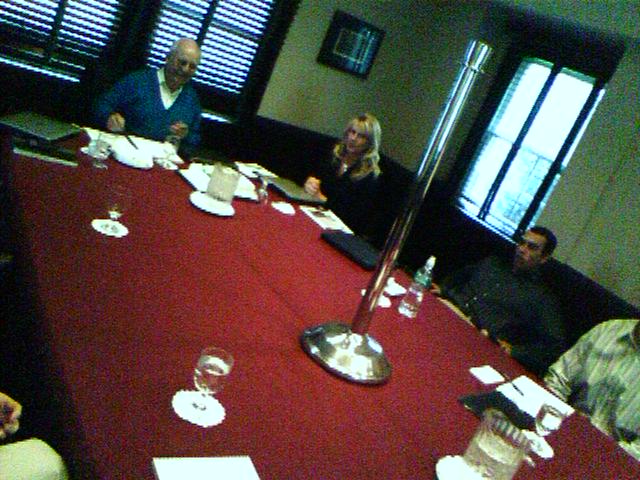
Meeting tip of the day: nothing spices up those all day offsite meetings like a Festivus pole in the center of the table.

Nothing.

Thanks Dave D. for educating me on this.

--Ben

10 Magic Trick Tutorials

10 magic trick tutorials: impress your friends, astound the ladies, get something useful to watch on your video enabled cell phone! Here's a sample:


How To: Quarter Through Soda Revealed! - video powered by Metacafe

and here's 9 more.

Impressive stuff.

Via: Red Ferret

Sharpie Hacks

I usually shy away from permanent markers, as there's nothing worse than grabbing a one when you meant to grab a whiteboard marker (of course, there's a fix for that too.). But, maybe they aren't all bad. ParentHacks mentioned a cool hack for fixing laundry oops with a Sharpie:

as I was repairing the bleach stains, it occurred to me that perhaps there are still people in the world who don't realize that one can repair, nearly flawlessly, bleach stains in clothing, with the new colored Sharpies.

Cool. ParentHacks then goes on to list other Sharpie hacks too.

Looks like it may be time to pick up a pack of Sharpies and start fixing stuff.

Paper Prototyping: Quick and Cheap Design

I'm always on the lookout for ways to present mocked up user interfaces. Why? Because design is hard, and to do it well, you need to plenty of iterations and plenty of interaction.

So I was psyched to read the latest article on A List Apart which talked about Paper Prototyping. Paper Prototyping, is just what it sounds - mocking up a UI in paper. Like...

As the article points out, there are all sorts of reasons to do this. It's fast, cheap, and gets everyone involved - even those that aren't particularly technically savvy. If you're creative about it, you can model various user experiences too, such as submitting a form and getting back an error. Perhaps the best reason to go the paper route is because it gets everyone in a room with their laptops off, focused on the task at hand.

While I've done a bit of paper prototyping (mostly simple stuff, like mapping out sites where each page is an index card), I really like some of the suggestions offered in the article. Such as using colored paper, or actually trimming the paper to look like buttons or tabs. Simple, and clever stuff.

This certainly does bring a different meaning to cut and paste design.

Tuesday, January 23, 2007

E-mail Merge - The easy way

Lets say you want to send out a whole bunch of standardized e-mails with data provided by an Excel doc. My first solution would be to rig something up using sed, awk, /bin/mail and a .csv dump of the data.

But, as this page shows, it simply doesn't need to be that tricky.

Turns out, Word's Mail Merge functionality (which I haven't used since High School computer class, when Mail Merge was considered slick technology) does e-mail too.

The Word wizard did more or less the right thing - stepping me through creating a template, finding a data source, and sending it off.

One thing to be careful of - when you finally produce your document, Word will send out those hundreds of e-mails on your behalf (via Outlook, of course). It won't just queue them up. So, when you hit that final step, make sure you are ready.

Monday, January 22, 2007

Review: Legal Values in the Jewish Bible and Rabbinic Thought

Check out the title of my latest completed book on CD: Legal Values in the Jewish Bible and Rabbinic Thought. Dull sounding, eh? And it gets worse. It's part of The Great Lecture Library. Excite your mind - Listen to Lectures" series. Ugh.

But here's the thing, this 1 hour lecture, given by Rabbi Saul J. Berman, was simply outstanding. Rabbi Berman had both excellent points to make and a wonderful speaking style to make them in.

The Rabbi's talk was a sort of overview of how Jewish Law compares to other law - both ancient and modern. He clearly explains why the laws from the Torah were, and continue to be, revolutionary.

I simply can't do this lecture justice in this review. It's entertaining, enlightening and educational.

I think this lecture would be especially valuable for those who just don't get this whole Religion Thing; those who think it is primitive or archaic. Rabbi Berman may not change your mind, but he will give a voice of reason and logic in a topic filled with noise and confusion.

I give this CD a 10/10 - it was that good. Find it, and listen to it. You'll be glad you did.

--Ben

What's Up, Doc?

So tonight I had my first doctor's appointment in nearly 3 years. I went to a brand spank'in new Primary Care Physician to talk about a recent string of headaches I've been having.

I'm about 99.98% sure the headaches are caused by stress. (Stress? What stress?!) But what if they aren't? What if my body is trying to tell me something?

So off to the Doctor I went. I ended up in a small 2 doctor office/hole in the wall near where I work. The staff was nice, and the waiting room magazines were up to date.

The doctor did the usual exam'ish type stuff. Thankfully, he found nothing obvious wrong - though he wants me to do some follow up.

There were two memorable parts of the exam:

First, he had this sort of good-cop thing going on. He more or less interrogated me about the cause of my headaches, and questioned if I knew the best way to get rid of them. I really felt like he wanted me to confess to something, but I know not what.

Second, he was surprised and pleased that I provided him with a spreadsheet of the last 20 headaches I had, organized by date and intensity. How else are we going to debug this problem if we don't have data? There's gotta be a pattern here somewhere and we aren't going to find it with my hazy recollections.

Overall, the visit was good - it didn't even give me a headache.

--Ben

Sunday, January 21, 2007

Rethinking the UI - Jitterbug Cell Phone

While thumbing through a copy of Good Housekeeping Magazine, I noticed an ad for the Jitterbug Cell Phone. It's a phone targeted to seniors, and as is immediately obvious, rethinks the UI of a typical phone.

As I just mentioned, I'm always interested to see when folks redesign a commonly accepted UI.

Now, of course, I've never actually played with a Jitterbug Cell phone. But that doesn't stop me from guessing what they did right and wrong with their new approach. So here goes. First, what I think they did right:

  • They ditched the number pad. Gutsy move, but one I like. With fewer choices, the phone is clearly easier to use.
  • They added in a dial tone. Somewhere along the line, a dial tone went from being a necessary part of the phone infrastructure to an important cue. It means, everything's good to go, start doing stuff. By adding something as simple as a .wav file of a dial tone, they are sending the same message. Camera makers do this all the time with digital cameras. They add in that familiar shutter click. Do you need that click? Of course not, but again, somewhere along the line it went from simply a mechanical side effect to actually meaning, poof, photo taken.
  • They give one button access to a human. With call centers being so global, and cheap, I can't imagine it's that expensive to have a bunch of operators standing by, ready to connect you to your own phone book. Who cares if it's not the most direct way to make a call? It gets the job done, and requires only hitting a single button. As a bonus, the operator is again a well understood metaphor.
  • They ship the phone pre-programmed with your contacts. Brilliant! Think about it. The first thing you do after you open up the box on your new cell phone is to do the one of the hardest tasks possible: program your phone book. Why not skip that step altogether by delivering the device pre-configured. Hopefully the device is connected enough to the main office that the operator (see above) can add stuff to your contacts for you after the fact.

And what I think they didn't get right...

  • They don't appear to be integrated with a service provider, like T-mobile or Sprint. If I were T-mobile, I'd be all over this. They would be the only cell phone provider with a senior friendly phone. That means that the kids buy the phone for their parents, and then have to join the plan to get free talk time. Seems like a no-brainer.
  • The phone is a bit too targeted to seniors. What about kids, or even just technologically skittish adults? This should be simply targeted to everyone who can't bother to interrupt their busy lives to learn some newfangled device.

Overall, I think the Jitterbug folks are on to something. I hope it works out for them, and they continue to break all those well established design rules.

Icon Inspiration

I really like the experiment Ro London, of Intersmash, decided to do. He went around to Fortune 1000 companies' websites and collected up examples of common icons they use.

The result, as he mentions, is a great place to start for brainstorming with icon ideas.

I find that icons are one of the trickiest graphical design elements to get right. On one hand, an icon can convey a huge amount of information in just a small, colorful space. On the other hand, how do you come up with a graphically universal way of saying something like Click here for driving directions?

At least I have 300 more ideas to play with and get me inspired.

You know traffic is so bad...

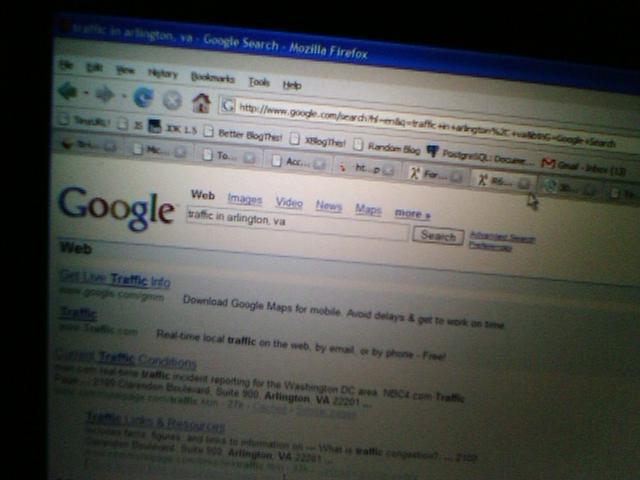
... when I can get a WiFi connection from a nearby house, and Google for traffic conditions.

Yikes. A little bit of snow and things really begin to crawl around here.

--Ben

First Snow Run of the Season

Here I am, after my first run in the snow for this season.

You'll be glad to know, no body parts were lost to frostbite.

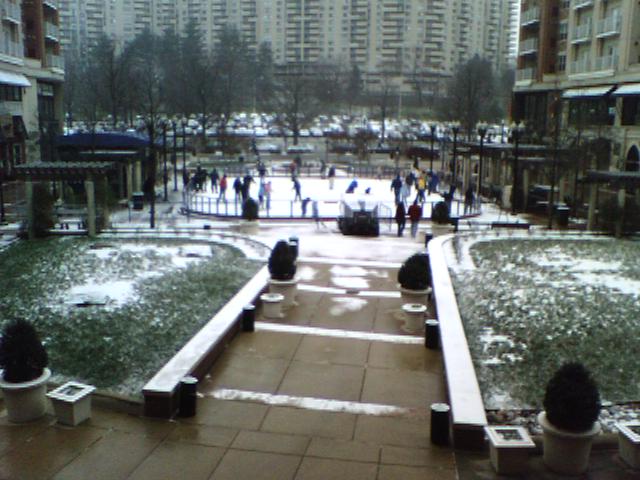
Finally, the ice skating rink had that nice picturesque look to it.

--Ben

Friday, January 19, 2007

Christians vs. Muslims, and the Loser is...

This will probably offend someone, but I have to admit, I had a good chuckle. It can't be that bad, as it was posted on a fellow Jew's blog.

Nifty JavaScript Hack

My buddy Igor passed on this entertaining JavaScript hack:

Give it a try, I promise it won't do any damage. Scouts Honor.

  • Visit a page with a bunch of images, like Amazon
  • Cut and paste the following text into your browser bar, all as one line: javascript:R=0; x1=.1; y1=.05; x2=.25; y2=.24; x3=1.6; y3=.24; x4=300; y4=200; x5=300; y5=200; DI=document.images; DIL=DI.length; function A(){for(i=0; i-DIL; i++){DIS=DI[ i ].style; DIS.position='absolute'; DIS.left=Math.sin(R*x1+i*x2+x3)*x4+x5; DIS.top=Math.cos(R*y1+i*y2+y3)*y4+y5}R++}setInterval('A()',5); void(0);
  • Sit back and watch the show

Thanks Igor!

Thursday, January 18, 2007

Job Advice - Focus on the E-mail, not the Resume

It's that time again, I'm looking to hire again (interested? Read this post, then drop me a line!). Last time I was going through this process I used the resumes submitted to me to make some recommendations on how not to get a job.

This time, I'm in just as much awe at the poor candidates that I'm getting so I thought I would offer some more advice to anyone out there looking for a job*. Maybe you can learn from other's mistakes?

Here goes...

  1. Your resume isn't the most important thing you are sending me. Why? Because chances are, it looks just like the one I got 10 minutes ago, and will get in the next 10 minutes. Sure, the dates will be different, and the companies will change, but the list of skills will probably be just as vast, and the list of accomplishments just as impressive.
  2. Attaching a cover letter as a word document misses the point. Back in the day, a cover letter was used to give context to your resume. It effectively introduced you and explained why I should care. It was the first thing I would read. But nowadays, by attaching it as Word doc, you are guaranteeing that I won't see it first. Sure, you'll be able to check the box that says send cover letter, but you won't have accomplished your goal: introduced yourself and add context.
  3. The text of your e-mail that delivers your resume is the most import part of applying for a job. Face it, the e-mail delivering your resume may be your only few seconds to win me over. Think about it: you have my attention while I make up my mind if you are worth pursuing or not. You've got seconds here, so make them count. Do you want to jump up and down and explain to me why you are special, or do you want to silently sit there and point to your resume (which, as I said, isn't that special.). Provide me with high quality e-mail, and you've gone a long way to making a good first impression.

And here's the sad part: of all the resumes I've gotten from Craigslist, not one had a good introductory e-mail. And by good I mean:

  1. Relevant: The ones that did provide text in their resume e-mails (and a bunch were totally blank, with a resume attached!), made it seems like the same cut and paste text that they send off to everyone. If just one person had said something like: as a developer with over 4 years of UI experience I would enjoy the opportunity to apply my skills blah blah blah, they would have my attention in a big way. At the very least, I won't get the sense that they are desperate spammers trying to get a job.
  2. Show your skills: This might come across as cheesy, but still, it's worth a shot. If just one person had said: I understand that designing for SEO and humans can be a challenge, and this is exactly the kind of challenge I love to take on, I would have fallen out of my seat, gotten up, and called that person in for an interview.

There's a bit of good news in all of this. Apparently, most applicants haven't figured this out. So, if you take just a few minutes and craft a relevant, spell-checked, and interesting e-mail when applying to a job, you just might get on the radar screen, when everyone else is falling off.

Update: Apparently, I'm not the only one who's frustrated and surprised by awful cover letters. Dumb Little Man just posted on the same topic. He was really generous and provided 100 ways to write a great cover letter. Make sure to check them out.


*Warning: this may be terrible advice! It may only make sense for small businesses, or if you are applying to a job that I'm offering. I really don't know. Like all free advice, it's worth what you paid for it.

National Airport At Night - First Attempt

On my way out for a run tonight, I grabbed my camera and mini tripod, thinking I might snap some photos if the opportunity arose.

As I started off on my run, I decided to run by National Airport to see if I could snap some night photos of planes landing. The shots I ended up with, can be found here.

Here are some of the better'ish shots:

From DCA Airport At Night
From DCA Airport A...

Overall, it was an interesting experiment, but I'm not really happy with the results. I guess it was an OK first try, if nothing else, to get the lay of the land.

It's definitely not Tokyo skyline at night quality, but hey, what do you want? I all I had with me with a Canon SD630 and a Gorillapod (both items I could run with and not notice I was carrying).

Better luck next time, I suppose.

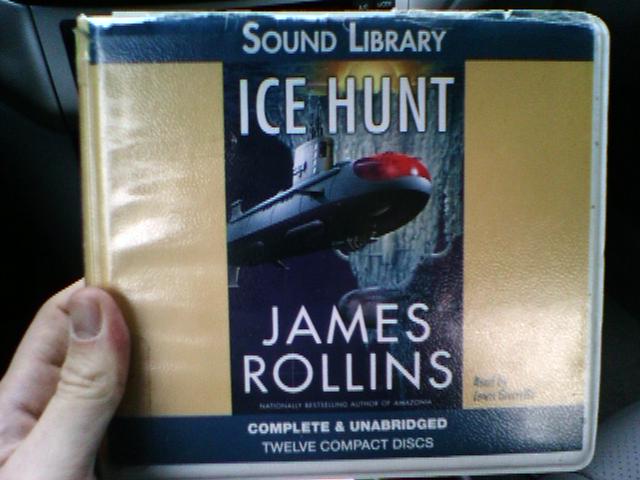
Review: Ice Hunter

Ice Hunter, by James Rollins, was my first attempt to choose a book on CD from the Sci-Fi shelf of the library.

That section usually gives me the willies, and leaves me dazed and confused as to what to pick. I can either take out some abridged Star Trek CD, or some complex fantasy story. Neither of which are appealing.

So I tried Ice Hunter.

Turns out, I'm not even sure you could call Ice Hunter Sci-Fi. It was mostly just an action book with a few science twists thrown in for good measure.

Still, there was lots of action, two count them two, side love stories, and plenty of shooting. I was pleased that I was only able to predict one or two of the plot twists, with the rest surprising me - excellent job Mr. Rollins.

As a fun, shoot-em-up distraction goes, this book is a winner. It's not great art, but sometimes one wants a bit more Die Hard and bit less Schindler's List.

I give this book a 8.03/10 for being a pleasant read listen with action that didn't quit.

--Ben

Wednesday, January 17, 2007

Things to Read, Podcasts to Listen to

Read or listened to anything cool lately? Share it in the comments please.

Blogger success

Finally, blogger is posting MMS messages from the Pearl.

Update: For some random reason, Blogger has decided to post MMS messages sent by Shira's phone. Over the past few days, sending messages to Blogger was like sending them into a black hole.

So, how does this whole blog from Pearl thing work? Just...

  1. Create a new MMS message on your device, you can easily do this after snapping a photo (see the one above, apologies for the gruesome subject)
  2. Send the MMS message to the e-mail address go@blogger.com
  3. There is no third step

Read more about how it works here

Kosher Food - Just an SMS Message Away

Good news for New Yorkers, Kosher NY has just announced that you can search for Kosher restaurants via SMS.

In Washington, D.C., there's currently only one Kosher restaurant option: Eli's. So, I suppose I could rig up a service that no matter what area you searched on, you got back this same response. (Naturally, Maryland is another story - they have a handful of options there.)

Still, I'm always excited to see Technology and Food mix together.

Via: Textually

Colbert on the iPhone

With all the iPhone hype, it's not surprising that Steven Colbert would get in on the action. Here's his two cents, on the phone (among other things), and as usual, it's quite funny:

BlogThis! works again

Nick pointed out that BlogThis! works with the "new" blogger. As this post shows, he's right.

Thanks Nick for sharing - I've really been missing the BlogThis! functionality.

It appears as though Blogger finally made the the BlogThis! window expand correctly, too. It used to be stuck at a fixed height, which was painful.

Keep up the great work Blogger.

Monday, January 15, 2007

Start 'Em Young

Now that's starting them young! Ben H., you'd fit right in with my family.

David, did I redeem myself by putting a Bears fan on the blog?

Shira's Blackberry Pearl Review

Okay, there were several requests for my thoughts on the Pearl. I felt I should use the phone for more than a day before sharing, but now I am ready. Bottom line, I am very much enjoying this new toy, and it is miles ahead of my old Samsung T809, which I paid an outrageous amount of money for. That said, it is not perfect, as I'll explain below. First the good:
  • I love how I am running a Gmail client, Google Talk and AOL IM all at the same time, on this handy little device that is always with me
  • While the Gmail client doesn't auto-refresh (come on Google, you can do better than that), I do get my Gmail email via regular Blackberry messaging, so I can hear the alert, and then if I wish to respond using the Gmail interface, can do that
  • Blackberry does do messaging well. From one menu, I can choose to start an email, an SMS, an MMS or an instant message
  • The trackball is super. I have an older Blackberry with the scroll bar on the side, but the multi-directional ability of the trackball is really nice
  • I find the keyboard very easy to "two-thumb" on. Also, with its own symbol key to bring up various symbols, I am freed from the world of pressing the "1" key or the "*" key or whatever key it was and scrolling through dozens of symbols until I found the one I needed. Also, the space key is context sensitive, so if you are typing an email address, the first time you push it it will give you an @ sign, but the next time it will give you a period.
  • No complaints on camera quality
  • It was extremely easy to export my contacts from my old phone to Outlook and then import from Outlook to the Blackberry
  • The USB connection for transferring files from the computer to my SD card also worked as easily as it should have
  • Voice dialing works great
  • Bluetooth connected without a problem to both of our cars (Acura TL and TSX)
  • Browsing over EDGE for the most part can be done at reasonable speeds
  • The screen is very bright and very clear
  • It is very slim and lightweight, while still packing in a lot of bang
Second, the gripes:
  • I am currently tracking what I believe, after doing some research, to be a memory leak. That is, when the device runs low on memory, it starts erasing your call log (that was my first clue) and then possibly some other things like text messages. Pulling out the battery and doing a hard reboot does restore the memory, and while doing this every few days doesn't sound fun, it is a relatively cheap, easy fix, that doesn't interfere too much.
  • The calendar and phonebook are traditional blackberry "crude text." They are functional, but don't expect aesthetics (but do you care if your phonebook is pretty?)
  • I was able to go two days on the battery with medium data usage and minimal phone usage. Under status, you can view the battery as a percentage, which for a person like me is dangerous: the battery went from 95% to 90%! It's probably just better to watch the bars on the home screen, but gosh I love precision!
  • Not all of the functionality/menus are intuitive (which is just painful during initial setup)
    • For example, to edit tones on a profile, if you just go to profiles and click on a profile, it will just set the profile on the phone. The first 5 times you do this without scrolling all the way down the screen to see the "Advanced" option, you get very frustrated about the simple process of how to change a ringtone
    • Also, when editing a person in your address book who you have not yet assigned a custom ringtone for, who would have thought that you should click on the icon to add a picture for them to also add a custom ringtone?
So, all in all, I think my only big concern is the memory leak, which, as mentioned, isn't a show-stopper. Ben still doesn't quite have the typing down and he is certainly not ready to rid himself of the Sidekick. But, different phones are made for different people, and I will certainly be keeping mine and being thankful that I don't have a Sidekick.

He Had a Dream

On this MLK day, take a few moments and listen to Dr. Martin Luther King Jr.'s I Have a Dream Speech. Wow is about all I can add:

Sunday, January 14, 2007

The Agony of Defeat

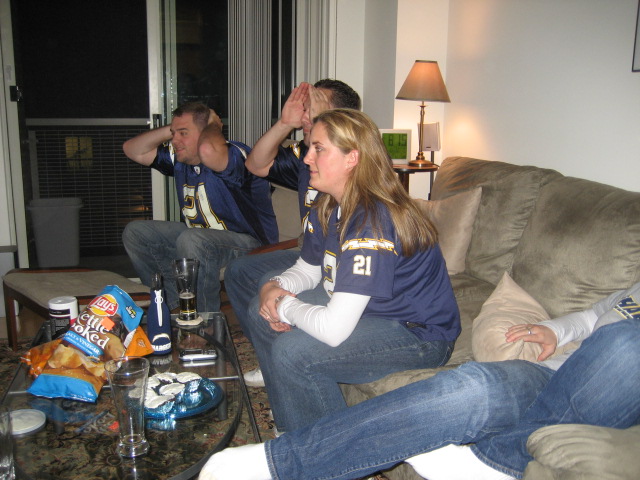
We just finished watching the Chargers lose to the Patriots. Ouch. The Chargers gave them that game with all their mistakes.

Luckily, there was beer available to dampen the pain. And I got to watch commercials (something Tivo deprives me of), which was a treat.

--Ben

Simpsons Clips

While looking for a Simpsons clip, I came across this site. It has quite a long list of a classic Simpsons moments you can view the videos for, including the radioactive dye incident, Marge as a cop, and the French bombing Springfield.

The videos are tiny, and this is probably illegal - but still, classic stuff.

Saturday, January 13, 2007

Laptop Surgery

Shira's laptop has been dying lately. Not getting errors, or crashing, but just plain turning off. This is frustrating to say the least. My guess as to why this was happening was that the laptop was getting too hot and triggering the heat sensor. I guess it's better to shut off the machine and than burn out the hardware.

We confirmed this a bit by noticing: (a) the laptop gets ridiculously hot and (b) by running DTemp, a simple program to tell you how hot your hard drive is. Our hard drive was getting over 109F, which I think is way hotter than it should be.

But what to do about it?

Tonight the laptop died again, and I was frustrated enough to actually do something. So what did I do? I grabbed some tiny screwdrivers and started taking out screws. I wasn't exactly sure of my plan, but I figured some value might come from it.

I found the hard drive and memory bays, and everything looked normal. Then I found the heat sink. When I finally removed the heat sink, exposing the processor, I was greeted with the site below.

Yikes! Check out all that dust! So, my theory is that all the dust was blocking the ventilation from the fan, thereby causing the laptop to overheat and shutdown.

I cleared away the dust, and put the laptop back together. And get this, I had no extra parts!

Now we just have to play the waiting game, and see if that helps.

Test...

Shira's having a bit of trouble posting from her Blackberry (review on the way guys, promise!).

This is a test to see if it's the blog or her phone.

--Ben

Update: Hmmm, the Sidekick over e-mail, and Blackberry over e-mail worked. Blackberry via MMS didn't work. Ahh, the joys of mobile blogging. When it works, it works great. When it doesn't, all you can do is create lots of test posts.

Friday, January 12, 2007

Color Inspiration

Here's a simple, and useful idea: 100 Random Colors.

This sort of thing is handy because it gets you thinking about color combinations you may never had imagined.

Thursday, January 11, 2007

Battle of the Blogs

One of the things that I found most interesting in this CNN article about the Ashley Treatment controversy, is how the parties are using blogs as the vehicle for discussion.

In fact, the the CNN article is really a quick summary of the relevant parties blogs, and links off to their sites.

Naturally, being a fan of the blogging, I think this is a good thing. It is allowing each of the groups involved to use their own voice to express themselves, rather than having the media interpret them.

The CNN article opens with this powerful statement:

David is a young man with severe cerebral palsy. He can't walk, he can't talk, he can't sit up by himself, but he can blog.

Wow.

While not quite as powerful, the message on Ashley's parent's blog is still important:

Upon much reflection this weekend, we’ve decided that we will continue to communicate via this web site. We politely decline the invitations for direct engagement with the media. The material we have here tells our story in great detail. We appreciate your respect for our privacy.

What excellent examples of using blogging as a serious platform for broadcasting your ideas, in your own words, on your own terms.

This sounds like an issue where people are concerned about who's trying to play God. Well, you know how I feel about that topic.

Tiny Apps

Surprisingly, it was Red Ferret that pointed me to this interesting collection of software utilities. Every app featured on the site weighs in less than 1.44 MB (which, I'm sure kids today don't even know the significance of...ahhh, those spoiled kids).

This seems like a site that would offer yet more candidates for your flash thumb drive.

Oh, and did I mention that most of the apps on the list are free?

Tuesday, January 09, 2007

Movies To Watch

Here's a list of movies I should get around to watching. Have a suggestion? Add it to the comments.

This list was inspired by Simple Movie Reviews

$100 Laptop UI - Another Fan

I was pleased to see that Coding Horror's Jeff Atwood pretty much shared my same views about the $100 Laptop UI, code named Sugar. He even went as far as downloading an emulator and running it, so check out his thoughts for more details that I provided.

As Jeff says:

I've been disappointed in the lack of GUI innovation over the last decade. Sure, Microsoft and Apple take small jabs at each other every couple of years. And the Linux community apes both companies, occasionally throwing in a curveball of their own. But when was the last time anyone tried a radically different UI on the desktop? The Sugar UI featured in the OLPC appears to finally break from the well worn conventions of Windows and MacOS.

I feel especially strong about this, as I tried yet again, to explain to a friend over the phone where stuff goes when you download it in Windows XP. The typical conversation goes like this this:

Did you check your desktop? Nope, not there, eh. Hmmm, How about My Documents? Ooh, a miss again. How about My Photos? My Media? My Music? Oh crap. Just try downloading it again, and read me exactly what's on the screen.

You'd think after all these years, and gobs and gobs of new and confused users, someone would have caught on that this whole folder metaphor just isn't intuitive. And simply slapping the phrase "My" in front of a folder does remarkably little to help matters.

Cool Music Source: Amie Street

BoingBoing pointed out this clever music site: Amie Street. They choose how much to charge for a particular song based on how popular it is.

The unknown stuff is free, while the tunes others have recommended can go for as much as a $1.00 a song.

They also position themselves as a progressive label by giving 70% of the profits to artists, and not taking the rights to their music.

This seems like a much better solution to the problem of online music sharing, than say, suing your listeners. But hey, what do I know.

Monday, January 08, 2007

Accomplishment of the Evening

Pretty sad when my biggest accomplishment at work tonight (and I'm still at the office....) is untangling one of those metal-link-puzzle-dealies.

Still, I'm pretty proud of that. So, maybe the evening wasn't a complete loss?

--Ben

Sunday, January 07, 2007

Online Family Tree Software -- Suggestions?

I'd like to setup an online family tree. I'd like it to be something really simple where all my relatives can go and add in the records they know about.

About all I can find that seems appropriate is Tribal Pages. But that site seems very 1998, and doesn't seem to provide support for having multiple people edit one tree. There must be something better out there, no?

There's plenty of desktop software out there, and plenty of websites where you input your records and then connect them up with other records on site. But that's not quite what I'm looking for.

Do you have any suggestions?

Powering the iPod Generation

From The Boys - Silver Diner

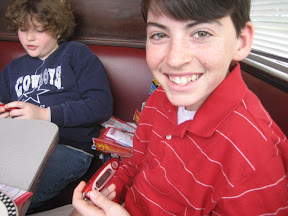
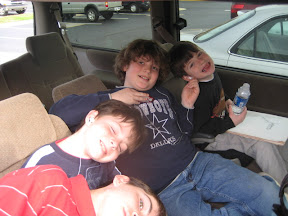
We had a fun time eating brunch with Danielle and The Boys. We gave The Boys mp3 players for Chanukah. Within about 3 minutes of opening the package they had them more or less all figured out.

What can I say, there are just brilliant kids.

From The Boys - Silver Diner

See all the photos here.